
Our Work Examples
Explore our recent projects showcasing our expertise in business communication solutions.
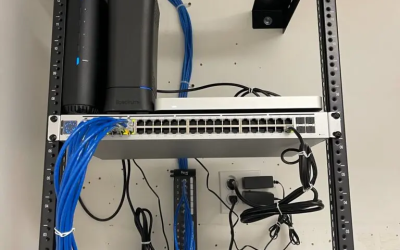
Small Data Cabling Installation Downtown Austin
This was small data cabling installation job we did downtown Austin for a customer that called last minute. He called at 10:00 am, we negotiated the deal, our tech was on site at 11:30 and we got the job done by the end of the Friday. We did have a few issues; our tech only had a 12 wall mount port patch panel in stock, and we were on a time crunch. The customer agreed to move forward as they couldn’t afford to be down on Monday. If you are looking for a data company that can help you get the job done on a timeline, give us a shot. No promises, but we will do our best to accommodate.
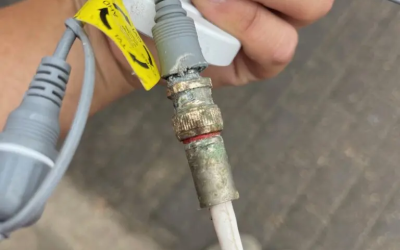
Picture here shows security camera cable corroding due to humidity and chlorine water coming from the indoor pool
This was a job we did for a small business in Cedar Park. They simply needed us to troubleshoot why their cameras were blurry and others not working. This is what we found. Most of the cables and connectors were corroded. We ended up replacing the connectors and bad cameras.
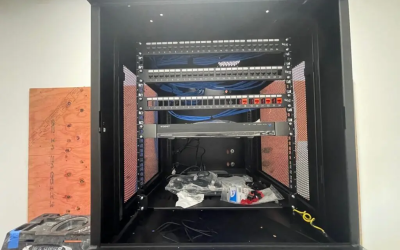
Enclosed is the rack with multiple patch panels and the installation of a security camera NVR system.
This was a job we did for a small business in Austin. We included Data cables for VoIP phones, computers, and security cameras. We mounted and installed the NVR system and programmed it. Now, we still have to wait for an internet service provider to install their internet services so we can help them set separate servers for guest and office Wi-Fi.
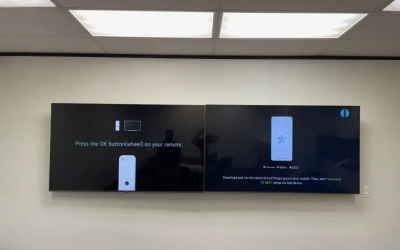
TV mounted side by side as per customer request
The customer requested that we install 2 TVs side by side. This install is for their conference room. Installing two TVs side by side makes it easier for them to compare two pictures.
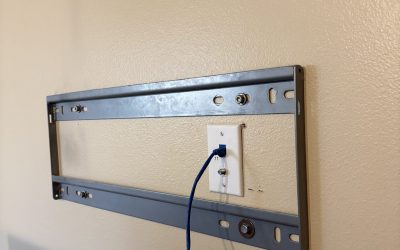
Data internet jack installed in back of TV
The picture above shows what the back of the TV would look like after we installed the data jack next to an electrical outlet. Note: We did not install the electrical outlet.
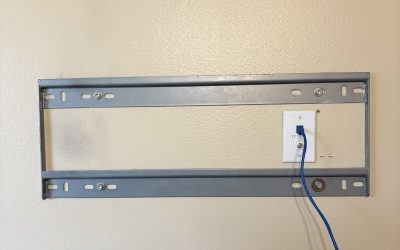
Low voltage box mounted in back of TV
Here, we installed a low-voltage box in preparation for a new data cable run and an internet jack installed for the TV.
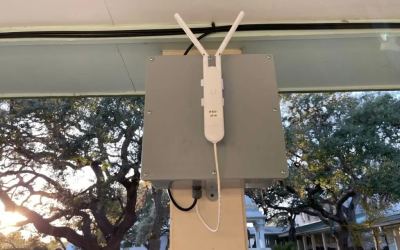
Jbox install wireless access point
Access Point and data cables installed outdoors with Junction box. The picture above was a job in South Austin installing multiple wireless access points throughout the large acre community. Although it is a wireless mesh network setup, we ran physical data cables to minimize interference and signal loss. Call us if you have a similar project and need a vendor to run lines, install access points, and help you with setup and program. Let us help you.
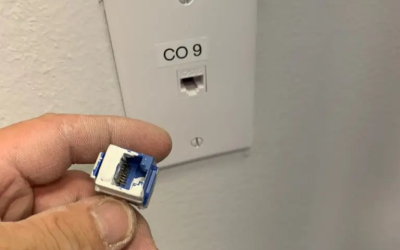
Data jack not working – paint
Troubleshooting and Repairing a Data Jack not working. Here, we have a picture of our tech troubleshooting and fixing a data jack that is not working. This ticket was a straightforward job as it was apparent why it was not working. We offer troubleshooting and repair services for your voice and data network, whether it is simple or complex. Call us now to schedule your appointment.
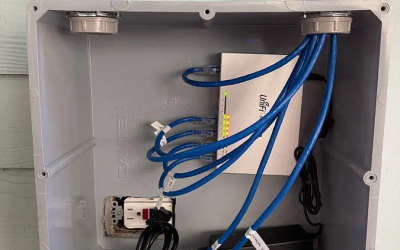
Data cables network switch install
Above was a job in South Austin where we ran multiple data cables inside PVC to protect it from the elements (wind, water, sun). We installed numerous access points throughout the property. We installed an eight-port POE network switch to power up all the wireless access points without needing electricity installed at every location. If you require something similar, give us a call. Let us help you.
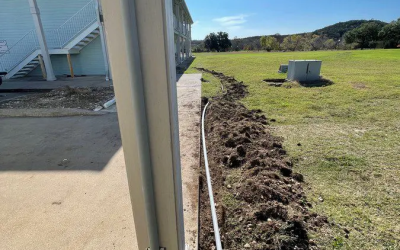
Install burial data cable underground with conduit
The picture above was a job in South Austin with multiple buildings involved. We had to run various tie cables between buildings to network these buildings together. Due to the distance between some of these buildings exceeding the allowable length for Cat 6 Data cables, we had to run some fiber optic cables. In this project, customers opt for OM3 fiber optic cables as they want room for growth shortly. The picture here shows PVC conduit installed on the post and going underground. If you are in the market that requires a vendor to help you build the data cabling infrastructure to tie multiple buildings together, call us. Let us be your cable vendor.
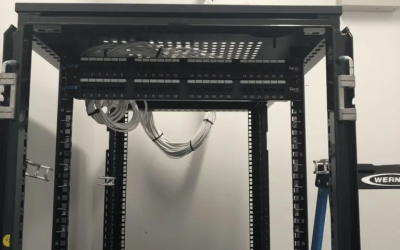
Small Data Cabling Services
Data cables installation and IT Move in Georgetown. Scope of Work: This is a data cabling job we did for a customer in Georgetown. They were in the process of moving to a new building. We tested and labeled all data cables; this helped make it easier to move all the equipment later on during move time. It helps minimize downtime as well. Notes: This was a 3 phase project. Phase 1 was the prewire and hardware installation. We tested all the data cables and jacks. Phase 2, we had the internet installed. They have a VoIP system, so we took a few phones to the new locations and made test calls inbound and outbound. We also test the upload and download speed tests. For Phase 3, we had to schedule some downtime. We had to move the customer servers and exchange servers and reconfigure all their DNS records. We tested application software and emails once everything was set up and moved.
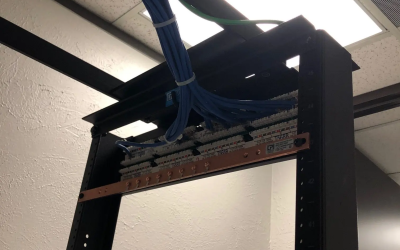
Rack with ground bus bar
For a job in Cedar Park, we installed a 7’ two-post rack with a patch panel, ran approximately 20 data cables, and set up a ground bus bar with proper grounding. This setup, becoming increasingly popular, keeps the server room organized and simplifies troubleshooting, making IT maintenance more efficient.
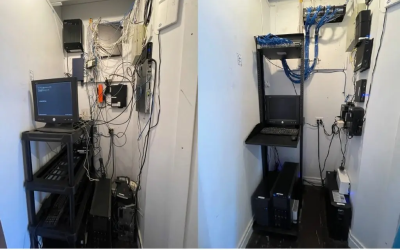
Data cable clean up
A long-time customer, frustrated with their unresponsive IT service provider, needed their disorganized server room cleaned up for easier troubleshooting. The project involved organizing and labeling equipment to simplify identifying devices during outages. A well-organized server room minimizes downtime and improves efficiency, making IT issues easier to manage. If your server room needs a cleanup, a small investment now can save major headaches later.
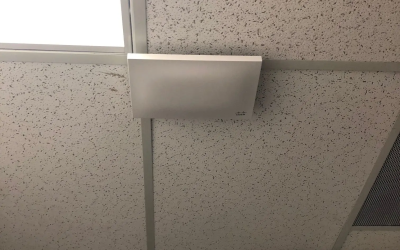
Meraki access point installation
The project involved installing data cables, mounting access points, and coordinating with corporate IT to ensure network visibility and programming. After IT at headquarters completed the setup, Wi-Fi testing was conducted. A local data company handled the installation to save costs and improve efficiency for the out-of-state corporate IT team.
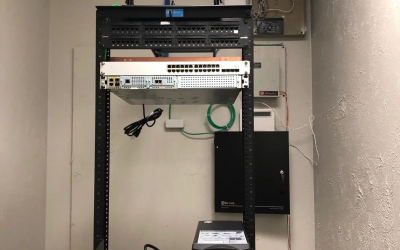
48 port patch panel rack cat 6 data cabling
The project involved installing and labeling data cables, terminating and testing connections, and assisting with mounting a network switch and rack for a small branch office. The corporate IT team later completed the network setup to integrate it with the main headquarters.
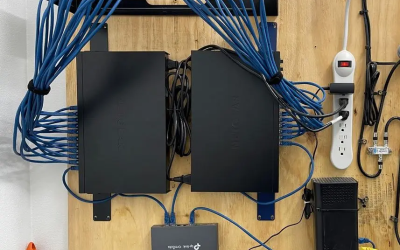
Data Cables With Multiple Network Switches
The above picture is a cable job for a small customer. Help them mount their existing network switch and install the router. Scope of Work: Install Data cables and jack. Terminate, test, and label. Additional Work – Help customer mount and install their network switch. Help customers setup primary network, file sharing, and printer setup.
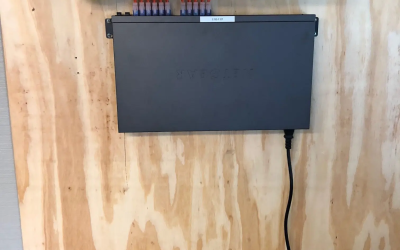
Data Cabling Services in North Austin
The above picture is a minimal data cabling job for a customer in North Austin. They were transitioning to VOIP. They wanted to start fresh with all new data cables terminated on a patch panel with just 1 Network POE switch. From here, all we had to run was 1 data cable tied to the router, which is their whole IT configuration. Straightforward configuration, but it works well. IT (Information Technology) can be simple, especially for smaller customers.
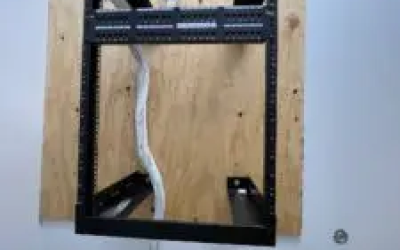
Small Data Cabling Job
A VOIP transition required fresh data cables terminated on a patch panel with a single network POE switch.
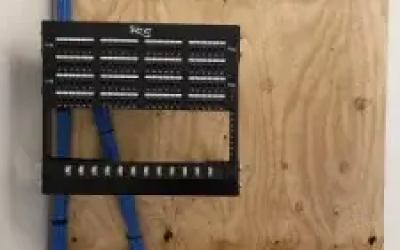
Voice Data Cabling Services
Installed 50 data cables, terminated, tested, and labeled all jacks. Worked with ATT for dedicated internet access setup.
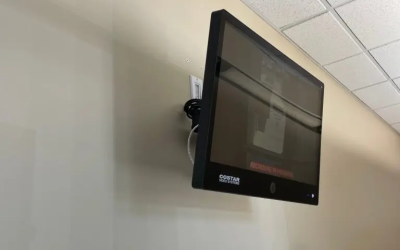
Camera Monitor Installation
The Costar Video System camera monitor was installed at the front entrance for easy monitoring.
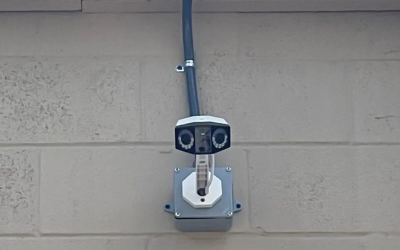
Reolink Duo w/ J Box
For better coverage, we installed 8x Reolink Duo cameras ensuring a 360-degree view with weather-protected wiring.
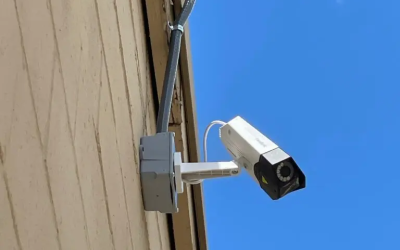
Reolink Duo
A shopping center owner decided to have us install security cameras around the plaza due to rising security concerns.
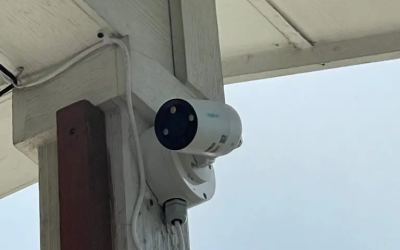
Reolink Bullet Outdoor Rated
Reolink junction box provided by customer was used to protect wiring from extreme weather.
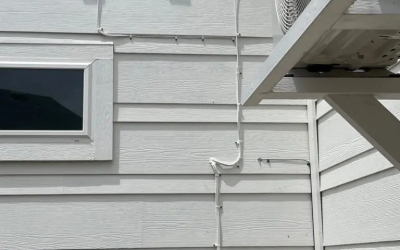
Exterior Cable Run
Outdoor rated cables were used to run all exterior cameras.
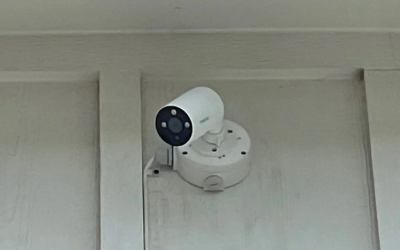
Reolink Bullet Camera
New homeowner called to have us install his own camera system. Here at BCS we offer BYOD (Bring Your Own Device) installation.
Ready to Start Your Project?
Let us help you achieve similar results for your business.