

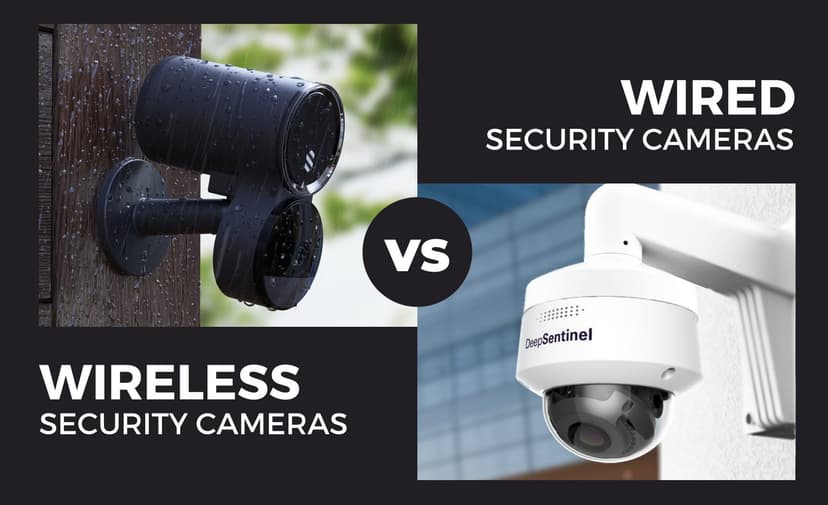
Choosing the right security camera setup for your Austin home or business can feel like picking a flavor at your favorite ice cream shop, with so many options, and each one promises to be the best! We’ve guided countless Texans through this very dilemma, and we know the “Wireless vs. Wired” question can seem especially tricky if you’re not a tech wizard. But don’t worry: we’re here to cut through the confusion, skip the jargon, and give you the straight scoop on which system will keep your property safe, your wallet happy, and your stress level low.
Whether you’re a busy landlord in East Austin, a family in the suburbs, or a shop owner on South Congress, your security needs are all different from each other. Do you value flexibility and a quick setup, or is rock-solid reliability your top priority? In the paragraphs that follow, we’ll explain everything you need to know about wireless and wired cameras, from security camera installation and performance to maintenance and cost. By the end, you’ll be ready to make a confident choice that fits your lifestyle (and your budget), without ever having to decipher a wall of technical specs. Ready? Let’s get in!
Round 1: The Basics – What’s the Difference?
At their core, both wireless and wired security cameras do the same job: they keep an eye on your property and record what happens. But the way they connect, draw power, and interact with your network sets them apart. Here’s a closer look at each style’s strengths and trade-offs.
Wireless Security Cameras – The “Easy Breezy” Option
When you snap a picture on your phone, you point, you click, and you’re done. That’s the essence of wireless cameras. They pair to your home or business Wi-Fi network (or run on batteries), so there’s no tedious cable-pulling or drilling required.
What Makes Them Shine
Plug-and-Play Setup:
Mount your camera wherever you like, such as porches, walls, or even inside your garden shed, and then connect to Wi-Fi using the camera’s app. Most folks have their cameras live in under 30 minutes.
Flexible Placement:
Renting an apartment? Remodeling? No problem. Wireless cams can hop from room to room, house to house, or even from your front yard to the back gate, wherever your Wi-Fi reaches.
DIY-Friendly:
You don’t need special tools or an electrician. If you can follow a simple app walkthrough, you can handle installation yourself.
Smart Home Integration:
Wireless cameras often play nicely with Alexa, Google Home, or Apple HomeKit. Imagine, “Alexa, show me the driveway,” and boom, your camera feed appears on-screen.
What to Watch Out For
Wi-Fi Hiccups:
Thick walls, long distances, or crowded networks (like apartments with dozens of neighbors) can weaken signal strength, causing choppy live views or dropped recordings.
Battery Management:
Battery-powered cams give you placement freedom but demand periodic recharges or battery swaps. Plan to check batteries every few months, or choose solar-powered mounts to keep them topped up.
Perfect For
Renters, apartment dwellers, and anyone who needs a no-drill setup.
Small homes or offices with a strong, reliable Wi-Fi network.
Homeowners who value convenience and want to self-install.
Wired Security Cameras – The “Set It & Forget It” Champ
For those who prefer a once-and-done approach, wired cameras are the heavyweight champions. They connect via cables, either Power over Ethernet (PoE) or traditional coaxial, carrying both power and video signals in one neat run.
Why They’re Rock Solid
Unbreakable Connection:
Since they don’t rely on Wi-Fi, wired cams deliver consistent, high-quality footage without dropouts even during storms or heavy network traffic.
Constant Power & 24/7 Recording:
No batteries means no midnight low-battery alerts. Your cameras just keep rolling around the clock.
Higher Resolutions:
Wired systems often offer true 4K Ultra HD feeds, capturing every detail, clear as day, from sidewalk license plates to backyard raccoons.
Long-Term Durability:
With cables secured inside walls or nooks, your system tolerates Austin’s heat, wind, and yard-chewing rodents with minimal fuss.
The Trade-Offs
Professional Installation Required:
You’ll need an experienced installer to run wires through walls, set up PoE switches, and hide cables. This investment ensures a neat, tamper-resistant job, but it does take a bit more time and money up front.
Fixed Placement:
Once a wired camera is mounted and wired in, moving it means rerouting or extending cables, so plan your camera angles and zones carefully before installation.
Best Suited For
Homeowners seeking a permanent, high-reliability solution.
Businesses that need uninterrupted, crystal-clear surveillance.
Large properties or spots with weak Wi-Fi where wireless cameras would struggle.
Weighing Your Options: Quick Comparison
Feature
Wireless Cameras
Wired Cameras
Setup Time
15–30 minutes DIY
Several hours or days with pros
Network Dependency
Requires solid Wi-Fi
No Wi-Fi needed (PoE or coax runs)
Power Source
Batteries or a local outlet
Direct cable power (24/7)
Video Quality
Up to 1080p or 2K
Up to 4K Ultra HD
Relocation
Easy: just unplug & remount
Hard: needs new cable runs
Maintenance
Battery checks, Wi-Fi health
Minimal: cables & hardware upkeep
Ideal Use Cases
Rentals, small homes, quick installs
Permanent homes, businesses, and estates
Round 2: The Showdown – Which One Wins for YOU?
For Homes
When it comes to protecting your home, whether it’s a cozy bungalow in Bouldin Creek or a modern condo in the Domain, the choice between wireless and wired cameras often boils down to your living situation. Wireless cameras are a godsend for apartments, rentals, and small homes. You can slap one up in minutes, link it to your Wi-Fi, and voilà, suddenly, your front door is under watch. No drilling, no cabling, and no fuss is perfect if you’re renting or plan to move in a few years. Plus, if you decide you want to peek at the backyard instead, you simply unplug, re-mount, and reconnect.
On the other hand, wired cameras shine for long-term homeowners who imagine never moving again, think classic Hyde Park cottages or luxury estates in Westlake. With professional installation, you get a rock-solid connection that never hops off Wi-Fi, plus 24/7 power for uninterrupted recording. That means no juggling battery swaps and no worries about dead spots in your network. Once wired in behind your walls, these cameras quietly do their job for years, giving steadfast reliability you can count on.
For Businesses
In a business setting from a bustling restaurant on South Congress to a sprawling warehouse off I-35 wired security cameras are almost always the clear winner. Reliability is non-negotiable when you’re protecting inventory, employees, and customer safety. Wired systems deliver enterprise-level coverage with crisp, high-resolution video and zero risk of Wi-Fi dropouts during peak hours. You’ll never lose footage right when you need it most, and you can integrate dozens of cameras into a single, centralized network.
While wireless cameras can be useful for quick pop-up events or temporary job sites, they simply can’t match the robust performance and scalability of a professionally installed wired network. For most Austin businesses, the peace of mind that comes from knowing your cameras are always recording day or night, rain or shine, makes the extra installation effort more than worthwhile.
Still Unsure? Ask Yourself
“Do I hate drilling holes?”
If the thought of patching drywall makes you break out in a cold sweat, wireless is your stress-free solution.
“Do I want zero maintenance?”
If you’d rather never think about battery levels or Wi-Fi boosts again, wired systems let you set it and forget it.
“Is my Wi-Fi strong everywhere?”
Test your network in every corner you want to cover. If you get full bars, wireless could work beautifully. If not, wired is the safer bet.
Round 3: Pro Tips from Austin’s Security Experts
Wireless Hacks for Better Performance
Even the best wireless cameras can struggle if your network isn’t optimized. Here are some easy tweaks to keep your signal strong:
Place Cameras Close to Your Router:
Distance matters. Aim for under 50 feet indoors, and avoid thick walls or metal obstacles.
Upgrade to Dual-Band Wi-Fi (5 GHz):
Most routers offer both 2.4 GHz and 5 GHz bands. The 5 GHz band is faster and less crowded, so switch your cameras there if possible.
Use Mesh or Range Extenders:
In sprawling homes or thick-walled bungalows, a mesh network or Wi-Fi repeater can fill in dead zones.
Choose Solar-Powered Outdoor Models:
Install solar-equipped cameras on your fence or eaves, and forget about charging batteries ever again.
These small adjustments can turn a shaky feed into a crystal-clear live view, giving you confidence that your wireless setup will keep pace with your busy Austin lifestyle.
Tips for a Flawless Wired Setup
When you commit to a wired system, a little planning goes a long way. Follow these pro tips to ensure a clean, reliable installation:
Run Cables Inside Walls or Conduit:
Not only does this look sleek, but it also protects wires from weather, pests, and curious hands.
Opt for PoE (Power over Ethernet) Cameras:
One cable for data and power reduces clutter and simplifies your network setup; no separate power outlets needed at each camera.
Install a UPS Backup:
A small uninterruptible power supply keeps your cameras and PoE switch online during short outages crucial for stormy Texas weather.
Label Everything:
When you have dozens of cables, clearly labeled runs save headaches later. Use colored tape or printed tags to match each cable to its camera.
Schedule a Professional Network Audit:
A quick audit ensures video traffic won't slow down critical systems if your cameras are on the same network as your business computers.
With these wired best practices, your new installation will deliver bulletproof performance time after time, making sure you never miss a moment of what matters most.
Final Verdict: Which Should You Pick?
Choosing between wireless and wired cameras comes down to your priorities. If you want a quick, no-fuss setup, wireless cameras win hands down. You can DIY in minutes, move them wherever you like, and seamlessly link to your existing Wi-Fi or smart home hub. They reliably deliver crisp 1080p (and even 2K) video provided your network is up to the task, and they’re perfect for renters, small homes, or anyone who values portability over permanence.
On the other hand, if rock-solid reliability and the best video quality (up to 4K+) are non-negotiable, wired cameras are your best bet. Although they require professional installation and some upfront planning, running cables through walls and setting up PoE switches, they deliver flawless, 24/7 recording with zero dropouts. That makes them ideal for businesses, large properties, or homeowners who never want to worry about Wi-Fi hiccups or battery changes again.
So, all in all:
If you want simple, movable security → choose Wireless.
If you need bulletproof, always-on protection → choose Wired.
Still undecided? No problem, we’ve got your back. At Business Communication Solutions, we’ve helped countless Austinites match their unique spaces and budgets to the perfect camera systems, without any hard sell. We’ll walk you through each option, answer every question, and recommend what truly fits your lifestyle and security-related concerns.
Call us today for a free, no-obligation consultation. Let’s design a system that works exactly how you need it to make your security simple, dependable, and stress-free. Because in Austin, protecting what matters most shouldn’t be complicated. It should just work.
Why Austin Trusts Business Communication Solutions
Local expertise and lightning-fast response
Friendly, jargon-free guidance
Custom solutions for homes and businesses
Fully licensed, insured, and backed by 24/7 support
Serving Austin & surrounding areas, your safety is our number one priority!