

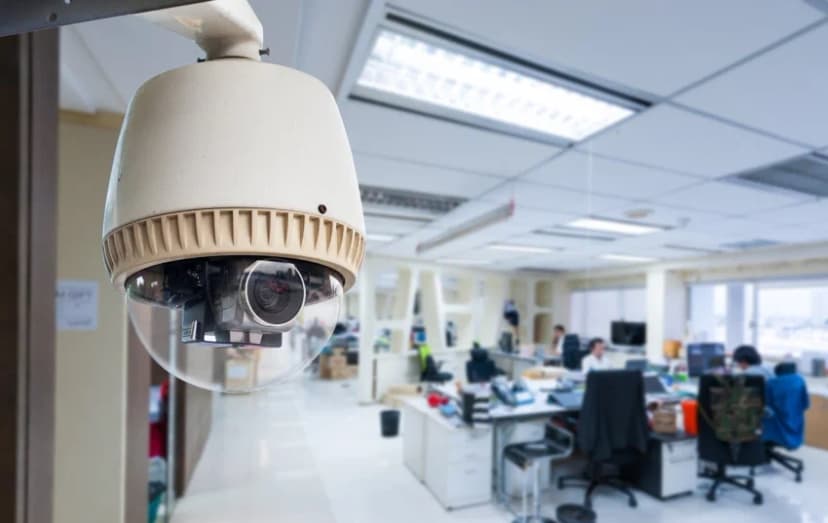
Installation
Attention Business Owners!
If you’re still relying on a handful of consumer-grade cameras cobbled together in a drawer or simply crossing your fingers and hoping nothing goes wrong, it’s time for an upgrade. We understand that protecting your business goes far beyond setting up a camera and walking away. A truly effective security system requires careful planning, professional installation, and ongoing support. This guide will walk you through everything you need to know to build a surveillance network that deters crime, safeguards your assets, and delivers a solid return on your investment.
In the pages ahead, we’ll cover:
Optimal camera placement strategies, so you never miss a critical angle
Key legal considerations to keep you compliant and confident
Advanced features worth investing in, from smart analytics to remote access
Tips on maximizing your security ROI, ensuring every dollar you spend pays dividends
Whether you manage a fast-paced restaurant, a bustling retail store, or a large warehouse, the right security camera system can be a game-changer. Let’s explore why professional installation matters and how to design a system that works as hard as you do.
1. Why Professional Installation Matters for Businesses
The Security Reality Check
It’s easy to underestimate how appealing your business might look to the wrong people. Did you know that commercial properties are three times more likely to be targeted than residences? Whether it’s inventory shrinkage, employee theft, or break-ins after hours, businesses face a unique set of vulnerabilities. Simply hanging a couple of cameras on the walls is not enough to keep those risks at bay.
Research shows that having visible security systems in place can reduce theft by up to 60 percent. When potential wrongdoers see well-positioned cameras, alarms, and warning signage, they’re far more likely to think twice before making your business their next target. On top of that, high-quality footage can accelerate internal investigations: studies indicate that businesses resolve these incidents more quickly when clear video evidence is available.
However, these benefits only materialize when your system is designed and installed correctly. An improperly aimed camera, a loose cable, or a weak network connection can turn your high-tech investment into a glaring liability. That’s where professional installation comes in.
Why DIY Falls Short
You might be considering a do-it-yourself approach to save a few dollars. And while DIY kits have their place, especially for residential setups, they tend to leave businesses exposed in several key ways:
Coverage Gaps:
Without a professional assessment, it’s easy to overlook blind spots. A thief or discontented employee could simply slip through the cracks.
Technical Missteps:
Power-over-Ethernet cables run the risk of improper connections; cameras may be set on the wrong network bands or left in low-quality modes to conserve bandwidth.
Compliance Risks:
Laws surrounding video surveillance, especially when it comes to recording employees, can be complex. A pro installer will ensure you meet all local and federal regulations.
Lack of Scalability:
As your business grows, you may need to add new cameras or integrate with other systems. A cobbled DIY setup can become a nightmare of mismatched hardware and incompatible software.
Beyond Basic Surveillance
Today’s professional security camera systems offer far more than grainy night-vision footage. A modern installation provides a suite of tools designed to streamline your operations, enhance safety, and even lower your insurance premiums. Consider the following features when planning your system:
Remote Monitoring:
Imagine being able to check live feeds from your smartphone at home, the office down the street, or on vacation. Remote monitoring puts you in control, so you’re never truly “out of touch” with what’s happening on your premises.
Smart Motion Detection:
Gone are the days of sifting through hours of uneventful footage. Advanced motion-detection algorithms can distinguish between harmless movement like a waving tree branch and real threats, sending you instant alerts only when it matters.
Integration with Other Security Systems:
A professional installation can link your cameras to alarms, access control, and even fire-safety systems. This unified approach means that, for example, a door forced open after hours can trigger both an alarm and an alert to your security cameras.
Insurance Premium Reductions:
Many insurance carriers recognize the value of a professionally installed system and may offer premium discounts of 10–20 percent. Over time, those savings can offset the cost of your installation and even generate net gains.
The Professional Installation Process
A true business-grade installation is not just “plug and play.” Here’s what you should expect:
Site Survey and Risk Assessment:
An expert will walk your property, identifying high-risk areas such as entrances, loading docks, and storage rooms, and recommending camera types and mounting positions to achieve full coverage.
Custom System Design:
Using information from the survey, we’ll architect a network that balances outstanding image quality (up to 4K resolution) with network performance and storage capacity.
Cable Routing and Hardware Placement:
Whether you choose Power over Ethernet (PoE) or traditional analog, we’ll run all wiring through walls and ceilings, hide cables from view, and secure each camera with tamper-resistant brackets.
Network Configuration:
Our technicians configure your network switches, VLANs, and Wi-Fi access points to ensure uninterrupted camera streams. We’ll also set up remote-access protocols so you can view video feeds securely from any device.
System Testing and Training:
Before we leave, we’ll test each camera’s field of view, night-vision performance, and motion-detection settings. Then we’ll train your staff on how to access footage, set alerts, and troubleshoot basic issues.
Ongoing Support and Maintenance:
As part of our commitment, we offer 24/7 technical support, scheduled firmware updates, and optional maintenance plans to replace worn-out parts or expand your system when you grow.
2. Strategic Camera Placement for Maximum Coverage
Getting high-quality cameras is only half the battle. To truly deter mischief and capture every important moment, you need to place each camera thoughtfully. Below, we break down the critical zones you’ll want to monitor, the best camera styles for each area, and the little details that make a big difference.
Main Entrances: Weatherproof Dome Cameras
Your front door and other main entry points are prime real estate for security. Mount a weatherproof dome camera about 7–8 feet off the ground, high enough to stay out of reach, yet low enough to capture clear facial details. Dome housings protect the lens from rain, dust, and vandalism, while the tinted cover keeps potential intruders guessing which direction the camera is pointing. The result? A constant, reliable view of everyone coming and going.
Cash Handling Areas: High-Resolution Fixed Cameras
Register zones and cashier stations handle your most sensitive transactions, so you’ll want crystal-clear video here. A high-resolution fixed camera, ideally 4K, locks onto the checkout area with a narrow field of view, ensuring you catch every bill passed and signature penned. Position the camera overhead or slightly to the side, avoiding glare from lights or computer screens. A clear, unobstructed line of sight makes it easy to review footage in case something criminal is going on.
Inventory Storage: 360° Panoramic Cameras
Stockrooms and supply closets can be breeding grounds for petty theft or misplaced inventory. A 360° panoramic camera mounted in the center of the ceiling eliminates blind spots, giving you a single, all-encompassing view of the entire room. Opt for models with built-in infrared LEDs to maintain visibility during evening shifts or when lights are switched off. You’ll always know exactly what’s moving in and out of your storage racks.
Employee Workstations: Discreet Mini-Dome Cameras
Monitoring internal activity requires a balanced approach. It is too obtrusive, and you may create discomfort or privacy concerns. Discreet mini-dome cameras blend into drop ceilings or light fixtures, offering a respectful yet watchful eye over workstations. Be mindful of local privacy laws: aim cameras at common areas rather than personal desks, and provide clear notice to employees that surveillance is in use.
Parking Lots: License Plate Recognition Cameras
Your parking lot is another hotspot for incidents ranging from hit-and-runs to after-hours break-ins. License plate recognition (LPR) cameras combine high-resolution imaging with specialized software to capture clear plate numbers, even at night. Install these cameras under protective housings near entrances and exits, angled down at about a 30-degree tilt to minimize glare. Ensure they’re rated for extreme temperatures and weather events common to the Austin area.
Pro Tip: Overlapping coverage is your secret weapon against blind spots. Aim adjacent cameras so their fields of view intersect by at least 10–15 percent. That way, no hiding place is left unmonitored, and you’ll get multiple angles on every incident, making investigations faster and more conclusive.
3. Wired vs. Wireless: Choosing Your System
When it comes to selecting the backbone of your surveillance network, one of the first decisions is whether to go wired or wireless. Each approach has its champions, and understanding the trade-offs will help you pick the solution that aligns with your business goals and site constraints.
Wired Systems (Recommended for Most Businesses)
Wired camera systems remain the gold standard for commercial installations. By running cables typically Power over Ethernet (PoE), you ensure a constant, reliable connection that never drops out, even during peak network traffic or bad weather. This reliability makes wired systems perfect for capturing crisp, high-resolution video (4K and above) without worrying about Wi-Fi interference or bandwidth limitations. Since cables carry both power and data, you eliminate the need for battery swaps and reduce points of failure. A professionally installed wired network also tends to enjoy a longer lifespan; once the cables are in place, you can simply swap out cameras if you need upgraded features later. The downside is that installation requires more physical coordination, like drilling conduits, routing cables, and configuring network switches, but for most businesses, the superior performance and low maintenance make it well worth the investment.
Wireless Systems (For Temporary Locations)
Wireless cameras shine when you need speed and flexibility. Trade shows, pop-up shops, or short-term construction sites often lack the time or budget for a full cabling job. In just minutes, you can mount wireless cameras, connect them to your Wi-Fi network, and start recording events. Expanding coverage is as simple as adding another camera, no cable runs required. However, you will want to keep an eye on signal strength: thick walls or crowded networks can lead to chatter in your live feeds or dropped clips. Battery-powered models free you from outlet worries, but you’ll need to budget for periodic recharges or fresh cells. Wireless setups also tend to cap out at 1080p or 2K resolution, so if you need ultra-fine detail, like reading license plates, wired may still be the better choice.
4. Must-Have Features for Business Security
To turn a collection of cameras into a truly protective system, look for these core features that address real-world security challenges:
High-Resolution Recording. Aim for at least 1080p as the minimum; 4K cameras capture far more detail, making it easier to identify faces, read labels, and zoom in on critical events without pixelation.
Night Vision. Infrared night-vision capabilities extending at least 100 feet ensure you remain protected long after the sun goes down. Check for cameras that can switch to full-color night mode when built-in floodlights activate.
Motion-Activated Alerts. Rather than sifting through continuous footage, choose systems with smart motion detection that distinguishes between people, vehicles, and background motion, so you get notified only when there’s genuine activity to review.
Cloud Backup. Local recorders are reliable, but pairing them with cloud backup protects your evidence from tampering or hardware failures. Automatic, encrypted uploads keep your data safe even if an intruder tries to disable your on-site recorder.
Two-Way Audio. In retail or front-desk environments, being able to talk to visitors or delivery drivers through your camera adds convenience and an extra layer of security. There is no need to open doors or leave your office.
Vandal-Proof Housing. Outdoor cameras should carry at least an IP66 rating for weather resistance and come in sturdy, tamper-resistant casings to withstand both the elements and curious hands.
Advanced Options Worth Considering
Once you’ve covered the essentials, these premium features can take your security from “good” to “great”:
License Plate Recognition (LPR):
Automatically capture and log vehicle plates as they enter and leave your property, ideal for gated facilities and parking enforcement.
Facial Recognition:
For high-security areas, face-matching technology can alert you if an unauthorized person attempts access. Remember to check local privacy laws before deployment.
AI-Powered Behavior Analysis:
Cutting-edge systems can flag unusual patterns like loitering or crowd formations, so you can respond proactively.
POS Integration:
Linking cameras to your point-of-sale system creates synchronized video and transaction logs, making it easy to audit sales or investigate discrepancies.
By combining a well-chosen wired or wireless network with these must-have and advanced features, you’ll build a business security camera installation that not only stops threats but also helps you with taking action, keeping your assets and people safe around the clock.
5. Legal Considerations You Can’t Ignore
Before you turn on your new surveillance network, it’s crucial to understand the legal landscape. Cameras can be invaluable, but violating privacy laws or employee regulations can result in fines or lawsuits.
Employee Notification: In most states, employers must notify staff that video monitoring is in place. This doesn’t mean plastering your walls with neon “Smile, You’re on Camera” signs, but a clear policy posted in break rooms or included in your employee handbook goes a long way toward compliance and trust.
Audio Recording Laws: Sound is a different story from video. About a dozen states require two-party consent before audio can be recorded, so if your cameras have built-in microphones, make sure you check local rules. In many cases, it’s safer to disable audio recording entirely unless you have a clear, signed agreement from everyone involved.
Public View Restrictions: You’re free to monitor your own property, but pointing cameras at areas where people expect privacy, like restrooms, changing rooms, or neighboring properties, can get you in trouble. Position lenses to focus on walkways, lobbies, and parking lots, not through windows into private spaces.
Data Protection: Footage is sensitive data, and you must treat it as such. Whether you store video on-site or in the cloud, lock it down with strong passwords, encrypted backups, and strict access controls. Define a retention policy. How long will you keep recordings before automatic deletion? Document these procedures so that, if inspected, you can prove you take data security seriously.
Pro Tip: Always consult a local attorney before finalizing your surveillance plan. Laws vary city to city and state to state, so getting professional guidance helps you avoid costly mistakes.
6. Professional Installation vs. DIY
Deciding between calling in the cavalry or rolling up your sleeves depends on your business’s size, complexity, and long-term goals. Here’s how to know which path is right for you.
When to Call the Pros:
Luxury Inventory:
If you’re safeguarding expensive stock like jewelry, electronics, or pharmaceuticals, you need zero-fail performance. Professionals ensure each camera is properly placed, wired, and secured.
More Than Eight Cameras:
Large systems benefit from structured cabling, network segmentation, and PoE switch configuration. Without professional design, you risk overloading your network or creating blind spots.
Complex Wiring Needs:
Historic buildings, multi-floor layouts, or sprawling campuses require strategic cable routing to hide wires and protect them from damage. Experts handle conduit runs and patch panels for you.
Advanced Features:
Facial recognition, license-plate readers, and AI-driven analytics demand careful calibration. Certified installers not only install hardware but also fine-tune software to reduce false alerts and ensure accurate detection.
When DIY Might Work:
Small Retail Spaces (Under 1,000 sq ft):
A few wireless or plug-and-play PoE cameras can cover a compact shop or kiosk. You can mount, configure, and connect the system yourself, so no network engineer is required.
Temporary Pop-Up Locations:
Trade shows, seasonal kiosks, or short-term events often need quick, noninvasive coverage. Battery-powered wireless cameras give you flexibility without committing to permanent wiring.
Basic Monitoring Needs:
If your primary goal is general deterrence, a simple DIY kit with remote access and motion alerts might be okay until you outgrow it.
7. Maintaining Your Security System
A great installation is only the beginning. To ensure your cameras keep working when you need them most, follow a structured maintenance routine.
Monthly Checklist:
Test Camera Angles & Focus:
Walk the perimeter or lobby and verify each camera view from multiple angles. There should be no blurry spots or drifted positions.
Clean Lenses & Housings:
Dust, cobwebs, or even raindrops can degrade image quality. Gently wipe lenses with a microfiber cloth and inspect housings for cracks.
Verify Backup Systems:
Check that your local recorder and any cloud-backup services are running properly. Simulate a power outage to ensure uninterruptible power supplies (UPS) kick in.
Update Firmware/Software:
Camera manufacturers regularly release patches for security vulnerabilities and performance improvements. Schedule updates during off-peak hours to avoid missing critical footage.
Review & Archive Footage:
Skim through recent recordings to confirm proper recording schedules and motion settings. Archive any important clips, like incident footage, into a secure folder for long-term retention.
Annual Professional Service:
Even the best DIY enthusiast benefits from a yearly tune-up by a trained technician. A professional service plan typically includes:
Complete System Diagnostics:
Network speed tests, cable integrity checks, and hardware health assessments ensure everything runs at peak performance.
Camera Recalibration:
Technicians realign lenses, refresh motion-detection zones, and optimize low-light performance.
Storage System Maintenance:
Hard drives get a health check, RAID arrays are re-balanced, and cloud-sync settings are validated to prevent data loss.
Conclusion: Secure Your Austin Business with Confidence
As we’ve explored, building a robust security camera system is about more than picking the latest gadget off the shelf. It’s a strategic investment in your business’s safety, reputation, and bottom line. At Business Communication Solutions, we understand that every storefront, office, and warehouse in Austin has its own unique challenges, from busy customer lobbies to remote loading docks. That’s why we don’t believe in one-size-fits-all. Instead, we create custom solutions that deter crime before it happens, capture crystal-clear evidence when you need it most, and integrate seamlessly with your day-to-day operations.
When you partner with Business Communication Solutions, you benefit from:
Licensed and Insured Technicians:
Our experts are fully accredited, so you can trust that installation is performed to the highest standards and in full compliance with Texas regulations.
Enterprise-Grade Equipment:
We source professional-quality cameras, recorders, and network components designed for extreme weather and 4K-plus resolution.
24/7 Monitoring Options:
Whether you prefer in-house supervision or a fully managed monitoring service, we offer round-the-clock solutions.
Tailored System Design:
From strategic camera placement and optimal coverage to wired or wireless architectures, we create a system that aligns with your property’s layout, budget, and security goals.
Ongoing Support and Maintenance:
Our maintenance plans cover firmware updates, lens cleaning, and performance audits to keep your network running flawlessly.
Protecting your business shouldn’t be confusing or time-consuming. With us, you get straightforward advice, professional installation, and responsive service so you can focus on running your business, not wrestling with cameras and cables.
Ready for a stronger, smarter security network? Call us today for a free security assessment and no-obligation quote. Let’s design a custom security camera solution that never sleeps because safeguarding your assets and your people is a 24/7 responsibility.