

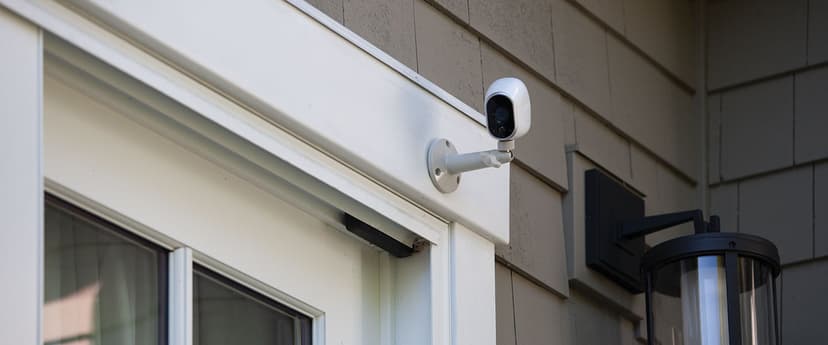
Rain, shine, or the dark of night, your property deserves vigilant eyes keeping watch around the clock. At Business Communication Solutions, we’ve installed thousands of outdoor camera systems across Austin’s diverse neighborhoods, from the historic bungalows of Clarksville to the sprawling estates of Westlake, and we know what it takes to build a setup that thrives in Texas heat, monsoon rains, and chilly winter nights alike. In this guide, we’ll walk you through everything you need to know to transform your exterior spaces into a secure perimeter, including the camera types that give burglars pause, the weatherproofing secrets that ensure reliability year-round, and the most common installation misstep you can avoid.
Whether you’re a homeowner wanting to safeguard family and pets, a retail manager protecting your stock, or a facility director responsible for large perimeters, effective outdoor surveillance begins with smart planning and professional execution. Grab your coffee, settle in, and let’s explore how the right cameras, placements, and maintenance strategies will keep your property and your peace of mind secure.
1. Why Outdoor Cameras Are Non-Negotiable
When it comes to protecting your home or business, indoor cameras are only half the battle. Modern outdoor cameras do far more than record static video. They actively deter wrongdoing, capture crucial details in shifting light, and integrate with other security measures, creating a proactive defense rather than a passive recording device. Here’s what today’s outdoor models can offer:
Smart Motion Tracking
Instead of triggering on every passing leaf or gust of wind, advanced cameras use analytics to follow genuine threats. When someone crosses your driveway or lingers near a side gate, the lens will pan, tilt, and zoom to keep that individual in frame, giving you uninterrupted video of their path and actions.
Two-Way Talk
Imagine seeing someone rifling through packages on your porch and being able to shout, “Stop right there!” through the camera’s built-in speaker. Two-way audio not only startles intruders but also lets you communicate with delivery drivers or visitors without opening your door.
Extreme Weather Resistance
Forget bulky, frost-smeared housings that fog up in winter. Premium outdoor cameras today are rated to operate from negative 40 degrees Fahrenheit up to 140 degrees Fahrenheit. Their sealed casings keep out rain, windblown dust, and curious critters, delivering reliable performance no matter the season.
Investing in professionally installed outdoor cameras is more than adding another gadget to your property; it’s about creating a visible fortress that sends a clear message: your premises are not an easy target. Properly positioned cameras not only reduce the likelihood of break-ins but also provide crystal-clear evidence when you need it most, boosting conviction rates by 90 percent and speeding up insurance claims with indisputable footage.
2. Camera Placement: The Thief’s Worst Nightmare
Even the best cameras can’t protect you if they’re pointed at blank walls or stuck too high out of reach. Strategic placement transforms your surveillance network into a seamless web of coverage, where every footstep is caught, every vehicle is logged, and every vulnerable point is locked down. Below, we’ve turned typical camera zones into clear subheadings, each one a critical piece of the security puzzle.
Front Door: Doorbell Camera with Wide-Angle View
Your front entrance is the most trafficked entry point and a prime target for porch pirates or late-night prowlers. A video doorbell camera mounted beside your main door should offer at least a 180-degree field of view to capture visitors who approach from either side. High-definition audio lets you hear knocks, chatter, or the crunch of footsteps on gravel, while the wide lens ensures you see every face clearly. Position this camera at eye level, around five feet off the ground so it records facial features without distortion.
Driveway: License-Plate Recognition Camera
Vehicles entering and leaving your property often hold the key to solving crimes. A license-plate recognition (LPR) camera positioned above your driveway entrance captures crisp, legible plate numbers, even in low light or at high speeds. These cameras pair powerful sensors with specialized software to automatically extract and log plate numbers in real-time, giving you a searchable database of every car that visits. Aim for around seven feet of height, tilted down at a gentle angle to minimize glare and maximize readability.
Backyard: PTZ Camera with Auto-Tracking
Large rear yards, workshop areas, and gardens demand a camera that can sweep across expansive spaces without leaving blind spots. Pan-tilt-zoom (PTZ) cameras excel here: they can be programmed to patrol preset routes or manually controlled to focus on areas of interest. When motion is detected, a PTZ unit locks on, zooms in, and follows the subject until it leaves the frame. Choose vandal-proof housing to protect the unit from curious hands or stray baseballs, and install it high on your home’s back wall or a sturdy pole for optimal reach.
Side Gates: Bullet Camera with Motion-Activated Spotlight
Side gates and alleyways are common sneaking-in routes because they’re less visible from the street. A bullet camera housed in a tough, weather-resistant shell pairs well with an integrated motion-activated spotlight. When someone approaches, they trigger the light and simultaneously activate recording, flushing out hiding spots and ensuring clear footage. Mount it about eight feet high, angled to cover both the gate latch and the path leading to it.
Pool Area: 360-Degree Camera with Tamper Detection
Swimming pools, patios, and play areas must balance safety and privacy. A 360-degree panoramic camera mounted on a central pole or overhang provides a single, seamless view of the entire zone. Ideal for keeping an eye on family members or detecting anyone who shouldn’t be there. Look for models with tamper-detection alerts, which notify you if someone tries to obscure the lens or spray paint over the housing. Since this area is exposed to splashes and humidity, choose cameras with at least an IP67 waterproof rating.
Height and Angle Matter
A general rule of thumb is to position outdoor cameras between seven and nine feet off the ground. Too low, and they’re vulnerable to tampering or accidental bumps; too high, and facial features and license plates become too small to discern. Adjust the tilt so the focal point sits roughly in the middle third of the frame. This avoids distortion at the edges and keeps critical details front and center.
Overlapping Fields of View
To eliminate blind spots, ensure that adjacent cameras have overlapping fields of view by at least ten feet. This way, if an intruder tries to slip past one camera’s coverage zone, they’ll immediately enter another’s frame. Overlaps also give you multiple angles during investigations, strengthening your case with corroborating evidence.
3. Weatherproofing Like a Pro
Outdoor security cameras face a relentless gauntlet: scorching sun, driving rain, dust, freezing snow, and even curious critters. To keep your system operating flawlessly year after year, you need cameras and installation practices that go above and beyond standard “indoor” setups. Here’s how to weatherproof your outdoor security network like a true professional.
Choose the Right Ingress Protection Rating
Look for cameras with an IP65 rating or higher. The “IP” scale measures how well the housing seals out dust and water:
IP65: Dust-tight and water-resistant to low-pressure jets from any direction.
IP66: Dust-tight and protected against powerful water jets—perfect for pressure-washing exteriors.
IP67: Dust-tight and capable of surviving temporary immersion in water—ideal for flood-prone zones.
By specifying a robust IP rating, you ensure that wind-driven dust or torrential downpours can’t infiltrate sensitive electronics.
Match Operating Temperature to Your Climate
Texas weather swings wildly. In the Hill Country, you may see triple-digit heat in summer and near-freezing nights in winter. Before you buy, check each camera’s operating temperature range:
Lower limit: Should be at least –20°F if your property ever dips below freezing.
Upper limit: Look for models rated to 140°F or more to withstand sun-baked rooftops.
Cameras with a narrow temperature tolerance will fail when the mercury soars or dips, sometimes catastrophically.
Guard Against UV Degradation
Sunlight may seem harmless, but over months it breaks down plastics and fades housings. UV-resistant coatings on camera casings and lenses prevent yellowing, cracking, and structural weakness. When you specify UV protection, your cameras will maintain both their appearance and integrity under relentless sun exposure.
Consider Heated Lenses for Snow and Frost
If your property receives occasional winter weather, such as ice storms or early freezes, opt for cameras with built-in lens heaters. These tiny elements keep the glass clear of frost, snow, and condensation, ensuring uninterrupted visibility even when the temperature plummets.
Avoid Common Weatherproofing Failures
Using Indoor Cameras Outdoors:
Indoor cameras lack sealed housings, so water, dust, and humidity will destroy them from within.
Ignoring Seasonal Maintenance:
Twice a year, inspect each camera for debris, insect nests, or moisture buildup. A quick lens wipe and gasket check can prevent major issues.
Poor Cable Management:
Exposed wiring is vulnerable to chafing, UV damage, and rodent chewing. Always run cables through conduit or sealed trunking, and use weatherproof connectors to keep water out of junction boxes.
4. Wired vs. Wireless: Outdoor Edition
When you’re strategizing your outdoor camera network, the debate between wired and wireless often comes down to a balance of reliability, flexibility, and installation complexity. Both approaches have their merits, but the best choice depends on your property’s layout, your performance requirements, and your willingness to invest in professional labor.
Wired Systems: Best for Permanent Protection
Uninterrupted Power and Connectivity
Wired cameras use Power over Ethernet (PoE) or dedicated power runs to deliver both energy and video data through a single cable. That means no batteries to swap, no solar panels to maintain, and zero dependence on fluctuating Wi-Fi signals. With PoE, your cameras remain powered and recording 24/7, even during storms or network congestion.
Superior Video Quality
A wired network can support 4K resolution and higher frame rates without compromise. Because the video travels over a dedicated network segment ideally isolated from your main internet traffic, you avoid buffering, dropped frames, and compression artifacts that can obscure critical details like license plates or facial features.
Professional Installation Recommended
Setting up a wired system requires running cables through walls, ceilings, or underground conduit. While this demands an initial investment in labor, the result is a tidy, tamper-resistant network that lasts for years with minimal maintenance. Technicians will design your cable paths, secure PoE switches in climate-controlled enclosures, and configure your network so each camera has maximum bandwidth and priority.
Flexibility Drawback
Once cables are in place, moving a camera means rerouting or extending runs. If you anticipate frequent layout changes like rotating events in a retail courtyard, you may find wired systems less adaptable than their wireless counterparts.
Wireless Systems: For Quick Solutions
Battery and Solar Options
Wireless outdoor cameras free you from cabling constraints. Many models run on rechargeable batteries or solar panels, giving you placement versatility without requiring power outlets or trenching. This makes them ideal for detached structures, sheds, pool houses, or remote gates where running wire would be cost-prohibitive.
Easy to Relocate
Got a seasonal attraction, temporary construction site, or changing landscape? Wireless cameras can be mounted, configured, and later moved within minutes. A strong Wi-Fi signal or dedicated mesh network ensures coverage across your property, and many cameras automatically switch to cellular backup if the internet goes down.
Potential Pitfalls
Wireless systems face two main challenges: battery management and signal integrity. You’ll need to replace or recharge batteries every few months unless you opt for solar-panel attachments. Thick walls, metal gates, or dense foliage can create dead zones where video drops out entirely. For that reason, a Wi-Fi site survey before installation is important to identify optimal camera locations and any needed range extenders.
5. Night Vision That Actually Works
A truly effective outdoor camera system must perform under the cloak of darkness. Clear, color-accurate footage in low light can mean the difference between catching a prowler on camera or seeing little more than a fuzzy silhouette. To ensure your surveillance never sleeps, focus on cameras with advanced night-vision capabilities and put them to the test.
Minimum Infrared Range: 100 Feet
Not all night-vision cameras are created equal. At a bare minimum, specify an infrared (IR) range of 100 feet. This ensures your cameras can illuminate and capture details across driveways, front lawns, and parking areas without leaving blind spots where intruders can slip by.
True Day/Night Sensors vs. IR Lights
Cheaper cameras rely solely on IR LEDs, switching to a grainy black-and-white image once daylight fades. Next-generation models use true day/night sensors that automatically adjust to ambient light levels and seamlessly switch to color mode when supplemental lighting is available. Look for “starlight” or low-light sensors that pull in enough ambient luminance to maintain color imagery even under faint moonlight.
Starlight Technology for Color Night Vision
Starlight cameras combine ultra-sensitive sensors with advanced image-processing algorithms, capturing clear, color-accurate video in extremely low-lux conditions, down to 0.01 lux in some cases. This means you may not even need floodlights; your cameras can leverage existing porch lights or streetlamps to produce usable footage, preserving a natural nighttime aesthetic while maintaining security.
Smart Illumination: Motion-Activated Lights
Integrating motion-triggered floodlights or spotlights with your cameras takes night vision to the next level. When the camera’s sensor detects movement, it activates the lights, bathing the area in full-color illumination and shocking intruders simultaneously. This hybrid approach gives crisp, color video snapshots the moment activity occurs, then changes to low-light mode to save power and reduce light pollution.
Testing Your Night Vision
Before you finalize your installation, schedule a live test at 3:00 AM when your property is at its darkest. Review the footage and confirm:
Facial Details:
Can you clearly identify faces and clothing patterns?
License Plate Legibility:
Are plate numbers sharp and easy to read from the typical vehicle distance?
No IR “Whiteout”:
Ensure that shiny surfaces (windows, metal gates) don’t create an overwhelming glare that washes out the image.
If any of these criteria aren’t met, adjust your angles, tweak illumination settings, or consider upgrading to cameras with extended IR range or starlight technology.
6. Smart Features Worth Paying For
When it comes to outdoor security cameras, you don’t have to settle for “just works.” Today’s systems can offer intelligence, resilience, and seamless integration that transform cameras from passive recorders into active defenders. Below are the smart upgrades that deliver real value and why each one is worth the investment.
AI-Powered Person Detection
Basic motion sensors trigger on anything that moves, such as branches in the wind, stray cats, or falling leaves. AI-powered person detection takes surveillance to the next level by using onboard algorithms to distinguish human shapes from background motion. When a person, rather than a tree branch, crosses the camera’s path, the system sends you an alert. You’ll see fewer false alarms and only wake up to events that truly matter. In busy exterior spaces where wildlife or moving shadows are unavoidable, AI detection ensures you stay focused on actual security incidents.
Instant Mobile Alerts with Snapshots
Waiting until you check your DVR or cloud portal can mean missing crucial minutes. Modern cameras push real-time notifications to your smartphone, often with a still snapshot or short video clip. Whether you’re on site or halfway across the globe, you’ll know immediately if someone’s lurking by your loading dock or trying to open a side gate after hours. These instant alerts let you verify threats on the spot and take action. Calling security, triggering lights, or even using two-way audio to warn off intruders before they get too close.
Reliable Power Backup Solutions
Nothing disrupts surveillance faster than a power outage. When storms knock out electricity, battery-powered or solar-assisted cameras keep rolling. Hybrid systems that combine PoE (Power over Ethernet) with a solar panel or internal battery pack guarantee continuous operation, even during extended grid failures. Not only do you avoid blind spots during critical weather events, but you also ensure seamless recording to both local and cloud storage, so no evidence is lost when you need it most.
Dual Local and Cloud Storage
Local Network Video Recorders (NVRs) offer fast, on-premises access to hours or days of footage, while cloud backups protect video from theft or vandalism of your recording hardware. By combining both, you gain immediate retrieval for routine checks and a fail-safe remote archive for critical incidents. Encrypted cloud storage also helps meet data-protection requirements, preventing unauthorized access even if someone physically steals your recorder.
Remote-Triggerable Siren Alarms
Some cameras include built-in sirens you can activate remotely from your smartphone. If you spot someone tampering with your perimeter fence or trying to force open a door, you can trigger a loud alarm that not only scares intruders off but also alerts neighbors and nearby staff. Sirens are especially useful in quiet residential areas or after-hours commercial districts, where any sudden noise draws immediate attention.
Bonus Features to Consider
Smart Illumination: Motion-activated floodlights or spotlights that automatically illuminate the scene for color recording at night.
Heat-Mapping Analytics: Heat-mapping identifies high-traffic zones, which are helpful for optimizing lighting, staffing, or even storefront displays.
Line-Crossing Alerts: Set virtual perimeters around sensitive areas like back entrances or delivery zones, and get notified the moment someone crosses.
Privacy Masking: Blur or block out designated areas like windows overlooking neighbors or private property, so you stay compliant with privacy regulations.
By investing in these smart features, you’ll elevate your outdoor security from “just watching” to truly proactive protection. Each upgrade reduces false alarms, streamlines incident response, and makes your surveillance network an active part of your security strategy.
7. Legal Considerations You Can’t Ignore
Installing cameras on your property comes with responsibilities: respecting privacy, adhering to consent laws, and safeguarding recorded data. A misstep can lead to lawsuits, fines, or neighbor disputes. Below are the key legal points and best practices to ensure your system stays on the right side of the law.
Respecting Property Boundaries
Your cameras should focus on your own premises, driveways, yards, and building entrances, not your neighbors’ patios, windows, or private backyards. Pointing cameras over fences or into adjacent properties can violate privacy expectations and local ordinances. To avoid complaints or legal challenges, angle cameras downward and keep them within your fence line or property easement.
Posting Clear Surveillance Notices
Many jurisdictions require visible signage if your cameras record public or semi-public areas. A simple, well-placed “This Property Under Video Surveillance” sign alerts visitors and employees to the presence of cameras. In a workplace, include surveillance policies in your employee handbook or post notices in break rooms and entrances, clarifying which areas are monitored and why. Transparency not only keeps you compliant but also builds trust with staff and customers.
Understanding Audio Recording Laws
Video cameras with built-in microphones can capture conversations, but audio recording is regulated differently from video. Approximately a dozen states mandate two-party consent, meaning all recorded parties must agree to audio capture. Unless you have explicit consent from everyone in view, it’s safer to disable microphones. If you need audio surveillance for security, consult a legal expert to draft consent forms or notification procedures that comply with state law.
Complying with Local and State Regulations
Beyond audio consent, check local zoning laws, homeowners’ association rules, and municipal codes for restrictions on camera placement, allowed hours of operation for floodlights, and required permits for exterior equipment. Some areas limit illumination levels to prevent light pollution, while others require hiding wiring or securing equipment against theft. A quick review of city regulations or a call to your local planning office can save you headaches and fines down the road.
Securing Footage with Encryption
Surveillance video often contains sensitive information, such as faces, license plates, and transaction details. To protect this data, use systems offering end-to-end encryption for both local storage and cloud backups. Encrypted recordings prevent unauthorized access if someone tries to hack your network or physically steal your recorder. Pair encryption with strong password policies, two-factor authentication, and regular audits of user permissions to keep your footage under lock and key.
Record Retention and Deletion Policies
Establish a clear policy for how long you store video footage. Many businesses keep recordings for 30, 60, or 90 days before automatic deletion, balancing privacy concerns with investigative needs. Document this retention schedule in writing, either in your security policy or employee handbook, so you can demonstrate compliance if regulators or customers inquire. Automatic deletion also frees up storage space and reduces long-term data-management costs.
Conclusion
By understanding which camera types deter intruders, placing them at critical entry points, and ensuring each unit is built to withstand extreme weather, you’ll create a protective perimeter that works around the clock. Smart upgrades like AI-driven alerts, dual storage options, and integrated sirens further elevate your defenses, while adherence to legal guidelines keeps your system compliant and respectful of privacy.
Remember to begin with a thorough site assessment as you consider the next steps. Walk your property at different times of day, identify potential blind spots, and prioritize areas where valuable assets are most vulnerable. Document these observations and match each zone with the appropriate camera technology, whether that’s a panoramic unit for wide-area coverage, an LPR camera for driveway monitoring, or a motion-activated spotlight to illuminate side gates. Don’t forget to plan for ongoing maintenance: seasonal checks of lenses, cables, and firmware updates will keep your system operating at peak performance.
With decades of experience serving Austin homeowners and businesses, Business Communication Solutions specializes in custom-designed outdoor surveillance networks that deliver rock-solid reliability and clear, actionable video. Plus, with options for 24/7 monitoring and encrypted cloud storage, you’ll have uninterrupted protection and peace of mind.
Don’t gamble with the safety of your property. Call today for a free, no-obligation site assessment, expert camera recommendations, and theft-deterrent placement strategies that work. Ask about our security camera installation experts for Austin residents, and let us help you build an outdoor security system that stands strong in every condition.