

The Biggest Scam in the Security Camera Industry (Austin Homeowners Need to Know This)

If you live in Austin, there’s a good chance you’ve experienced this: A door-to-door security salesperson knocks. They mention break-ins in your area. They offer a “limited-time” deal. They push you to sign tonight. And just like that — you’re locked into a 3–5 year contract for a system that may already be outdated. Let’s talk about the biggest scam in the security camera industry today — and how Austin homeowners can avoid it. What Is the Biggest Security Camera Scam in Austin? The biggest scam isn’t the camera itself — it’s the long-term contract trap pushed through high-pressure sales tactics. Many national security companies send door-to-door reps into Austin neighborhoods like: Round Rock Cedar Park Leander Pflugerville South Austin Westlake Georgetown They often use urgency and fear-based selling to lock homeowners into expensive, long-term monitoring agreements. Here’s how it works. How the Door-to-Door Security Scam Works 1️⃣ “Free Equipment” That Isn’t Free They advertise free cameras, free installation, or a free doorbell camera. But the cost is built into: Inflated monthly monitoring fees Equipment financing Long contract terms You end up paying far more than the equipment is worth. 2️⃣ 3–5 Year Monitoring Contracts Many homeowners don’t realize they’re signing agreements worth $2,000–$4,000+ over time. Early cancellation? You could owe the remaining balance in full. 3️⃣ Outdated or Low-Quality Cameras Some systems being sold door-to-door: Don’t record in true 4K Have limited night vision Store footage only in the cloud (monthly fee required) Lack proper perimeter coverage In a growing city like Austin, where property crime trends shift by area, poor camera placement makes systems nearly useless. 4️⃣ Poor Installation We regularly see: Cameras mounted too high No proper angle for facial capture No coverage of driveway entry points Wi-Fi signal issues No local storage backup A poorly designed system creates a false sense of security. Why This Is Happening in Austin Austin is one of the fastest-growing cities in Texas. More growth means: More new homeowners More neighborhoods under development More opportunity for aggressive sales teams Door-to-door companies target growing areas because residents may not yet have established local service providers. What Legitimate Austin Security Companies Do Differently Reputable local security camera installers in Austin: ✔ Conduct a real property assessment ✔ Evaluate lighting and entry points ✔ Recommend proper camera height and angle ✔ Offer transparent pricing ✔ Avoid high-pressure tactics ✔ Provide month-to-month or flexible monitoring ✔ Educate you before you buy A professional company should never rush your decision. How to Avoid Security Camera Scams in Austin Before signing anything: 🔎 Research the Company Search: “[Company Name] reviews Austin TX” Look specifically for: Contract complaints Billing disputes Cancellation issues 📄 Ask for Total Contract Cost Don’t ask for the monthly price. Ask: “What is the full cost over the entire contract term?” ⏳ Never Sign at the Door Legitimate providers allow time to: Compare options Review contracts Get a second opinion 📍 Consider a Local Austin-Based Company Local companies rely on: Reputation Referrals Long-term community trust National contract companies rely on: Volume Financing Lock-in agreements There’s a big difference. FAQ: Security Cameras in Austin Are door-to-door security sales legal in Austin? Yes, but salespeople must follow city solicitation regulations. However, legality doesn’t equal quality or value. Do I need a long-term monitoring contract? No. Many modern security systems allow: Self-monitoring Month-to-month monitoring Local storage without contracts What’s better: DIY or professional installation? It depends on the property. Large homes, ranch properties, and multi-entry homes in Austin typically benefit from professional design and installation. What areas of Austin benefit most from camera systems? Any residential area can benefit, but high-growth suburban areas often see the most aggressive sales targeting. The Bottom Line for Austin Homeowners The biggest scam in the security camera industry isn’t hidden technology. It’s pressure. If someone: Rushes you Pushes urgency Avoids giving full contract cost Says “this deal expires tonight” That’s your signal to slow down. Security should bring peace of mind — not financial regret. <iframe width="315" height="576" src="https://www.youtube.com/embed/Zd1AnSvotEQ" title="This is the biggest scam in home security and it may not be what you think" frameborder="0" allow="accelerometer; autoplay; clipboard-write; encrypted-media; gyroscope; picture-in-picture; web-share" referrerpolicy="strict-origin-when-cross-origin" allowfullscreen></iframe> If you’re considering installing security cameras in Austin and want an honest evaluation without pressure, take the time to speak with a reputable local provider who focuses on education first. Your home deserves more than a sales pitch. Contact us now 512-257-1433
Backups Aren’t About Files — They’re About People
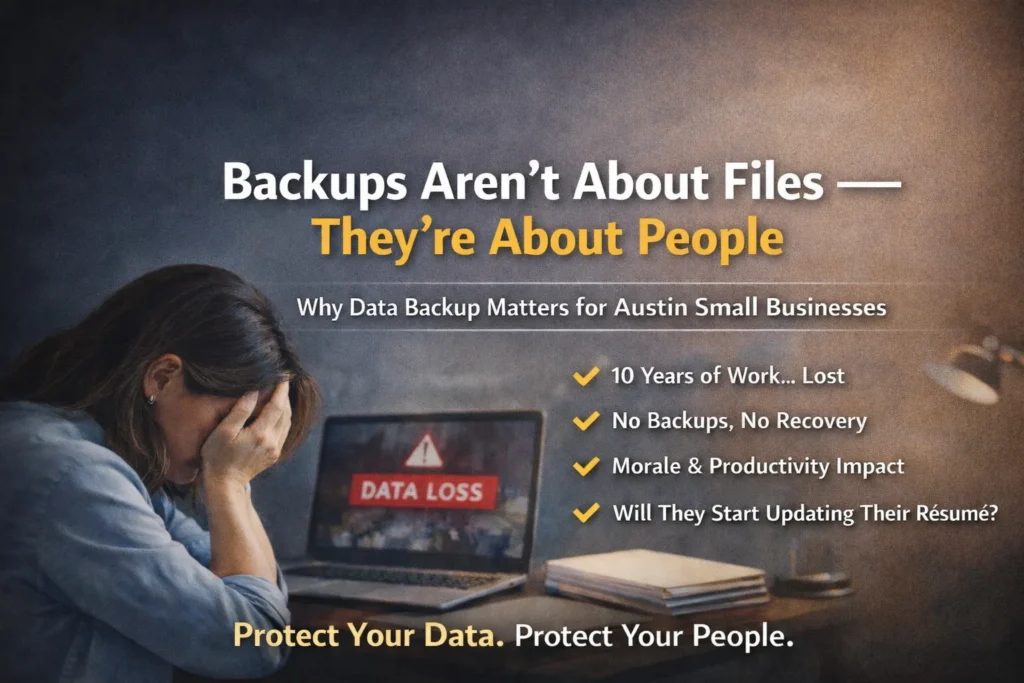
When business owners think about data backups, they often think about compliance, servers, or storage space. But backups aren’t just about protecting files. They’re about protecting people. For small businesses in Austin, TX and surrounding areas like Round Rock, Cedar Park, Georgetown, and Pflugerville, losing employee data can create more than just technical problems — it can create operational and morale issues that ripple through the company. The Hidden Risk of Desktop Data To a CEO or CFO, a folder on someone’s desktop may not seem critical. “It’s just files.” But to the employee who has been in that role for 10 years? That desktop may represent: Custom spreadsheets built from scratch Client communication records Templates refined over time Internal documentation Operational shortcuts that improve productivity Institutional knowledge not stored anywhere else Now imagine that employee’s hard drive crashes. No local backup. No cloud backup. No disaster recovery plan. Everything is gone. From a leadership perspective, it may look like a technical inconvenience. For the employee, it feels personal. Stress. Embarrassment. Panic. Fear of being blamed. And in some cases, fear of being replaced. You Can’t Rebuild 10 Years Overnight When data loss happens, business leaders often say: “We’ll just rebuild it.” But rebuilding 10 years of institutional knowledge stored in files isn’t simple. Productivity drops. Projects stall. Deadlines get missed. Clients notice delays. And here’s the uncomfortable question: Does that employee go home that night and start updating their résumé? Because data loss doesn’t just affect operations. It affects morale. It affects confidence. It affects retention. For growing companies in Austin’s competitive market, losing a productive long-term employee can cost far more than implementing proper backup systems. Why Austin Businesses Need Professional Data Backup Solutions Austin is one of the fastest-growing business markets in Texas. Companies rely heavily on: Cloud platforms like Microsoft 365 and Google Workspace Local desktops and laptops File servers Industry-specific applications Remote access solutions Without proper managed IT services in Austin, many small businesses assume their data is protected when it’s not. Common misconceptions include: “We use OneDrive, so we’re backed up.” “The server has RAID, so we’re safe.” “Our internet provider handles that.” True data protection requires: Automated file backup systems Endpoint backup for employee devices Cloud-to-cloud backup solutions Server backup monitoring Disaster recovery planning Regular backup verification and testing If backups are not tested, they cannot be trusted. Data Backup Is Leadership, Not Just IT Taking data backup seriously isn’t about being technical. It’s about being responsible. Strong business leaders in Austin understand that IT infrastructure supports: Productivity Employee confidence Customer service Business continuity Long-term growth When you protect your employees’ work, you protect your operations. And when you protect operations, you protect revenue. Don’t Wait for Data Loss to Test Your Backup Plan If you’re a business owner in Austin, Round Rock, Cedar Park, Georgetown, Pflugerville, Leander, Kyle, or Buda, ask yourself: If an employee’s hard drive failed tomorrow, could you recover everything? If the answer isn’t a confident yes, you may not have a real backup strategy — you have a risk. CTA: Protect Your Data. Protect Your People. At Business Communication Solutions, we help Austin-area businesses implement reliable data backup and disaster recovery solutions that actually work when needed. If you’re not 100% certain your backups are: Automated Monitored Tested Recoverable It’s time to review your strategy. Because when data disappears, you don’t just lose files. You risk losing good people. Contact us today to schedule a backup assessment and protect what your team has worked years to build. 512-257-1433
Cloud Storage Is Not Cloud Backup
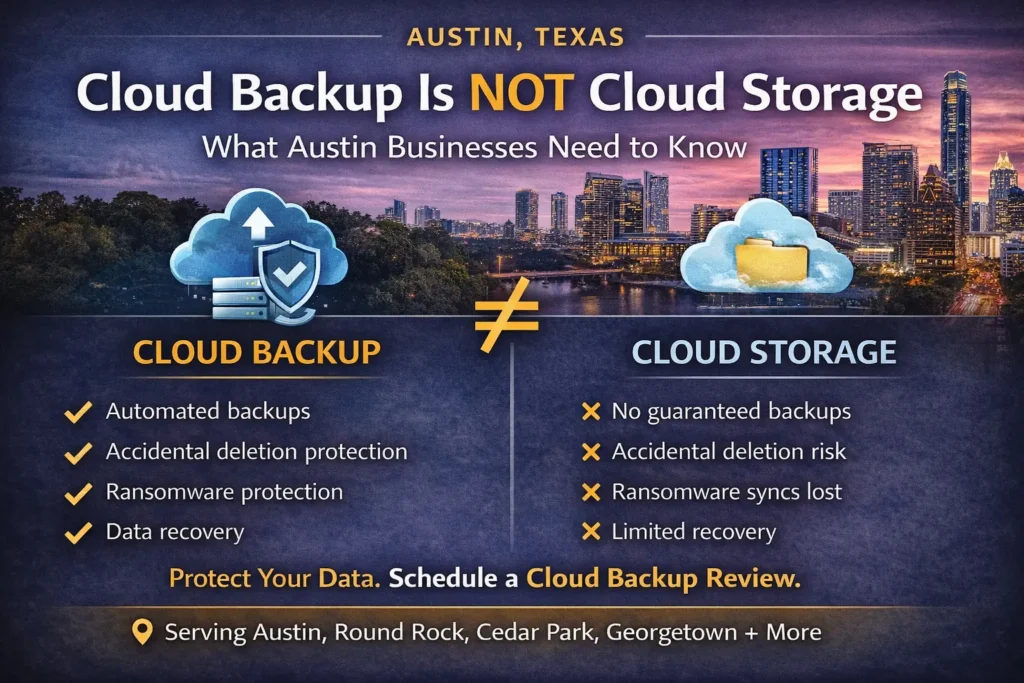
Many small and mid-sized businesses in Austin assume that once their data is in the cloud, it’s automatically protected. It’s not. Using platforms like Microsoft 365, Google Workspace, Dropbox, or other cloud services improves accessibility and collaboration — but cloud storage is not the same as a complete backup strategy. For businesses in Austin, Round Rock, Cedar Park, Georgetown, and surrounding areas, misunderstanding this difference can lead to permanent data loss. The Biggest Cloud Backup Misconception We often hear: “We’re on Microsoft 365, so we’re backed up.” “It’s in Google Drive, so we’re safe.” “Everything is in the cloud.” Here’s the reality: Cloud providers protect their infrastructure. You are responsible for your data. This is known as the shared responsibility model. Cloud platforms ensure uptime and system reliability. But they do not guarantee recovery from every type of data loss event. What Cloud Platforms Typically Protect Most cloud providers handle: Server availability Infrastructure redundancy Platform-level security System uptime That’s important. But it doesn’t cover everything. What Cloud Storage Does NOT Fully Protect Without a dedicated cloud backup solution, your business may not be protected from: Accidental file deletion Permanent deletion after retention limits expire Overwritten files Ransomware that syncs encrypted files Malicious or disgruntled employees Account compromise For example: If an employee deletes a shared folder and it goes unnoticed past the retention window, recovery may be impossible. If ransomware encrypts files on a synced device, those encrypted files can automatically sync to the cloud. Cloud storage improves access. It does not automatically provide full disaster recovery. Why This Matters for Austin Businesses Austin is one of the fastest-growing business markets in Texas. Companies rely heavily on: Microsoft 365 for email and collaboration Google Workspace for document storage Cloud-based accounting platforms CRM systems Remote work environments Without proper cloud-to-cloud backup solutions, a single deletion event can disrupt operations. Many Austin businesses only discover backup gaps after: An employee leaves unexpectedly Critical email archives are deleted A ransomware attack spreads Important project files disappear By then, it’s too late. What a Real Cloud Backup Strategy Looks Like Professional managed IT services in Austin implement: Automated cloud-to-cloud backups Long-term data retention policies Backup monitoring and alerts Regular recovery testing Disaster recovery planning Security and access controls If backups are not tested, they cannot be trusted. Simply assuming your cloud data is safe is not a strategy. Cloud Backup Is Leadership, Not Just IT Taking data protection seriously isn’t about being technical. It’s about protecting: Productivity Client relationships Financial records Employee work Business continuity Strong business leaders in Austin understand that downtime and data loss affect reputation and revenue. Cloud convenience should never replace proper data protection. Don’t Confuse Access With Backup Cloud storage gives you access from anywhere. Backup gives you recovery when something goes wrong. They are not the same. If you’re a business owner in Austin, Round Rock, Cedar Park, Georgetown, Pflugerville, Leander, Kyle, or Buda, ask yourself: If critical cloud data was permanently deleted tomorrow, could you recover it confidently? If the answer isn’t a clear yes, it may be time to review your cloud backup strategy. CTA: Protect Your Cloud Data Before You Need It At Business Communication Solutions, we help Austin-area businesses implement secure, monitored cloud backup and disaster recovery solutions. If you’re not 100% certain your Microsoft 365 or Google Workspace environment is independently backed up and tested, let’s evaluate it. Because when data disappears, it’s already too late. Contact us today to schedule a cloud backup assessment and protect your business from preventable data loss. 512-257-1433
Why Professional Camera & Network Installation Is More Than Just Running Cable

When customers compare quotes for security camera installation or Wi-Fi setup in Austin, TX, the first question is often: “Why isn’t this cheaper?” The truth is — real installation is not just pulling cable and terminating a jack. At Business Communication Solutions, we provide complete, professional installation and configuration services. That includes the parts most companies skip. Camera Installation Is More Than Mounting Hardware A proper security camera system requires: Strategic camera placement (not just “where it fits”) Proper mounting for weather, height, and angle Adjusting focus and field of view Securing cabling and power Protecting connections from moisture and tampering Programming the NVR or cloud system Configuring motion zones and smart detection Setting recording schedules Adjusting resolution and storage settings Then we: Install and configure your mobile app Set up remote viewing securely Walk you through how to use it Train you on playback, exporting footage, and alerts Anyone can mount a camera. Not everyone configures it properly. Wireless Access Points (AP) Installation Done Right Installing a Wi-Fi access point is not just plugging it into a PoE port. We: Determine optimal placement for coverage and roaming Mount it properly (ceiling, wall, indoor/outdoor rated) Configure SSIDs properly Set VLANs when needed Optimize 2.4GHz, 5GHz, and 6GHz settings Adjust channel width and power levels Configure roaming behavior Set up guest networks Secure your Wi-Fi with proper encryption Test performance in multiple areas Bad placement or poor configuration causes: Dead zones Slow speeds Devices not roaming properly Random disconnects That’s not acceptable for a home or business that depends on stable internet. Router & Network Setup: The Foundation Matters Your router and network are the backbone of everything: Cameras VoIP phones POS systems Streaming devices Smart home systems Work-from-home setups We don’t just plug in a router. We: Change default credentials Secure admin access Update firmware Configure firewall rules Set up VLAN segmentation when needed Create secure remote access Configure port forwarding properly (if required) Optimize DNS settings Set up network monitoring Security and performance go hand in hand. We Train You — We Don’t Just Leave After installation, we: Show you how to use your camera system Help you understand your network layout Document passwords and access (securely) Help you change passwords later if needed Provide post-install troubleshooting support Return to fix issues when necessary That support is part of real service. Why We’re Not the Cheapest If someone is quoting significantly cheaper, ask: Are they mounting and sealing properly? Are they configuring the system? Are they optimizing the network? Are they securing your router? Are they training you? Will they answer when something stops working? Cheap installs often mean: Default passwords left unchanged Poor camera angles Weak Wi-Fi coverage No VLAN separation No documentation No follow-up support You don’t notice the difference until something fails. Professional Installation = Long-Term Reliability When installed correctly: Cameras record consistently Remote viewing works reliably Wi-Fi is stable Devices roam properly Your network is secure You’re not constantly rebooting equipment You’re investing in reliability — not just hardware. Serving Austin & Surrounding Areas Business Communication Solutions provides: Security camera installation Network setup & configuration Wi-Fi access point installation Router setup & firewall configuration VLAN segmentation Troubleshooting & network optimization We serve: Austin, Cedar Park, Round Rock, Leander, Pflugerville, Georgetown, Lakeway, Bee Cave, Kyle, Buda, Hutto, Manor, and surrounding Central Texas areas. Final Thought Anyone can run a cable. Not everyone can design, configure, secure, and support the entire system. That’s why we’re not the cheapest. And that’s why our systems work. Call Business Communication Solutions Today 📞 512-257-1433 Reliable. Secure. Installed correctly the first time.
Practice Like a Team: Why Cybersecurity Incident Response Is Like Basketball
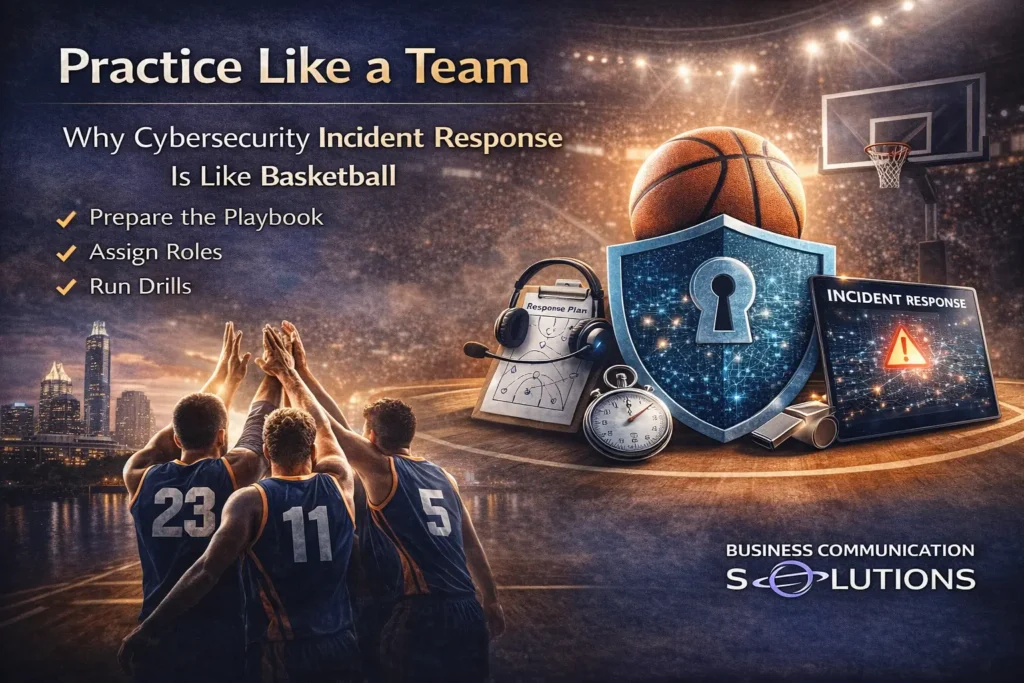
Subtitle: If you don’t practice the play, don’t expect to win during the game. In basketball, teams don’t just show up on game day and “figure it out.” They practice shooting, dribbling, passing, defense, and specific plays over and over again. Why? Because when the pressure is on and the clock is running, there’s no time to debate what to do. Cybersecurity is no different. Yet in IT and cybersecurity, many organizations rarely practice what to do during an incident. You Can’t Improvise During a Cybersecurity Incident When a ransomware attack hits, a phishing email spreads, or a server is compromised, everything happens fast: Systems go offline Employees panic Customers call Leadership demands answers Data may be at risk Even if your IT team technically knows what to do, communicating clearly under pressure is extremely difficult without practice. During an incident: Who makes the decision to shut systems down? Who contacts the cyber insurance provider? Who talks to employees? Who handles customer communication? Who documents what happened? If these roles aren’t clearly defined and rehearsed, confusion becomes your biggest vulnerability. Cybersecurity Is a Team Sport Many businesses think incident response is “just IT’s job.” It’s not. Just like basketball requires offense, defense, and coaching coordination, cybersecurity requires: IT team Management and leadership HR Operations Front desk or customer service Legal and compliance (if applicable) Everyone needs to understand: What happens during an incident What they are responsible for What not to do How communication flows If the whole organization isn’t involved, your response will break down. Tabletop Exercises: Your Cybersecurity Practice Game In cybersecurity, practice usually comes in the form of: Tabletop incident response exercises Phishing simulations Backup restoration testing Disaster recovery drills Communication scenario planning You walk through realistic scenarios like: “What if ransomware encrypts our server?” “What if a staff member clicks a malicious link?” “What if our email system is compromised?” You talk through the steps calmly — before the emergency happens. That’s your practice. Why Practice Matters Without rehearsal: People hesitate. Decisions are delayed. Communication becomes chaotic. Mistakes multiply. Downtime increases. Financial damage grows. With rehearsal: Everyone knows their role. Communication is faster and clearer. Systems are restored quicker. Leadership feels more confident. Customers experience less disruption. Practice doesn’t prevent every incident — but it dramatically reduces the damage. Knowing What to Do vs. Executing Under Pressure There’s a big difference between: Having a written incident response plan and Actually executing it under stress. You can know the playbook and still fail if you’ve never run the play. In a real incident: Emotions are high Time is limited Decisions must be made quickly Practicing scenarios ahead of time builds muscle memory for your organization. Make Sure All Staff Know What Will Happen One of the biggest mistakes businesses make is not telling employees what to expect during an incident. Staff should know: If systems go down, what’s the procedure? Who do they report suspicious activity to? Should they turn off their computer or leave it on? How will communication be handled if email is down? What should they tell customers? When people understand the plan, panic decreases. And when panic decreases, response improves. Final Thought: Practice Before the Game Starts You would never expect a basketball team to win without practice. Don’t expect your business to survive a cybersecurity incident without rehearsal. Cybersecurity isn’t just about firewalls and antivirus software. It’s about preparation, communication, and coordination. If you haven’t walked through an incident scenario with your team in the last 6–12 months, now is the time. Because when the clock is running and systems are down — that’s not the time to learn the play.
The Day I Unplugged Their Server — And the Entire Office in Austin Stopped Working

A few weeks ago, we picked up a new client here in the Austin area. At first glance, everything looked normal. Staff were working. Files were accessible. The internet was running. But once we started asking questions, the real situation became clear. They were using a NAS as their main server. No clear IT budget. No documentation. No network diagram. No idea what the router password was. No idea who originally set up their network. This is more common in small and mid-sized businesses across Austin, Round Rock, Cedar Park, and surrounding Central Texas areas than most owners realize. Then I asked the most important question: “Do you have verified backups?” They said, “We think so.” That’s when I knew we needed to test it. Testing Disaster Recovery in a Real Austin Business I asked the owner, “Can I test your disaster recovery process?” He said, “How?” I replied, “Give me ten minutes. Your system will go down.” He agreed. I unplugged one single network cable from the NAS. Within one minute, the entire office stopped. Employees were saying: “We can’t access files.” “The system is down.” “We can’t work.” “What’s going on?” One cable. That’s all it took to shut down an Austin business completely. What This Means for Small Businesses in Austin If unplugging one cable can stop operations, it usually means: No network redundancy No failover configuration No tested disaster recovery plan No monitored backup verification No documented IT infrastructure In other words — there is no real business continuity plan. There is only hope that nothing breaks. And hope is not a cybersecurity strategy. “We Think We Have Backups” Is Not a Backup Strategy Many Austin businesses assume they are protected because: They have a NAS device in the office They pay for some type of cloud service A former IT person said backups were configured They’ve “never had a problem before” But here’s what matters: Have you ever restored from your backup? If you haven’t tested it, you don’t know if it works. For a proper backup and disaster recovery plan, you need: Automated backups Offsite or cloud redundancy Regular monitoring Periodic restore testing Documentation Secure credential management Anything less is a risk. Why This Is Common in Austin Small Businesses In Central Texas, we often see businesses that: Grew quickly without structured IT planning Relied on a friend or former employee to set up the network Never updated passwords or documentation Used a NAS as a “server replacement” without redundancy Never implemented proper cybersecurity monitoring Everything works fine… until one small failure brings everything down. Whether you're in Austin, Georgetown, Kyle, Pflugerville, or Bee Cave — this risk is everywhere. Ask Yourself This Question If one unplugged network cable can stop your business operations… Do you truly have: Business continuity planning? Disaster recovery testing? A managed IT support partner? Cybersecurity protection and monitoring? Or are you just hoping nothing fails? Why Backup and Disaster Recovery Matters in Austin Downtime costs money. For Austin businesses, downtime means: Lost productivity Missed customer calls Delayed projects Interrupted billing Potential data loss Cybersecurity exposure In competitive markets like Austin and Central Texas, even one day offline can impact reputation and revenue. That’s why disaster recovery planning, network documentation, cybersecurity strategy, and managed IT services aren’t optional anymore. They’re part of running a modern business. Final Thought for Austin Business Owners You don’t test your fire alarm during a fire. You don’t design an evacuation plan during an emergency. And you shouldn’t test your backups for the first time during a system failure. If you’re a business owner in Austin or surrounding Central Texas and you’re unsure whether your backups actually work, it may be time for a real disaster recovery assessment. Because when everything stops… That’s not the time to find out what wasn’t configured correctly. Don’t Wait for a Failure to Test Your Backup If you're a business owner in Austin, Round Rock, Cedar Park, Georgetown, Kyle, Pflugerville, Bee Cave, or anywhere in Central Texas, ask yourself one simple question: When was the last time you tested your backup and disaster recovery plan? If the answer is: “I’m not sure.” “We think it’s working.” “Our old IT guy set it up.” “We’ve never had a problem.” Then it’s time to verify — before something fails. We help Austin-area businesses: Test and verify backups Design proper disaster recovery strategies Secure network infrastructure Document IT environments Reduce downtime risk Strengthen cybersecurity posture Don’t wait until one unplugged cable shuts down your entire operation. 📞 Call 512-257-1433 today Let’s make sure your Austin business is protected, tested, and ready — before the next outage happens. Because preparation costs less than downtime.
IT Check and Balance: Why Layered Security and Multiple Admin Oversight Protect Your Business
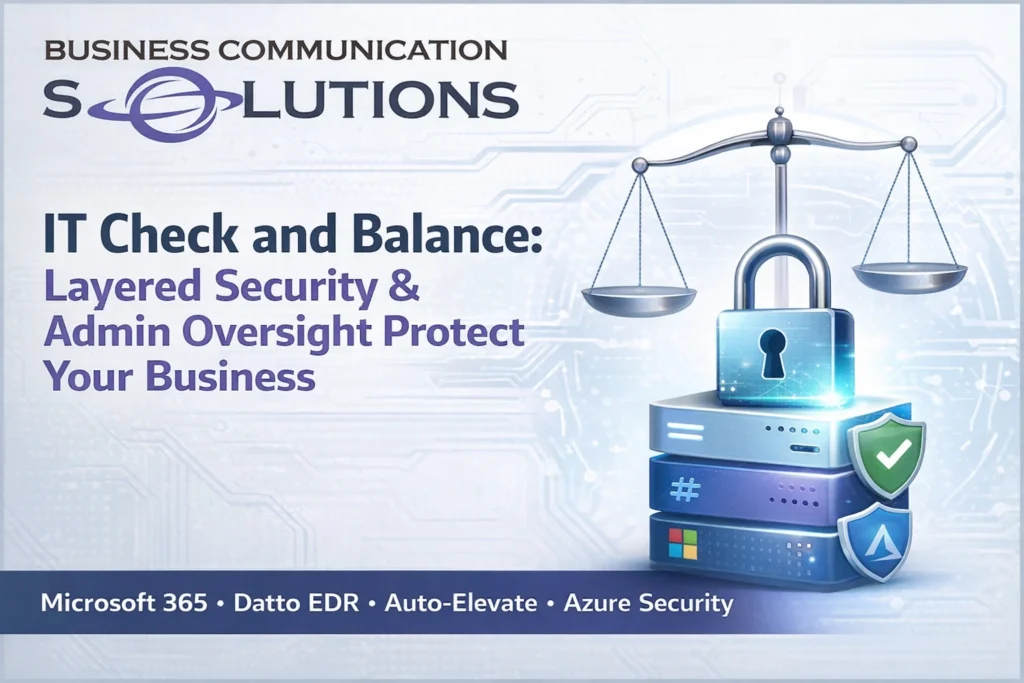
Modern cybersecurity is not about installing one antivirus program. It is about structured IT governance, layered security, and built-in administrative oversight. At Business Communication Solutions, we help businesses in Austin and Central Texas implement a “check and balance” IT structure using: Microsoft 365 and Azure (Entra ID) for identity security Datto EDR for endpoint detection and ransomware protection Auto-Elevate for controlled admin privileges Role-based access control and audit logging This approach reduces risk, improves accountability, and protects businesses from both cyber threats and internal mistakes. What Is IT Check and Balance? In IT management, “check and balance” means: No single administrator has unlimited, unchecked control All privileged actions are logged and reviewable Software installations are verified before approval Identity access is protected with multi-factor authentication Security tools validate human decisions This structure prevents: Credential compromise Unauthorized software installation Ransomware infections Insider threats Accidental system misconfiguration For small and mid-sized businesses in Austin, this layered model is critical. Layer 1: Microsoft 365 and Azure (Entra ID) for Identity and Access Management The foundation of modern cybersecurity starts with identity protection. Microsoft 365 with Azure Active Directory (Entra ID) provides: Multi-Factor Authentication (MFA) Conditional Access Policies Role-Based Access Control (RBAC) Device compliance enforcement Login monitoring and risk detection Why this matters: Most cyberattacks begin with stolen credentials. If identity is compromised, the entire network is at risk. Proper Azure configuration ensures: Only authorized users access business systems Admin roles are separated High-risk sign-ins are blocked automatically This is the first checkpoint in your security stack. Layer 2: Datto EDR for Endpoint Detection and Ransomware Protection Even with strong identity protection, endpoints remain a major attack surface. Datto EDR (Endpoint Detection & Response) provides: Real-time behavioral monitoring Ransomware detection Malicious script blocking Rollback capability Forensic investigation tools Unlike traditional antivirus, EDR does not rely only on virus definitions. It monitors behavior patterns to detect suspicious activity. If malware bypasses email filtering or user awareness training, EDR acts as a second layer of defense. Layer 3: Auto-Elevate for Controlled Administrative Privileges One of the biggest security risks in small businesses is giving users full local administrator access. Auto-Elevate allows businesses to: Remove permanent admin rights from users Review application hashes before approval Log all elevation requests Approve or deny software installations centrally This prevents: Employees installing unsafe software Malware disguised as legitimate updates Shadow IT risks Unauthorized system changes Every elevation request becomes part of your security audit trail. This creates accountability and structured oversight. Why Multiple Admin Oversight Is Important Many small businesses rely on one IT person with full access to everything. This creates risk. Proper IT governance separates responsibilities: Identity management is monitored Endpoint security is independently reporting Privileged actions are logged No single account controls the entire system Even trusted administrators can make mistakes. Layered systems provide visibility and protection for both the business and the admin. What Happens Without IT Check and Balance? Businesses without structured oversight face: Ransomware encryption events Compromised Microsoft 365 accounts Data loss Compliance violations Costly downtime The financial impact of a security incident often exceeds the cost of prevention. Cybersecurity Services in Austin, Texas Business Communication Solutions provides layered IT security and managed IT services for businesses in: Austin Cedar Park Round Rock Leander Georgetown Pflugerville Lakeway Kyle Buda Hutto And surrounding Central Texas areas Our services include: Microsoft 365 security configuration Azure Active Directory management Datto EDR deployment Auto-Elevate privilege control Network segmentation and firewall configuration Ongoing IT monitoring and support We design structured IT systems — not just install software. Why Layered IT Security Is Essential in 2026 Cyber threats continue to evolve. Insurance providers now require: Multi-factor authentication Endpoint detection and response Role-based access control Logged administrative actions Businesses that do not implement layered security may struggle with compliance, cyber insurance approval, or breach recovery. The future of cybersecurity is: Identity control Endpoint monitoring Privilege management Audit accountability Working together. Need Help Securing Your Microsoft 365 and Network? If your business does not currently have: MFA properly enforced EDR monitoring endpoints Controlled admin privileges Logged and auditable IT actions You may have gaps in your security posture. Let’s fix that. 📞 Call Business Communication Solutions at 512-257-1433 Serving Austin and Central Texas businesses with professional IT security and managed services. Structured. Layered. Accountable. Secure.
Why Your Network Is Only as Fast as Its Slowest Device

(For Businesses in Austin, Round Rock, Cedar Park & Surrounding Areas) If you recently upgraded your internet speed in Austin, TX and didn’t see much improvement — you’re not alone. Many business owners assume slow performance is always an ISP issue. But in most cases, your network is only as fast as its slowest component. And upgrading your internet plan won’t fix internal bottlenecks. How Business Networks Actually Work Your internet speed depends on an entire chain of devices working together: Modem Router Network switches Ethernet cabling Wireless access points Network cards in computers Servers and cloud services If even one of those components is outdated or misconfigured, it limits everything behind it. Think of it like traffic on MoPac at rush hour — it only takes one slow lane to back up the entire highway. Common Network Bottlenecks We See in Austin Businesses After years of providing IT and network support in Austin and nearby cities like Pflugerville, Georgetown, and Lakeway, here are the most common slow points we find: 1. Outdated Network Switches Many offices still use 10/100 switches. Even with gigabit internet, your speed is capped at 100 Mbps internally. 2. Old or Damaged Ethernet Cabling Older Cat5 cabling or poorly terminated cables can prevent higher throughput and cause intermittent issues. 3. Entry-Level Routers Not all routers can handle high-speed fiber plans. Some max out under load — especially with VoIP phones, cameras, and cloud applications running simultaneously. 4. Slow Wireless Access Points Wi-Fi 5 vs Wi-Fi 6 makes a major difference in business environments with multiple users. 5. Device Limitations Older desktops and laptops may not support gigabit speeds due to aging network cards. 6. Server or Cloud-Side Bottlenecks Sometimes the limitation isn’t in your building — it’s the remote server you’re connecting to. Why Upgrading Internet Speed Doesn’t Always Help We frequently see Austin business owners double their internet plan expecting immediate improvements. But if your internal network isn’t designed to support those speeds, the upgrade won’t change real-world performance. Your system will always operate at the speed of its weakest link. Signs You Have a Network Bottleneck Speed tests vary dramatically across devices Wired speeds are much faster than Wi-Fi Some offices or rooms are slower than others Performance drops during busy hours Cameras or VoIP systems struggle during peak usage These aren’t always ISP problems. They’re often internal network design issues. The Smarter Approach for Austin Businesses Before increasing your internet package, evaluate: Are all switches gigabit or higher? Is your cabling rated and properly terminated? Can your router handle your fiber plan? Are wireless access points positioned and configured correctly? Is traffic properly segmented (cameras, guest Wi-Fi, office network)? A proper network assessment saves far more than guessing. Final Thoughts If your Austin-area business is dealing with slow or inconsistent network performance, the solution isn’t always “more speed.” It’s better design. Because no matter how fast your ISP connection is — your network will always run at the speed of its slowest device. And identifying that bottleneck is where real performance starts.
Why Running Two Network Cables Can Crash Your Business Network IT & Network Support in Austin, TX

Many business owners assume that adding an extra network cable improves reliability. It sounds logical. If one cable works, two must be better. In business networking, that assumption can shut down your entire system. At Business Communication Solutions, we’ve seen this simple mistake cause network outages for businesses across Austin, Round Rock, Cedar Park, Pflugerville, Georgetown, and Leander. Here’s why it happens — and how to prevent it. Can You Run Two Cables Between a Router and a Switch? In most business networks, the answer is no — not without proper configuration. You cannot simply connect: Two patch cables between a router and a switch Two cables between network switches Duplicate connections inside your server rack Unless the equipment is properly configured for redundancy, this creates a network loop. And network loops cause serious problems. What Is a Network Loop? A network loop happens when traffic can circulate endlessly between two devices. Instead of flowing in one clean path, data begins repeating itself. When that happens, your business may experience: Slow internet speeds Dropped VoIP phone calls Security cameras going offline Random disconnects Entire network crashes We regularly troubleshoot these types of issues for Austin-area businesses that unknowingly added a second cable thinking it would increase reliability. Instead, it created instability. Why Proper Network Configuration Matters True network redundancy is possible — but it must be engineered correctly. Professional business network design may include: Managed switches Proper spanning tree configuration Link aggregation (LACP) Structured cabling design Documented network topology Redundancy is not about adding more cables. It’s about proper configuration and intelligent network design. Without correct setup, a single duplicate cable can bring down an office. How This Impacts Businesses in Austin, TX For companies in Austin and surrounding cities, network downtime means: Lost productivity Interrupted cloud applications Phones not working Security systems offline Employees unable to work In fast-growing markets like Austin, businesses depend on stable, well-configured networks. Many outages are not caused by hardware failure. They’re caused by configuration mistakes. Professional IT & Network Support in Austin and Surrounding Cities Business Communication Solutions provides professional IT support and network services in: Austin, TX Round Rock Cedar Park Pflugerville Georgetown Leander We design, configure, and maintain business networks correctly — from the start. Our services include: Network design and installation Switch and router configuration Troubleshooting network outages Remote IT support Onsite IT support when needed We make sure your system is stable, secure, and built for reliability. Final Thoughts More cables do not equal more protection. In business networking: Correct configuration is better than double wiring. If your business depends on reliable internet, VoIP phones, cloud systems, or security cameras, your network must be configured properly. If you're unsure about your setup, it’s better to review it now than deal with downtime later. Business Communication Solutions proudly provides IT support and network support in Austin, TX and surrounding cities.
Remote IT Support vs. Local IT Support in Austin, TX: Why Your Business Needs Both

Perfect — here’s the SEO-optimized version with a strong Austin, TX + surrounding cities location layer naturally built in (not stuffed). This helps with local ranking while keeping it readable and professional. Remote IT Support vs. Local IT Support in Austin, TX: Why Your Business Needs Both Businesses in Austin, TX rely heavily on stable internet, secure networks, and reliable technology systems. When something goes wrong, you need it fixed fast. That’s where remote IT support comes in. Remote service is efficient. It’s immediate. And for many issues, it’s the smartest first step. Password resets, user support, configuration changes, monitoring, and many troubleshooting tasks can be handled without anyone driving onsite. But here’s what many Austin business owners discover: Remote IT support works — until the problem becomes physical. What Remote IT Support Can (and Can’t) Do For companies in Austin and surrounding areas like Round Rock, Cedar Park, Pflugerville, Georgetown, and Leander, remote IT services are incredibly valuable for: Software troubleshooting User account management Network monitoring Cloud and email support Many internet-related issues However, some problems require onsite IT support. For example: A failed network switch Damaged Ethernet cabling Power supply issues Hardware failure after a storm Equipment that appears “online” but isn’t functioning correctly No remote tool can physically test a cable, inspect a rack, or reseat equipment inside a server cabinet. At some point, someone has to be there. The Risk of Remote-Only IT Providers in Austin Some IT providers operate as remote-only companies. While this model may work for minor issues, it creates limitations when physical troubleshooting is required. When no technician can respond onsite, businesses often experience: Extended downtime Staff walking through technical steps they don’t fully understand Trial-and-error troubleshooting Delays waiting for third-party contractors In a fast-moving market like Austin, downtime is expensive. Whether you operate a medical office, warehouse, professional firm, or retail business, your technology must work consistently. Even the best remote technician cannot fix a damaged cable or failed switch from behind a screen. Why Local IT Support in Austin Still Matters This is where having a local IT support company in Austin, TX makes the difference. A local IT partner can: Respond onsite when necessary Physically inspect networking equipment Test and verify cabling Diagnose infrastructure issues accurately Restore operations faster We provide remote IT support first — because it’s efficient and often resolves the issue immediately. But if the situation requires hands-on troubleshooting, we show up. That means businesses in Austin, Round Rock, Cedar Park, Pflugerville, Georgetown, and nearby areas aren’t left guessing when something critical fails. You get speed when possible. You get presence when necessary. The Right IT Support Strategy for Austin Businesses The most reliable IT strategy includes: Proactive monitoring Fast remote troubleshooting Local onsite IT support when required Remote support should be your first line of response — not your only line of response. Because when your internet goes down, your phones stop working, or your security cameras fail, you don’t need instructions. You need resolution. IT Support in Austin, TX That Shows Up If your business depends on its network, internet connection, cameras, phones, or cloud systems, your IT partner should offer both: Responsive remote IT support Reliable local onsite IT support in Austin and surrounding cities Efficiency matters. Accountability matters more. The strongest IT support model isn’t remote versus local. It’s having both — ready when your business needs them.