

How to Choose the Best Security Camera System for Your Home or Business
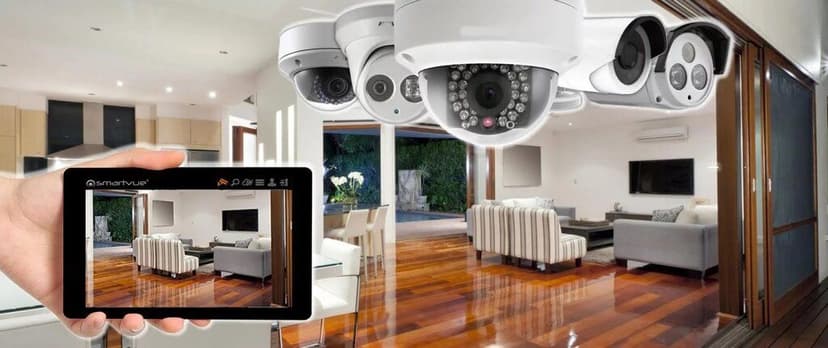
Security is a top priority for homeowners and business owners alike. With crime rates on the rise and safety concerns growing, investing in the best security camera system is more important than ever. A reliable surveillance setup protects your property, your loved ones, and your assets. But with so many options on the market, selecting the right system can feel overwhelming. This guide breaks down the key factors you need to consider when choosing a security camera system. We’ll explain why working with security camera experts pays off, outline installation costs, and show how professional surveillance installers ensure your system works at its best. By the end, you’ll feel confident picking a camera solution that fits your needs and budget and no tech jargon required. Some Important Factors to Consider When Choosing a Security Camera System 1. Figure Out Your Security Needs Before you shop, take a moment to list what you need to protect. Homes should cover entry points, including front and back doors, ground-floor windows, and garage areas. If you want to monitor cars or deliveries, don't forget walkways or driveways. Businesses must secure high-traffic zones, cash registers, storage rooms, loading docks, and parking lots. They must also consider where people come and go, where valuables sit, and any hidden corners. Sketch a simple map of your building and mark where you need cameras. This helps you know how many cameras to buy and whether you need special models for tough spots. Reviewing this map before you buy saves time and reduces extra cost later. 2. Types of Security Cameras Cameras come in different styles and setups. Choose the type that suits your location and goals. Indoor vs. Outdoor Cameras Indoor models are lighter and designed for rooms and hallways. They usually need only power and data connections. Outdoor cameras have weatherproof housings. They resist rain, dust, and temperature changes. Outdoor cameras almost always include sun shields and tamper-resistant mounts. Wired vs. Wireless Wired systems use cables for power and video. They deliver stable signals with no interference. Cables can be hidden in walls or conduits for a neat look. Just make sure that it has been approved by your local city codes. Wireless systems run on Wi-Fi or proprietary radio bands. They are easier to install and can be relocated without rewiring. However, they can face signal dropouts or require regular battery changes. IP vs. Analog CCTV IP (Internet Protocol) cameras send digital video over networks. They offer high resolution, remote viewing via apps, and easy firmware updates. Analog CCTV cameras use coaxial cable and feed into a DVR. They cost less up front, but video quality is lower, and remote access may require extra equipment. PTZ (Pan-Tilt-Zoom) Cameras PTZ cameras can rotate horizontally, tilt up or down, and zoom in on details. Ideal for large open areas that need active monitoring, such as parking lots or factory floors. You can control them from a central station or set them on an automatic patrol pattern. 3. Video Quality & Resolution The clearer your footage, the more useful it is. Choose a resolution that matches your needs and budget. 720p (HD) offers basic clarity for small rooms or short distances. It uses less storage and bandwidth. 1080p (Full HD) provides a sharp image quality suitable for most homes and small businesses. Faces and license plates are easier to identify. 4K Ultra HD delivers ultra-detailed video for large properties or critical areas where fine detail matters, such as reading distant license plates or monitoring high-value inventory. Higher resolution uses more storage space and network bandwidth. Balance image quality against how much footage you plan to record and how fast your network can handle. 4. Night Vision & Low-Light Performance Most security events happen when it’s dark. Make sure your cameras can still capture clear video at night. Infrared (IR) Night Vision uses IR LEDs to light up the scene without visible light. Ranges vary from 30 to 100 feet depending on the model. Starlight or Color Night Vision uses advanced sensors to capture color images in very low light. These cameras offer more natural-looking footage after dark and can reduce blind spots. Check each model’s night vision range specification and look for “low-light” or “starlight” labels if you need color images in near-dark conditions. 5. Storage Options Decide where and how you want to store your video footage. Cloud Storage offers off-site backups you can access over the internet. It is convenient and protects footage from local damage or theft. Most providers charge a monthly fee based on storage needs. Local Storage (DVR/NVR) uses a recorder with attached hard drives. DVRs work with analog cameras, while NVRs handle IP cameras. There are no monthly fees, but storage fills up unless you manage or overwrite old footage. Some hybrid systems record to both local and cloud storage, giving you a backup of critical clips without losing access to older footage. 6. Smart Features & Connectivity Modern cameras do more than record video. Look for features that add value and save you time. Motion Detection & Alerts use built-in sensors or AI to tell the difference between people, vehicles, or pets. You receive push notifications only when true events occur, reducing false alarms. Two-Way Audio lets you speak through the camera’s built-in speaker. You can greet visitors or warn off unwelcome guests. Mobile App Access lets you view live or recorded footage from your smartphone or tablet. Apps often allow you to pan, tilt, zoom, and change settings on the go. Smart Home Integration connects your cameras to platforms like Alexa or Google Assistant. You can use voice commands to view camera feeds on smart displays or trigger recordings when certain events occur. 7. Scalability & Future Expansion Choose a system that can grow with you. Modular Systems let you add extra cameras, sensors, or recorders without replacing the whole setup. License-Free vs. License-Based systems vary in cost structure. Some allow unlimited cameras for no extra fee. Others charge per
Voice and Data Cabling
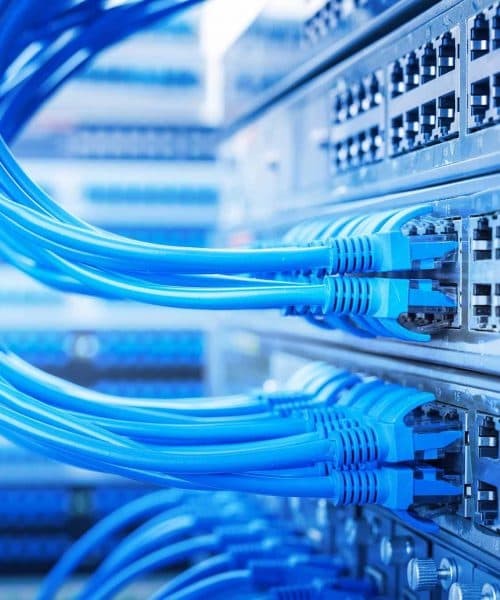
Types of Cabling Category 3 Category 5/5e Category 6 Fiber Coaxial Cabling Details Category 3: Cabling systems are categorized by the levels of data they are able to sustain. Category 3, commonly referred to as Cat-3, is an unshielded twisted pair (UTP) cable designed to carry a maximum data rate of 10Mbit/s and bandwidth of 16MHz. It is part of a copper cabling family and is recognized by its defining standard, TIA/EIA-568-B. Cat-3 was a very popular format in the early 1990’s, but has since been replaced in favor of the higher performance Cat-5 cable standard. For the last decade, most new cable installations have been built with Cat-5e or Cat-6. Category 3 is still being used for two-line telephone systems and unlike Cat-4, 5/5e and 6 it is still recognized by the TIA/EIA-568-B standard. While Cat-3 and Cat-5e look identical, Cat-3’s lower specifications tend to cause more errors at higher speeds. Cat-3 is compatible with the original PoE (Power over Ethernet) specifications, though it does not support 802.3at Type 2 high-power variation. Cat-5e is certified for a maximum of 100 MHz, while Cat-3 is only rated for 16 MHz. Category 3 was designed for voice and data transmissions up to 10 Mbit/s, but also runs Ethernet 10BASE-T. Category 5e: Category 5 (Cat-5) cable is also a twisted pair cable used for carrying signals. Cat-5 is used in structured cabling for networks such as Ethernet, telephony and video. Most Category 5 cables are unshielded and rely on twist pair design for noise rejection. Cat-5 cable has been superseded by Category 5e (Cat-5e), which is an enhanced version of Cat-5. Category-5e has formally been recognized as the standard since 2001. Cat-5e is the most common cable for data networks. Category 5e is defined as the TIA/EIA-568-B standard with clarification in TBS-95. The specified performance and test requirements are for frequencies up to 100MHz. Cat-5e offers twisted pair cables in two main varieties, solid and stranded. Solid cable will support longer length runs and operates best in fixed wiring configurations. Stranded cable is more pliable and better suited for shorter distance moveable cabling. Cat-5e can be bent at any radius that exceeds four times the diameter of the cable. Most Category 5e cables are connected using 8P8C modular connects, commonly referred to as RJ45 inappropriately. Cat-5e is not rated for outdoor use and operates at temperatures from -10C to 60C. If being used outdoors, a conduit is required in order to protect it from moisture and lightning. The maximum length for a cable segment is 328 feet, therefor any longer runs will require a repeater or switch. Category 5e cabling is commonly used for faster Ethernet networks, such as 100BASE-TX and 1000BASE-T. 10BASE-T and 100BASE-TX Ethernet connections require two cable pairs. 1000BASE-T requires four cable pairs. Cat-5 is rated for 100M, while Cat-5e is rated for 350M. Category 6: Category 6 (Cat-6) cable is a cable standard for Gigabit Ethernet and is backward compatible with Cat-5, Cat-5e and Cat-3 cable standards. It offers high quality transmission of data at more than twice that of Cat-5e. Category 6 provides performance up to 250 MHz and 1000Mbit/s. Like the other twisted pair cables, Cat-6 has four twisted wire pairs. It is the 6th generation of twisted pair Ethernet cabling and is made with 23 gauge wire. Category 6 is suitable for 10 BASE-T, 100BASE-TX, 1000BASE-T/1000BASE-TX and 10GBASE-T. Cat-6 cables are normally terminated in 8P8C modular connectors and use either T568A or T568B pin assignments. Cat-6 connectors help reduce noise, as well as lower attenuation. Category 6 may be used for security systems and telephone services, while having superior transmission performance to the Cat-5e cable. All these features are why many consider Cat-6 cabling the predominant media in the structured cabling market. Fiber: Fiber optic cables are those which contain one or more optical fibers. They use light pulses to transmit information down fiber lines. They are typically individually coated with plastic layers and contained in a protective tube. Fiber optics are replacing traditional copper lines due to their large carrying capacity and ability to transmit signals a greater distance without the need of refreshing. Modern fiber cables can hold up to a thousand fibers in a single cable and have potential bandwidth in the Terabytes per second range. Fiber optic cable has become cheaper over time and the cost of small fiber-count-pole-mounted cables has greatly decreased. It is estimated that no more than 1% of the optic fiber buried in recent years is actually “lit”. While copper cable cost less per square foot, fiber optic cable has much more capacity. Connectors and other equipment needed to install fiber optics are also more expensive. The ends must be cleaved when joining lengths of optical fiber and therefor require special connectors. An optical fiber link in a commercial network will allow the transmittal of ten billion digital bits per second. Telephone calls numbering in the tens of thousands could be carried. Fibers consist of two layers of silica glass; the core and the cladding enclosed in a protective sheath. Plastic optical fiber (POF) is a newer, plastic-based cable. POF promises performance similar to glass. POF will cost less than glass fibers but will only be used on very short runs.
Voice cabling services

With the popularity of VOIP or Voice over internet protocol phones being so popular and have been slowly taking over the dynasty of digital phone system, move vendor have slowly discontinuing the support for old digital phone system such as Toshiba, Nec, Avaya, Nortel, Comdial, etc. We recently help a customer that was frustrated on how hard it was to find a vendor to help with their outdated Toshiba phone system. They were in the process of moving as well, so they also needed voice and data cabling services. I know most vendor now wants to target big structured cabling jobs, Business Communication Solutions on the other hand prefer, the small voice and data cabling jobs. Lots of business struggle to get a vendor that can respond quickly on small jobs. So, whether you need to move an old digital phone system, get some data cabling run so you can move your computer network into your new office, give us a call. We will make the best effort to help you in a timely manner.
NEW UNDERGROUND PIPE
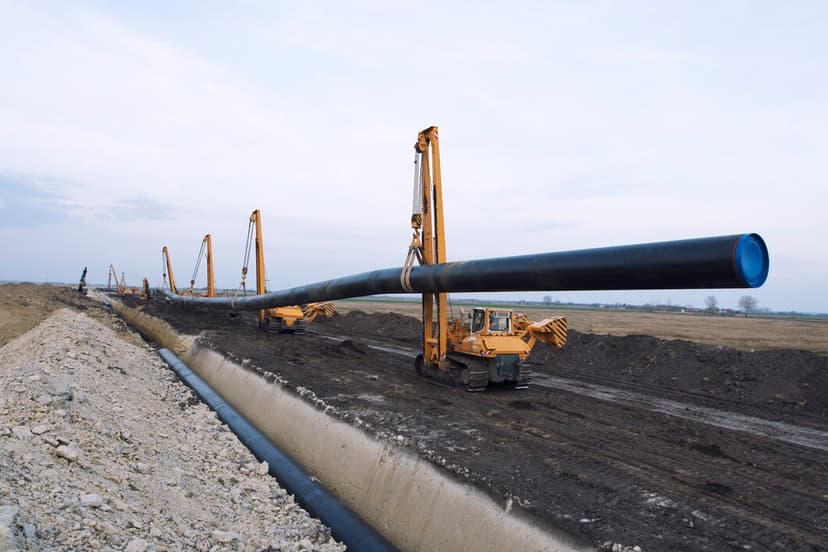
Today our customer requested a conduit to be place underground to connect two building’s server. Property management wanted the conduit to provide extra protection for the newly install fiber optic from outside elements and varmint lurking in the area. The new conduit will also provide a path for internet company to pull their coax through safely. As we were trenching by hand, we discover a few unmarked and unprotected coax line underground that ran to residential homes. Trenching by hand is the safest method to use because we never know what is underneath us.
SBS2011 or Server 2008 next step…
Those you you have SBS2011 or Server 2008 or 2008r2, you know that the end of life is coming…which I believe is in 2020. You may have also hear that SBS2011 is the final version for Small Business Server. So, if you are a firm currently using SBS, what’s your next options. You can go to Server standard 2016 for your dc, Server 2016 standard for your exchange with exchange 2019. Yes, this can get costly for most small business. For some small business, the cloud is the way to go for exchange. However I’ve also seen it more cost effective to have it on site, especially when you use exchange for other things, such as lots of SMTP outgoing from printers or your database, or you simply have lots of users. Can you imagine switching everything to the cloud, the the following year, your email provider want to charge you $25.00 per month per users and you have close to 100 users? Yes, that can get expensive.
VOIP quality of service improvements

I remember in 2003, when I first started working with VOIP, it was horrible. Every customer we had, would complains about quality of service. Only way to fix the issue back then would be to recommend customer get MPLS or some kind of point to point circuit. This would fixed the problems, but it would come at a premium price tags and customer would be limited to using the phones at just locations that have MPLS and or Private Point to Point circuit with guarantee quality of service. I remember back then, internet speed were much slower, high end routers with decent CPU for processing also came with a premium price. Last month, I probably setup a handful of customers. This time around, I wanted to run a tests. I’ve setup the system with a decent router without programming QoS (quality of services) and yet I have not had any complaints on the quality. I basically was in shocked. Regardless after a few weeks, I’ve program QoS anyways, in an effort to avoid future problems. With that being said, I’m much more comfortable with VOIP now then I ever was before. I went through a time of avoidance because of all the problems I’ve ran into in the beginning of VOIP.
Ring door bell compliment most security camera systems
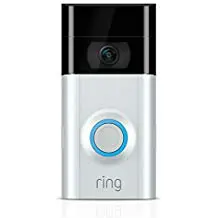
Last week we had a call for a customer that wanted help installing a security system that her daughter gave her as a Christmas present. So we negotiated a deal, and schedule a time to install the system. Yesterday, while installing the system for her, she ask us if we install Ring. I’ve answered or course we do. Ring has been a very popular options for lots of home, especially for homes that doesn’t want or need a full camera systems. To be ring compliment most security camera system, as for a small fee, you can have a copy of the what happens in the cloud, in case your home was broken into and the thieves steal the DVR (Digital Video Recorder) or NVR (Network Video Record) in stock, you still have some the recording of the ring in the cloud.
Protect Your Property With a Security Camera: The Ultimate Guide for Austin Homeowners
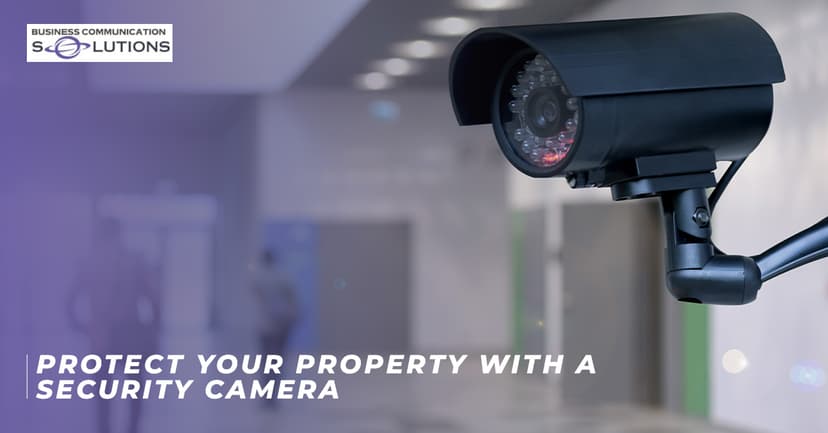
No matter how safe your neighborhood is, crime can still happen. Whether it is package thieves eyeing your doorstep or vandals scoping out your backyard, your property deserves protection. That is why everyone needs a security camera. But not just any camera. We’re talking about high-tech, weatherproof, phone-connected guardians that keep watch 24/7. If you’re a homeowner or want to protect a commercial property, you need a system that’s as smart as you are. From deterring burglars to catching porch pirates in the act, a security camera system is your best defense. Plus, with today’s tech, you can check your feed from anywhere, whether you’re at work, on vacation, or just too cozy on the couch to get up. So, why should you invest in one? What features matter most? And how do you pick the right CCTV security camera for your property in Austin? Let’s break it down. Why Invest in a Security Camera System? (Hint: It’s Not Just About Crime) Sure, security cameras scare off burglars, but they do way more than that. Here’s why you should upgrade your properties with smart surveillance: 24/7 Peace of Mind Ever lay in bed wondering, "Did I lock the garage?" With a security camera, just peek at your phone. You can get instant alerts if someone’s lurking around your driveway or backyard. Some cameras integrate with smart locks, so you can literally lock the door from your phone. No more midnight panic checks! Austin Perk: Keep an eye on your kayak or bike rack because gear theft is real here. Proof When You Need It Package stolen? Car scratched? A security camera captures it all, making insurance claims and police reports a breeze. Some systems even store footage in the cloud so that thieves can’t destroy evidence. Look for cameras with license plate recognition if you’re near busy streets (looking at you, South Congress). Remote Monitoring for Busy Lives Check on pets, kids, or deliveries while you’re at work. Some cameras even let you talk through them ("Hey, FedEx guy, leave the package by the side door!"). For Pet Owners: Catch your dog redecorating the couch with your shoes? Now you can yell, "DROP IT!" from your desk. Parent Hack: Sync cameras with noise alerts to hear if the kids’ "study session" turns into a TikTok dance party. Lower Home Insurance Rates Many insurers give discounts for homes with security cameras. Cha-ching! Especially in Austin, some local providers can offer up to 20% off for monitored systems. Cameras + an alarm system? That’s maximum savings and maximum protection. So, a security camera system isn’t just about crime but also about control. You’ll sleep better, stress less, and always know what’s happening at home. Benefits of an Outdoor Security Camera That Connects to Your Phone in Austin, TX Austin’s weather can go from "scorching sun" to "monsoon rain" in minutes. That’s why your outdoor security camera needs to be tough as well as smart. Here’s what to look for: Weatherproof & Durable Texas storms don’t play nice. Your camera should be IP65 or higher (translation: dustproof, waterproof, and built to last). Look for heat-resistant models because 100°F summers will test your gear. Pro Tip: Mount cameras under eaves for extra shade (and to avoid glare from that brutal afternoon sun). Avoid This: Cheap plastic cameras that warp or fog up in humidity (we’ve all seen those sad, blurry doorbell cam fails). Real-Time Alerts & Phone Access The best security cameras send alerts straight to your phone when they detect motion. Live streaming lets you check in anytime, so no need to rush home if you hear a noise outside. Pro Tip: Adjust motion zones so you’re not bombarded with alerts every time a squirrel runs by. Night Vision & Motion Spotlights Austin nights can be dark. Cameras with infrared night vision or built-in spotlights catch every detail. Some even scare off intruders by flashing lights or sounding alarms. Pro Tip: For sprawling yards, look for 100+ ft night vision (especially if you’re near greenbelts with coyotes or deer). Bonus: Spotlight cams double as porch lights, so it is perfect for late-night taco deliveries. Two-Way Audio You can yell at stray dogs, greet guests, or warn trespassers, all from your phone. This feature is also great for deliveries: You can just say, "Leave it on the porch, please!" Pro Tip: Use it to cheer on your running group as they pass your house ("Keep going, y’all! Barton Springs is worth it!" ). Bonus: Catch porch pirates in the act and say, "Smile! You’re on camera!" (Works most of the time, every time.) Local Storage vs. Cloud Options Local storage (SD cards) = no monthly fees, but footage can be stolen. Cloud storage = safer but usually requires a subscription. Austin Hack: Use a locked weatherproof SD case if you go local. Thieves won’t bother with it. Best of Both Worlds: Some systems (like Eufy) offer free cloud clips for alerts + local backup. For Austin’s mix of urban and suburban areas, a security camera with AI detection (like distinguishing between people, cars, and animals) cuts down on false alarms. No more alerts for every passing car on your street! Choosing the Right CCTV Security Camera for Your Property in Austin Not all security cameras are created equal. Here’s how to pick the best one for your home: 1. Wired vs. Wireless Wired cameras = More reliable, but harder to install. Wireless cameras = Easy setup, but need strong Wi-Fi (and battery changes). 2. Resolution Matters 1080p = Good for basic monitoring. 4K = Crystal clear, perfect for identifying faces or license plates. 3. Field of View Narrow (60°-90°) = Focused on one spot (like a front door). Wide (180°+) = Covers your whole yard (but may distort edges). 4. Smart Home Compatibility Works with Alexa, Google Assistant, or Apple HomeKit? Even better. Some cameras sync with smart locks or lights for extra security. 5. DIY vs. Professional Installation DIY (like Ring or
Home Run Data Cable Wiring for a restaurant
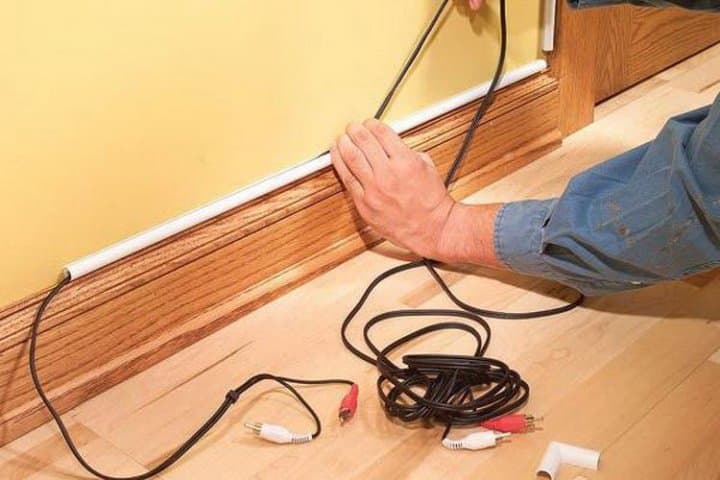
Home run data cable wiring for a restaurant involves running a single, central data cable from a main network hub to various devices across the restaurant, such as POS systems, computers, and security cameras. This setup ensures a reliable, organized, and efficient data connection throughout the facility, supporting smooth operations and strong network performance. It’s a crucial part of establishing a well-connected infrastructure for the restaurant's daily operations. A customer called us to do some home run wiring for their restaurant. It was an older building and having data cable was not in the original build. The customer had over 5 switches throughout the building. These switches took up space, outlets, and just became an issue when these switches would accidently lose power with the amount of traffic that happens during rush hour. We upgraded their main original 8 port switch to a 24 port and gave every device its own dedicated line. By doing so, this eliminated every other switch throughout the building, removing unnecessary power strip, and freeing up outlets for other devices. Now the customer doesn’t have to worry about those extra network switches causing an outage and impacting their business. It also makes it easier to troubleshoot or guide a customer through what to do when a network devices doesn’t work. If you have a business that little hub and switches all over the office, you know what we are talking about. If the problems is enough to frustrate you, give us a call. Let us help with a data cabling clean up job.
NEC SL2100

Last week, I’ve ran into an issue with VOIP busy signal. After troubleshooting, I’ve realized that the system has run out of voip channel resource. The system was configure for 8 sip trunks and 10 voip phones. We had configure this system with the SL2100 Main Chassis / CPU combo package (0x0x0). By default, it comes with 8 VOIP channels. Each VOIP phone uses a channel and each sip trunk uses a channel. In short, if you needs 8 sip trunks, make sure you have double the amount of channels which is 16 voip channels allocated for the system.