

Reasons to install a security camera system

There are many way reasons to install a security camera system for your home or business. Over the years, we have found that everyone have their own reasons for installing a security camera system and what kind of features and setup they want or need. Some people wants may want to avoid conflict or deter any criminal activities, while others wants to catch the criminal in the act or use it to help law enforcement agency catch them. I remember a few years back, right here in Cedar Park, there was a time where there would be multiple break into cars in our Forest Oaks neighborhood. The Cedar Park Police Department would ask neighbors for surveillance footage of any one that has them. We learn later, that they did indeed caught a gang that was related to the incident of the break in. Over the years, we have seen many reasons why people use security camera system. We had a family that install it at their farmland, so they can watch the water level. They live 1 hour from their land, so having a camera there, help them manage their animals a bit better. I’ve seen school install security camera system for the parents can monitor their kids while they are at work. Some people install it because their insurance company may offer discount for having security camera system installed, as they know that can deter some criminals. Do you have a specific reasons for wanting to get a security camera system install? Do you need a security camera system install in Cedar Park, Austin, or surrounding cities? Give us a call at 512.257.1433. We offer free estimates.
New security camera system install in Austin
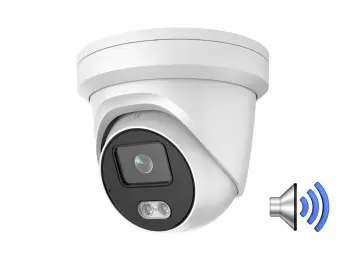
We received a call from a new client requesting installation of a brand new security camera system. His neighbor right next door just had his home broken into which was a tremendous wake-up call for our new customer, making him realize that he needed to act quickly to keep his family safe. To examine every corner of his home, we mounted a 43″ HDTV on the wall and set up a GNS 8 CH 4k DVR with 6 – turret 2k video cameras with 24/7 color night vision. After installation, one of our professionals walked him through the software’s features while the other cleaned everything up. The customer is overjoyed with his new system and the impeccable work our specialist did on this installation. He already felt at ease knowing that he and his family would be protected while sleeping. Working with our new client was enjoyable, and we were pleased as always to be able to meet all of his security camera requirements. Call 512-257-1433 or go to www.bcs-ip.com to schedule a free consultation to learn how we can assist you.
Fiber Optic vs Copper Against Lightning
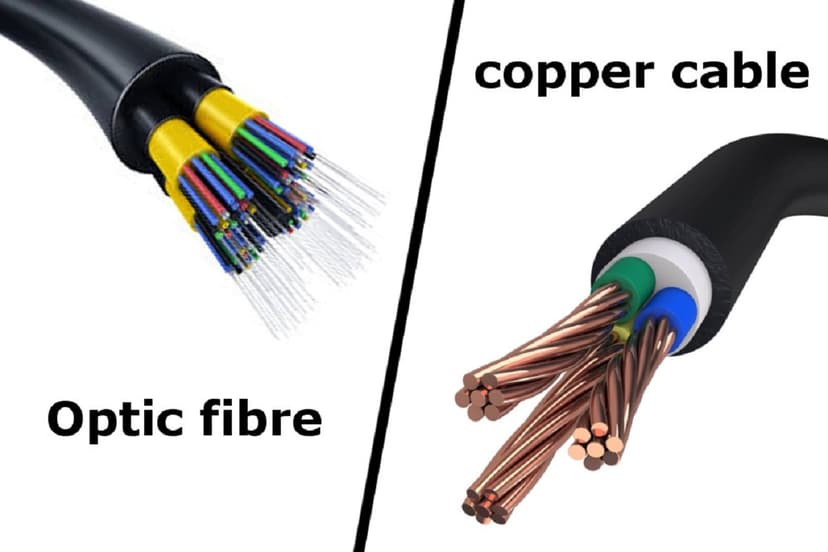
Most fiber optic cables does not contain metallic components making the cable non-conductive. This gives the cable an advantage towards protection against interference such as EMI, electrical noise, and lightning strikes when compared to copper. A non-conductive fiber cable will not pass an electrical spark through its cable and causing potential damage on the other end. This will protect your equipment from being damage and possibly stopping an outage to occur. A new customer of ours is currently having issue with their switch constantly being damage from lightning strike. The port that is constantly giving them issue is the port that ties both of their building together. Their current setup is an outdoor rated CAT6 cable that runs underground through conduit to tie both building together. They originally called us for the cable to just be replace but we discover that this is not their first switch to have gone out. We came up with a solution to run a fiber optic cable instead of rerunning a conductive cable.
Fiber Optics
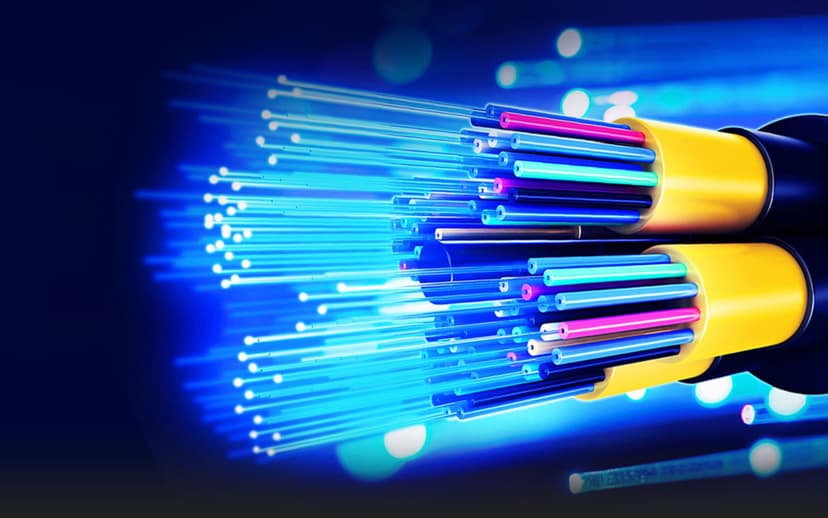
Fiber Optics is a technology that uses thin strands of glass or plastic (fibers) to transmit data in the form of light signals over long distances. These fibers carry large amounts of information at high speeds, making them a critical part of modern telecommunications and internet infrastructure. Fiber optic cables offer significant advantages over traditional copper cables, including higher bandwidth, faster speeds, longer transmission distances, and resistance to electromagnetic interference. This makes fiber optics ideal for applications such as high-speed internet, data centers, cable television, and telecommunications networks. I’ve been working with fiber for almost 10 years now as an installer. Today I just completed my first fiber training and received a few certificates. The course helped me understand the specification and the usage of each different kind of fiber. The knowledge that I obtain from class will not only improve my skills as an installer but also for troubleshooting and planning for a customer. Fiber has been around for decades and the demand is still increasing over time.
Repairing vs. Replacing a Damaged Ethernet Cable?
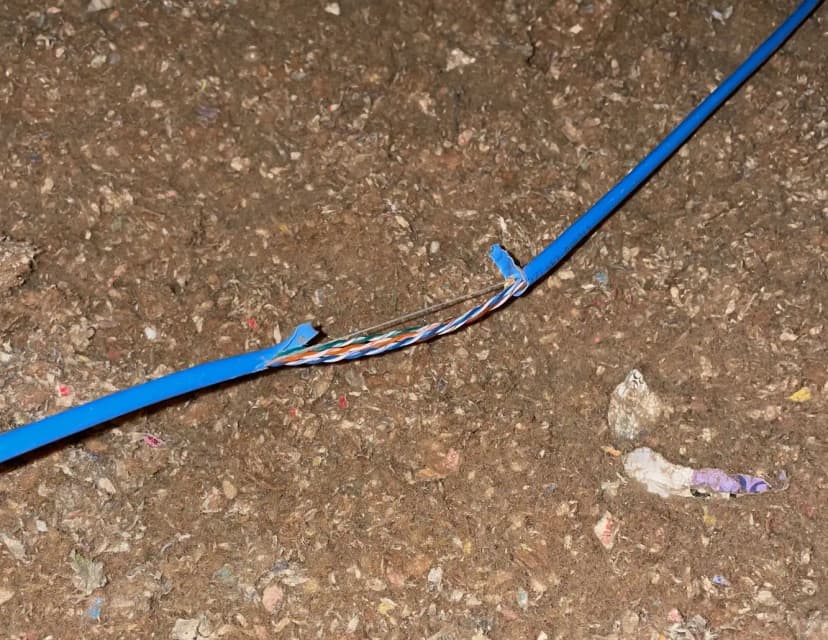
When deciding between repairing and replacing a damaged Ethernet cable, consider the following: If the cable is visibly damaged, it can often be repaired by cutting off the damaged part and using a connector to rejoin or extend the cable. However, if the cable is old, not up to modern specifications, or if you’re upgrading network equipment that requires higher bandwidth, it’s best to replace the cable altogether. Let’s compare repairing a damaged Ethernet cable with replacing it: Repairing a Damaged Ethernet Cable: Feasiblility: In most cases, repairing a damaged Ethernet cable is not feasible. It’s advisable to replace the cable instead. Steps for Repair (if possible): Cut off the damaged part of the cable. Strip off about 2 cm of the outer insulation. Untwist the wires and arrange them according to the T568B standard (orange-white, orange, green-white, blue, blue-white, green, brown-white, and brown). Insert the wires into an RJ45 connector, ensuring they reach the end. Use pliers to secure the connector. Test the cable with a network tester or device. Replacing the Ethernet Cable: Advantages: New cables provide better reliability. Avoids potential performance issues associated with splicing or repairing. Cost: Ethernet cables are relatively inexpensive, making replacement a practical choice. Testing: Gradually replace cables to identify faulty ones. If no difference is noticed, move on to the next cable. Remember, while wireless networks offer convenience, Ethernet cables remain the best choice for reliability. If you encounter slow speeds or connectivity issues, consider replacing your Ethernet cables for optimal performance.
Why the Right Managed IT Provider is Essential for the Future

Technology moves fast, like "blink-and-you’ll-miss-a-major-update." Businesses today rely on tech for everything, from customer service to cybersecurity. But here’s the problem: not every company has an in-house IT superhero. Sometimes, there is no budget or space, or you might want to outsource this aspect of management. That’s where managed IT services come in. A managed IT service provider (MSP) can be your tech guardian angel. They can do everything from fixing glitches to stopping cyber villains in their tracks. And guess what? Choosing the right managed IT service provider isn’t just about solving today’s problems but, most importantly, securing your business’s future. So, why does this matter? Let’s learn it together! What Are Managed IT Services? (And Why Should You Care?) IT services keep your business running smoothly. Managed IT services actually let you outsource your tech needs to experts who monitor, manage, and protect your systems 24/7. Perks of Managed IT Services: Cost Savings – No need for a full-time IT team. Hiring in-house IT experts is expensive (salaries, training, benefits—yikes!). With managed IT services, you pay a predictable monthly fee and get a whole team of pros. Plus, no more surprise bills when your server decides to take a spontaneous vacation. Proactive Security – Hackers don’t take breaks; neither should your defenses. Cyberattacks happen every 39 seconds. A managed IT service provider doesn’t just react. They set up firewalls, patch vulnerabilities, and train your team to spot phishing scams before they cause chaos. Sleep better knowing your data isn’t leaking out in the digital Wild West. Scalability – Growing business? Your IT grows with you. Launching a new location? Adding remote employees? Managed IT services flex with your needs. No more begging your overworked "tech guy" to set up 10 new laptops overnight. Your MSP handles the heavy lifting so you can focus on big wins. Less Downtime – Fewer tech headaches = happier employees and customers. When your systems crash, money evaporates (and patience wears thin). MSPs monitor your network 24/7, fixing issues before they turn into full-blown disasters. Less waiting, more working, or as your team calls it, "a miracle." So, a great managed IT service provider doesn’t just fix problems but rather prevents them, saving you time, money, and a whole lot of frustration. The Future of Managed IT Services: Why It is Revolutionary Technology is never going to slow down. AI, cloud computing, and cyber threats are evolving at the speed of light. Businesses that ignore the importance of IT services risk falling behind or, worse, getting hacked. 3 Big Reasons Managed IT is the Future 1. Cybersecurity Threats Are Getting Smarter Hackers love easy targets. Without managed IT security, your business is basically a neon "Hack Me" sign. A good MSP provides: Real-time threat detection Automated backups (so ransomware can’t hold your data hostage) Employee training (because someone always clicks the phishing email) 2. Remote Work Isn’t Going Away Hybrid work is here to stay, which means more devices, more logins, and more security risks. A managed IT service provider ensures: Secure remote access Seamless cloud collaboration No more "my laptop crashed and I lost everything" disasters 3. Tech Moves Fast; You Need to Keep Up Remember when "the cloud" sounded like sci-fi? Now, you cannot work without it at all. It has become essential. The future of managed IT services includes: AI-driven IT support (think chatbots that actually help) Predictive maintenance (fixing issues before they break) Custom solutions fully personalized to your business If your IT strategy is still based on a 2010 strategy, it is time for an upgrade. How to Choose the Right Managed IT Service Provider Not all MSPs are created equal. Picking the wrong one is like hiring a lifeguard who can't swim. And unfortunately, you'll only realize the mistake when you're drowning in tech problems. Here's exactly what separates the pros from the amateurs: Experience in Your Industry A healthcare IT provider ≠ a retail IT provider. Make sure they understand your business. Every industry has unique tech needs (For example, HIPAA compliance for healthcare vs. PCI standards for retail). Ask: "What similar businesses have you worked with?" Niche expertise means faster solutions. That means if you are a healthcare insurance provider, you can specifically hire an MSP who specializes in healthcare tech support. No time wasted explaining your workflow from scratch. 24/7 Support (Because Tech Issues Don’t Sign Off at 5 PM) If your website crashes at midnight, you don’t want to wait until morning for help. Look for providers with actual 24/7 response teams (not just an answering service). Test their after-hours support before signing. Try calling their emergency line at 2 AM. Do they pick up? Bonus points if they offer SLAs (Service Level Agreements) guaranteeing response times. Transparent Pricing (No Hidden Fees) Surprise bills = bad vibes. Look for clear, predictable pricing. Avoid providers who nickel-and-dime you for every tiny service ("That password reset? That'll be $75"). Make sure that they are open and honest from the beginning. Flat-rate or tiered pricing models can help you budget without any bad surprises. Always ask: "What’s not included?" (Example: Hardware costs are often extra.) Strong Security Measures Ask about: Firewalls & encryption – Are they using enterprise-grade tools or duct-tape solutions? Regular security audits – How often do they check for vulnerabilities? (Hint: Quarterly at minimum.) Disaster recovery plans – If ransomware hits, how fast can they restore your data? (24 hours or less is ideal.) Good Reviews & Case Studies If their clients love them, you probably will too. Check Google, Clutch, or G2 reviews, especially for comments about reliability and communication. Ask for references in your industry and actually call them. Red flags: Vague case studies or clients who say, "They’re okay, I guess…" Why This Matters An MSP is also like a partner for your business. The right managed IT service provider becomes a seamless extension of your team. This way, they can anticipate problems, optimize your tech, and let you
Low Voltage Wiring Contractor in Austin
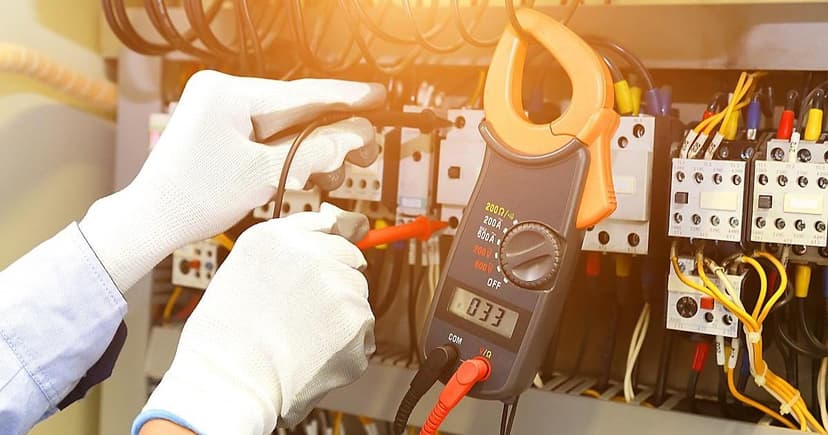
What is consider low voltage? Low-voltage wiring is any wiring that consumes less than 50V of power. Most power outlets in homes and businesses are 110 or 120 Volt (VAC). There are some exception: Analog telephone rings around 90V, but it’s not dangerous to heathy human. This will be a topic for another day. PoE++ (IEEE 802.3bt has a range of 50-70V). What is AWG? AWG stands for American Wire Gauge. It is a standard for measuring the diameter size of the conductive wire. The smaller the AWG, the larger the diameter. Example 18 AWG wire has a smaller diameter than 12 AWG. Some common AWG Low-Voltage Wires that we use. These are just common AWG sizes. There are so many different manufacturers that will make different-sized AWG cables. Cat 3 cable – 24 AWG Cat 5 Cable -24 AWG Cat 5e Cable – 24 AWG Cat 6 Cable – 22-24 AWG Cat 6a Cable – 16-20 AWG 18/2 Alarm Wire – 18 AWG/2 conductor wire RS485 Wire – 2 Pair 22AWG Wiegand Wire – 3 Pair 22/6 conductor wire Door Contact – 22AWG/2 Conductor Lock Power – 18AWG/4 Conductor REX – Request to Exit – 22AWG/4 Conductor RG59 – Coaxial Cable – 20-22AWG – middle conductor RG6 – Coaxial Cable – 18 AWG RG59 Siamese Cable – 20 AWG with 18AWG/2 Conductor (for power) RG6 Siamese Cable – 18AWG with 18AWG/2 Conductor (for power) Are you looking for a low-voltage wiring contractor for your home or business in Austin? Are you frustrated with your current cabling contractor? They don’t show up? They are never on time? They don’t do what they say they will do. They charge too much? Want to find a reliable cabling contractor but don’t know who to trust? Give us a shot! Call us now at 512.257.1433 We offer free estimates. After you receive the estimate, please give us the code SAVE10 We will give you an additional 10% off our already fair prices. We offer installation, troubleshooting, and support for most low-voltage cabling services in Austin and Surrounding Cities. Low Voltage Cabling support includes: Voice or Data Cabling Coaxial for TV cabling Fiber Optic Cabling Security Camera Cabling Access Control Cabling SAVE10We will give you an additional 10% off our already fair prices. We offer installation, troubleshooting, and support for most low-voltage cabling services in Austin and Surrounding Cities. Low Voltage Cabling support includes: Voice or Data Cabling Coaxial for TV cabling Fiber Optic Cabling Security Camera Cabling Access Control Cabling
How Poor Data Cabling Affects Network Speed & Stability
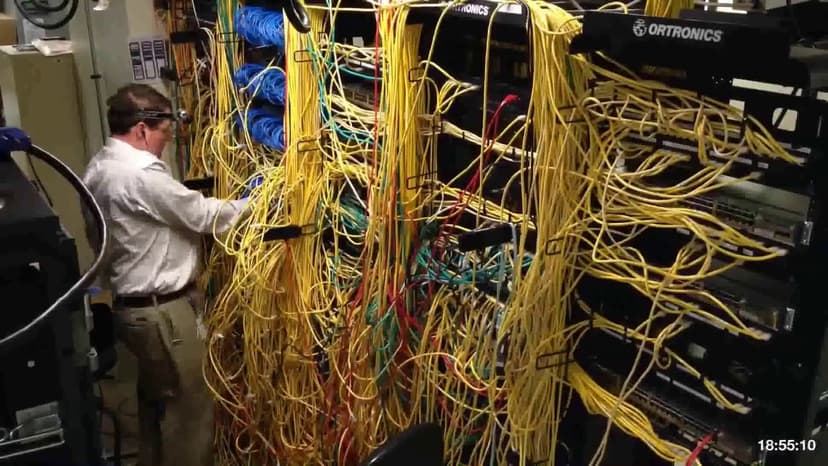
A business network is only as strong as its weakest link, and more often than you might think, that weak link is bad cabling. While Wi-Fi speeds, routers, and cloud software get most of the spotlight, the quiet hero in the background is the physical cabling that holds everything together. If the cables are outdated, messy, or poorly installed, even the fastest internet plan or best IT setup can’t save your network from lag, dropouts, and downtime. In this guide, we’ll explore: ✅ Common cabling mistakes that slow down networks ✅ How bad cabling causes data transmission problems ✅ How to diagnose and fix cabling errors By the end, you’ll see exactly why professional installation and regular maintenance aren’t optional but essential to keeping your business running smoothly. Chapter 1: The Hidden Costs of Poor Cabling Bad cabling doesn’t always scream for attention. Sometimes, it just quietly chips away at your speed, productivity, and performance. That’s what makes it so dangerous because it hides in plain sight. Let’s look at the most common ways bad cabling causes trouble behind the scenes. 1. Slow Network Speeds & Bottlenecks It’s frustrating when a simple file takes forever to upload or your video calls start freezing halfway through a meeting. Often, the problem isn’t your internet, and it’s the cable connecting everything behind the scenes. Incorrect Cable Category Using the wrong type of Ethernet cable can slow your network down. For example: Cat5 cables are outdated and only support up to 100 Mbps. Cat5e can support Gigabit, but with limitations. Cat6 and Cat6a are designed for modern Gigabit and 10-Gigabit networks. If you’re trying to run high-speed applications on a Cat5 cable, you’re basically trying to stream HD movies through a straw. Excessive Cable Length Ethernet cables have a maximum recommended length of 100 meters (328 feet). If you go beyond that, your signal will weaken, leading to slow speeds, dropped packets, and frustrated users. Improper Terminations If an Ethernet cable isn’t terminated properly, like loose RJ45 connectors or untwisted pairs, data can’t travel cleanly. This results in packet loss, which slows everything down as systems constantly try to resend lost data. 2. Unstable Connections & Dropouts Random disconnects or unstable connections can turn a normal workday into a nightmare. These issues often trace back to poor physical setup. EMI from Power Lines or Lights EMI (Electromagnetic Interference) occurs when Ethernet cables are run too close to power cables, large motors, or fluorescent lighting. The magnetic fields interfere with data transmission, causing glitches, lag, or complete signal loss. Damaged Cables Cables can be damaged in many ways: they can be bent too sharply, pinched in doors, or even chewed by rodents in ceiling spaces. Once damaged, they may cause intermittent failures that are difficult to track down because they only happen occasionally. Poor Patch Panel Management When patch panels are cluttered, unlabeled, or tangled, signals from one wire leak into another, causing crosstalk. This reduces clarity and stability, especially in busy office networks or server rooms. 3. Increased Downtime & IT Costs The cost of bad cabling doesn’t stop at slow internet; it eats up time and money, too. Hours spent troubleshooting phantom network issues can drain your IT team’s time. Emergency repairs often interrupt business operations, sometimes for hours or even days. Cheap cables might seem like a budget win up front, but they wear out quickly and need replacing sooner, adding to long-term costs. All of this adds up to one thing: downtime, which means lost productivity and revenue. Chapter 2: Most Common Cabling Errors & Their Fixes Here’s the good news: most cabling issues are very preventable and completely avoidable. Once you know what to watch for, it’s easier to prevent problems before they start. Let’s break down the top five cabling mistakes and how to fix them. Error #1: Using the Wrong Cable Type ❌ Problem: You’re installing Cat5e cables in a network that needs 10 Gbps speeds. While Cat5e can technically handle Gigabit, it’s not ideal for future-proofing or demanding traffic. ✅ Fix: For modern setups, use Cat6 or Cat6a cables. If you’re running cables long distances or using 10 Gbps switches and servers, consider fiber optic lines for even higher performance. Error #2: Poor Cable Management ❌ Problem: Your server room looks like spaghetti-tangled cables with no labels and wires running every which way. ✅ Fix: Use: Cable trays and Velcro ties to bundle neatly Patch panels to centralize connections Labels on both ends of every cable to keep things organized Neat cables = easier troubleshooting = faster fixes when things go wrong. Error #3: Ignoring EMI & Crosstalk ❌ Problem: Ethernet cables are run parallel to power lines or close to electrical devices, which causes data interference and signal dropouts. ✅ Fix: Keep at least 12 inches between power and data lines. For areas with high interference, use shielded twisted pair (STP) cables, which are designed to block electrical noise. Error #4: Incorrect Termination ❌ Problem: Technicians untwist wire pairs too much or don’t fully insert them into RJ45 connectors. These mistakes allow signals to leak out, weakening your connection. ✅ Fix: Always follow the T568A or T568B standard. Use a crimping tool and cable tester to confirm that all eight wires are properly aligned and making contact. Error #5: Skipping Testing & Certification ❌ Problem: The cabling is installed and connected, but never tested. Issues go unnoticed until users complain. ✅ Fix: Use a network cable certifier to test for: Continuity (each wire is properly connected) Signal strength Crosstalk, interference, and length limits Testing might take a little extra time, but it saves hours of troubleshooting later. Chapter 3: How to Avoid Cabling Mistakes Avoiding all these problems isn’t as hard as it sounds. It just takes some planning, smart choices, and regular upkeep. 1. Hire Professional Installers Don’t trust your critical infrastructure to just anyone with a ladder and drill. Look for: Certified technicians with BICSI or CompTIA Network+ credentials Experience with structured
Ring door bell installation
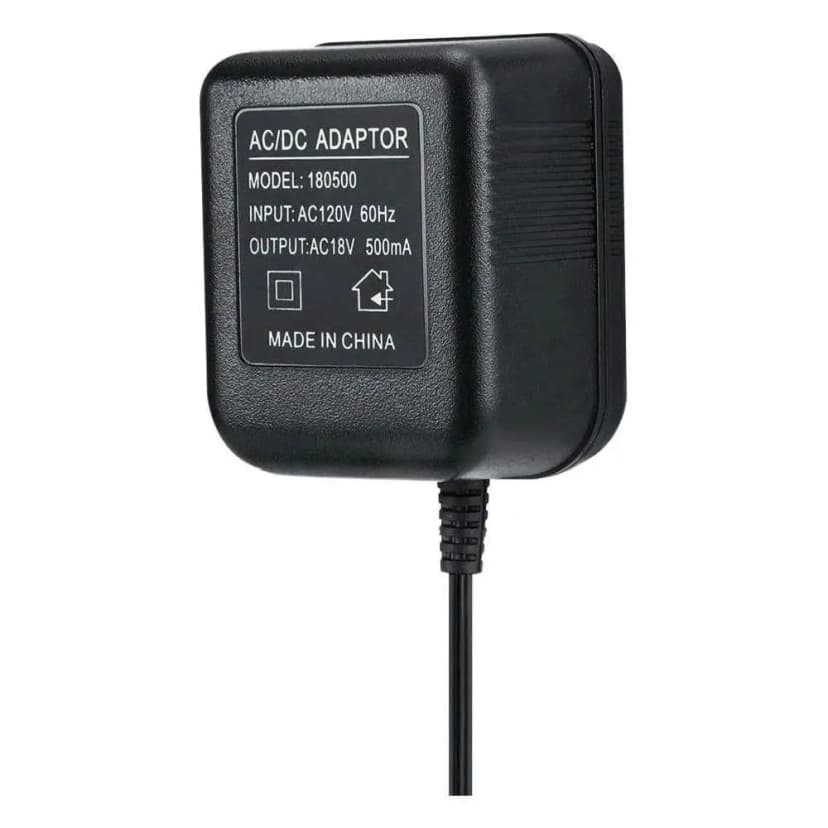
yesterday we had a ticket on our schedule to help customer install a ring doorbell. When we arrived, we realized that the customer had a wireless doorbell. Right next to it, was a face plate that cover where the old doorbell was. My guess is that doorbell stopped working. This can be two reasons, bad wiring or bad power supply. After we trace the cable down, we realize the the customer use to have a phone system install in this home. They had a intercom system tie to the phone system, therefore, the doorbell wiring did not had power to it. This create a small dilemma for us, we ended up ordering a power supply and have to make a second trip just to install a Ring door bell. After installing probably 30 ring door bell, we still are still on a learning curve. Welcome to the IT business!
WiFi 2.4ghz vs 5ghz Wireless Network Austin
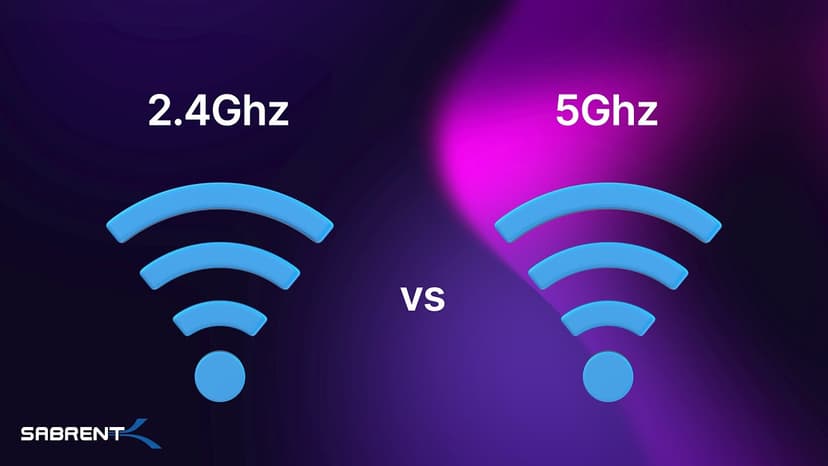
Often, you’ll find that your router or access point will give you the option of two Wifi band. There is no better option but just what works best for your situation. 2.4ghz band travels at longer wavelength which will allow the band to travel further distance and penetrate through walls and floor but is prone to interferences. These interferences can cause your internet speed to decline. 5ghz band travels at a shorter wavelength and offer more channels which is less prone to interference but it unable to travel in distance. Due to the shorter wavelengths, 5ghz band is able to give a higher internet speed depending on how far you are away from your source. Depending on what you are trying to accomplish, first ask yourself what you need the Wifi for and if speed and distance is a factor. This will help with where you want to place your router or access point in an area where speed is important but utilize the 2.4ghz band for distance.