

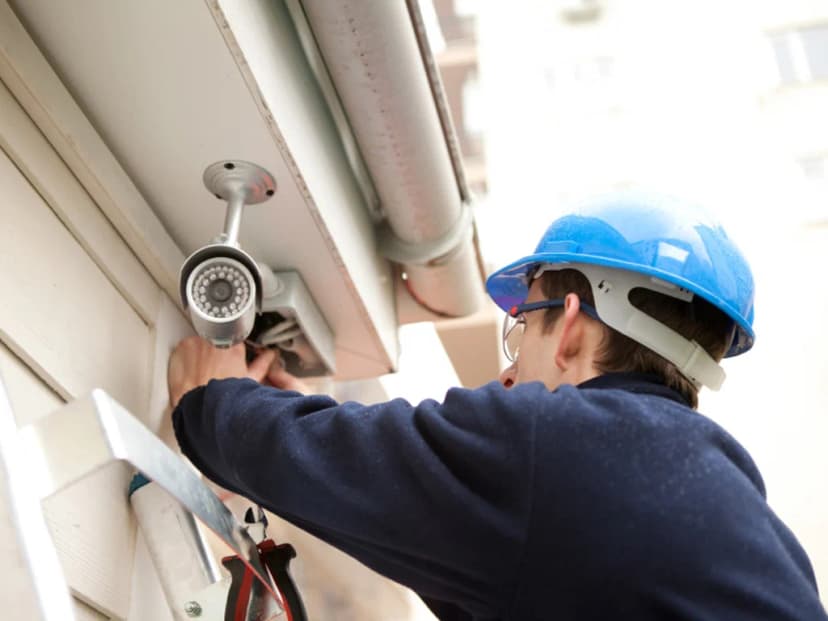
In today’s world, where security is no longer a luxury but a basic need, the importance of having a professional surveillance system cannot be overstated. Whether you're running a small business, a retail shop, or managing a larger commercial property, the risks of theft, unauthorized access, and safety concerns are real and growing. But here’s the catch: it’s not just about having cameras; it’s about how they’re installed, where they’re placed, and how reliably they function every day.
Many businesses, especially smaller ones, consider doing it themselves to save costs. You might buy a camera kit online, watch a few tutorial videos, and start mounting cameras. But without proper planning, expertise, and equipment, you risk ending up with blind spots, security gaps, poor video quality, or even legal trouble. That’s why professional security camera installation is so essential. It’s not just about mounting a device on the wall; it’s about building a secure system that truly protects your people, property, and peace of mind.
By the end of our article, you’ll see why trying to save expenses on your surveillance system might cost more than it saves and how a professional installer can turn your cameras into a powerful, secure, and long-lasting security solution.
The Risks of DIY Security Camera Installation
Many businesses choose the DIY route to save money or speed up the setup. But without the right experience, tools, and technical know-how, DIY installations often create more problems than they solve. What looks like a simple weekend project can become a constant source of frustration and, worse, security gaps that expose your business.
1. Blind Spots & Poor Coverage
One of the most common issues in amateur setups is bad camera placement. People often install cameras where it's easiest to mount them, not where they're most needed.
Blind spots around corners, under awnings, or in dimly lit areas go unnoticed until after a break-in or incident.
The wrong lens angle, too wide or too narrow, can distort the view or fail to capture the full area.
Without training, it’s easy to miss key coverage zones like doorways, cash registers, back exits, or loading docks. These are the exact places where surveillance is most critical.
2. Vulnerable Network Security
DIY setups often skip the security basics:
IP cameras are installed using default usernames and passwords, making them easy targets for hackers.
Cameras are connected to unsecured Wi-Fi, leaving the feed open to interception.
Footage may be stored in unprotected cloud accounts, which can be accessed by anyone who guesses the login.
These mistakes open the door to cyber intrusions, exposing sensitive footage or allowing outsiders to take control of the system.
3. Technical Failures & Maintenance Issues
Improper installation also causes reliability issues. Examples include:
Using the wrong power supply or overloading circuits
Not waterproofing outdoor cameras, which leads to failure during rain or snow
Loose cable connections that cause cameras to go offline without warning
Systems may fail at the worst possible time without surge protectors, battery backups, or proper cable protection.
4. Legal & Compliance Problems
Security laws vary by state and industry, and a DIY installer might not even be aware of them. Common legal mistakes include:
Pointing cameras at public sidewalks or employee break rooms, both of which may violate privacy laws
Recording without signage, which is illegal in many jurisdictions
Invalidating warranties by improperly wiring or mounting equipment
All of this can lead to fines, litigation, or loss of insurance coverage.
Benefits of Professional Surveillance Installation
So, what difference does it make to hire a pro? In short, everything. A professional installer doesn’t just set up cameras. They build a reliable security network customized to your space, your goals, and your future needs.
Let’s take a look at the key advantages.
1. Optimal Camera Placement for Full Coverage
A trained installer knows exactly how to position cameras to eliminate blind spots and ensure complete visibility of vulnerable areas. They’ll:
Perform a site survey to assess lighting, angles, and obstructions
Choose the right camera type for each zone:
PTZ cameras for adjustable views
Dome cameras for discreet indoor coverage
Bullet cameras for long-range outdoor surveillance
You get full protection without gaps and a clear, detailed feed at all times.
2. Secure & Reliable System Setup
With a professional install, you don’t have to worry about poor performance. Pros make sure everything works smoothly by:
Using encrypted connections to prevent unauthorized access
Choosing PoE (Power over Ethernet) systems for reliable power and data
Installing backup batteries or a UPS to keep cameras running during power outages
This kind of setup prevents footage loss, system crashes, and hacking attempts.
3. Compliance with Legal Standards
Security laws can be complex, but professional installers understand the rules:
They avoid placing cameras in privacy-sensitive areas
They recommend and install proper notification signage
They ensure footage is stored in GDPR- or HIPAA-compliant ways, if applicable
You stay on the right side of the law and avoid fines or lawsuits.
4. Long-Term Cost Savings
While professional services may cost more upfront, they pay off in the long run:
Fewer hardware failures mean fewer replacement costs
Efficient cable routing reduces clutter and improves longevity
Many companies offer remote monitoring and maintenance packages, so your system is always updated and running well
Professional-grade installs are built to last, saving time, money, and stress over the years.
What to Expect from Security Camera Installation Services
If you’ve never worked with a professional installer before, you might wonder what the process looks like. Here’s a step-by-step breakdown of what you can expect.
1. Conduct a Security Assessment
The process starts with a site visit and evaluation. The installer will:
Walk through your building to identify entry/exit points, blind zones, and high-risk areas
Recommend camera types and placements based on lighting, distance, and visibility
Help you decide between local storage (NVR), cloud-based systems, or a hybrid model
This makes sure that your system is personalized to your business, not just a random solution.
2. Install & Configure the System
Next comes the installation itself. This includes:
Running and concealing cables through ceilings, walls, or conduits to avoid tampering or damage
Mounting cameras securely and adjusting their angles
Connecting cameras to your network, including routers, PoE switches, and firewalls
Everything is tested and calibrated to deliver optimal coverage and image quality.
3. Test & Train Users
Once the setup is complete:
The installer tests every camera to make sure that live feeds, motion detection, and recording functionality all work as expected
Your staff will receive a quick training session on how to:
Access camera feeds
Review footage
Use apps or web interfaces for remote monitoring
This helps your team feel confident using the system.
4. Provide Ongoing Support
The job doesn’t end after installation. Many professional installers offer:
24/7 troubleshooting or help desk access
Remote system checks and software updates
Optional maintenance plans that include inspections, cleaning, and upgrades
This kind of support ensures your system stays reliable, not just on day one, but for years to come.
Choosing the Right Security System Installers
Not all security companies are created equal. Choosing the right partner is key to a successful, stress-free installation. Here’s what to look for when making your choice.
Licensing & Certifications
Make sure your installer is:
State licensed to operate as a low-voltage contractor or security system installer legally
Certified by camera manufacturers (like Axis, Hikvision, or Uniview)
Trained in current surveillance standards and compliance laws
This guarantees you're working with someone who knows their craft and follows the rules.
Experience With Business Systems
Residential and business needs are totally different. Choose a provider with:
Proven commercial experience
Case studies showing successful installs in stores, warehouses, offices, or schools
Familiarity with enterprise-level storage and remote monitoring
This ensures they understand your challenges and can offer the right solutions.
Positive Reviews & Track Record
Do your homework. Check:
Google reviews and ratings
Testimonials on the company’s website
Industry-specific case studies (retail, healthcare, industrial, etc.)
A good company should be proud to show their work, and have the reputation to back it up.
Warranty & Maintenance Plans
Ask about:
Warranty coverage for both equipment and labor (1–5 years is typical)
Ongoing maintenance plans that include inspections, updates, and repairs
Service-level agreements (SLAs) are required if you require guaranteed response times
These give you peace of mind and make sure your investment stays protected.
Final Thoughts: Don’t Gamble with Your Security
At the end of the day, your security system is only as strong as its weakest link. And too often, that weak link is poor installation.
You could buy the best cameras, sharpest lenses, and biggest hard drives, but if they’re placed in the wrong spots, wired incorrectly, or left unsecured, they won’t do the job you need them to.
A professional security camera installation ensures:
Complete surveillance coverage with no blind spots
Secure, stable footage that can’t be hacked or deleted
Legal compliance that protects your business from lawsuits
Long-term savings by avoiding frequent breakdowns and upgrades
Don’t cut corners on something this important. Whether you're upgrading an old system or starting fresh, professional installers bring the knowledge, tools, and support to give your business the safety it deserves.
Ready to take the next step?
Contact us today at Business Communication Solutions, a trusted commercial security camera installation company, and schedule your consultation. Protect your business the right way from the very first cable to the final camera angle.