

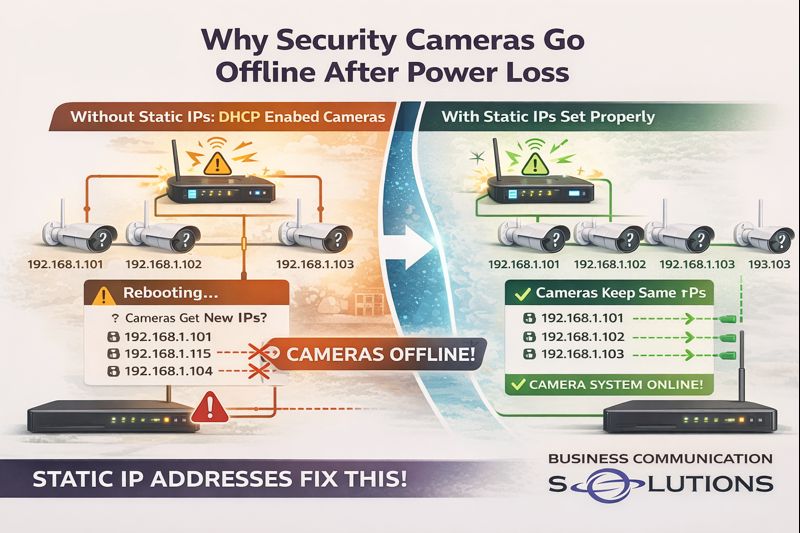
At Business Communication Solutions, we helped a customer in Austin, Texas today who was dealing with a frustrating issue:
their security cameras kept going offline after network reboots and power outages—even though everything worked fine at first.
The root cause?
The cameras were not configured with static IP addresses.
This is a common issue we see with plug-and-play camera systems, especially when cameras are installed on a regular network instead of a dedicated camera network.
What Happens When Cameras Don’t Use Static IP Addresses
Most security cameras ship in DHCP mode by default. That means:
The network automatically assigns an IP address
The IP can change after a reboot or power loss
When the network restarts:
The router hands out new IP addresses
Cameras may no longer match what the NVR expects
The NVR loses communication with the cameras
Cameras appear “offline” even though they are powered on
From the customer’s perspective, it looks random.
From a networking standpoint, it’s completely predictable.
Why This Is More Common on Regular Networks
Many camera systems work perfectly when connected to:
A dedicated camera switch
A closed camera network isolated from the main LAN
But when cameras are placed on:
A shared business network
A home network with phones, computers, printers, and Wi-Fi devices
IP conflicts and address changes become far more likely—especially after:
Power outages
Router updates
ISP equipment reboots
This is where static IP addressing becomes critical.
Why Static IP Addresses Matter for Security Cameras
Setting cameras with static IP addresses ensures:
Each camera keeps the same IP address permanently
The NVR always knows where to find each camera
Cameras reconnect properly after power loss
No surprise “offline” alerts after reboots
In short:
Static IPs create stability.
This is especially important for:
Business security systems
Remote camera viewing
Cloud backups
Multi-camera installations
The Plug-and-Play Myth
Plug-and-play camera systems work great:
During initial setup
While power stays on
When the network never changes
The problem is that real networks reboot.
The first power outage is usually when:
Cameras disappear
Recordings stop
Customers realize something isn’t right
That’s often when we get the call.
What We Fixed for Our Austin Customer
For this Austin client, we:
Identified cameras running on DHCP
Assigned proper static IP addresses
Matched NVR camera mappings correctly
Verified reconnect behavior after reboot
Ensured long-term stability of the system
Once configured correctly, the cameras came back online immediately—and stayed online after testing power cycles.
Why Local IT & Low-Voltage Support Makes a Difference
Large camera vendors and installers often focus on getting systems up and running—not on long-term reliability.
At Business Communication Solutions, we:
Troubleshoot camera systems others walk away from
Work with existing equipment
Fix “small” issues that cause big headaches
Provide local, on-site support in Austin and surrounding areas
We understand networking—not just cameras.
Cameras Going Offline in Austin? We Can Help.
If your security cameras:
Go offline after power outages
Randomly disconnect from the NVR
Work one day and fail the next
📞 Call Business Communication Solutions at 512-257-1433
We serve Austin and surrounding cities and specialize in reliable camera, network, and communication system setups that keep working when it matters.