

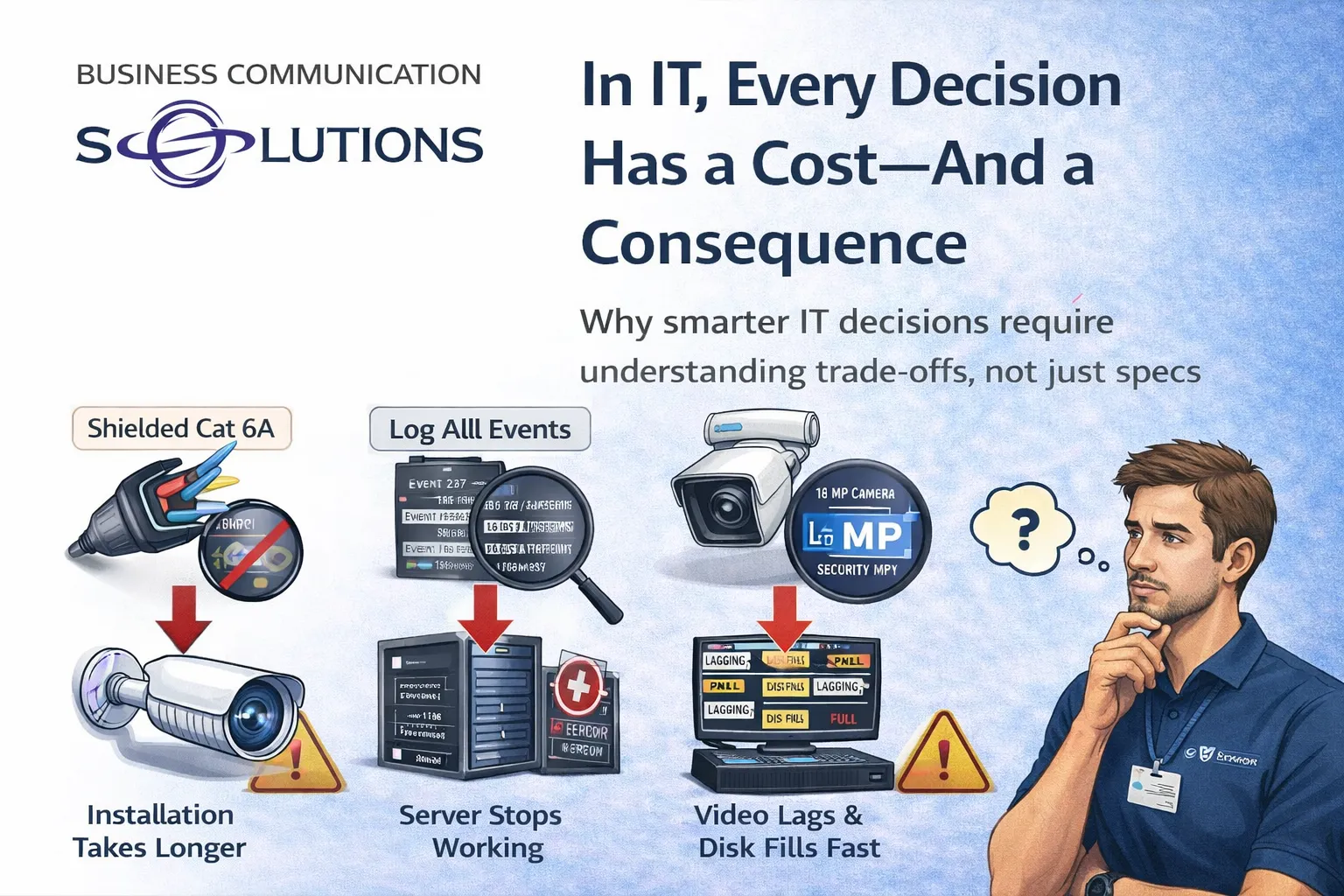
In IT, there’s no such thing as a “free upgrade.”
Every choice—hardware, software, cabling, settings, or features—comes with a cost and an effect. Sometimes that cost is money. Other times it’s performance, stability, storage, time, or long-term reliability.
At Business Communication Solutions, we regularly help customers understand that “best on paper” doesn’t always mean “best in real life.”
More Isn’t Always Better — It’s Just Different
Many IT decisions are influenced by forums, spec sheets, or marketing claims. While research is good, real-world environments don’t always behave the way online discussions suggest.
The problem isn’t that customers want better systems.
The problem is when side effects aren’t considered.
Example 1: Shielded Cat6A for Cameras — The Hidden Installation Cost
We recently worked with a customer who insisted on using Cat6A shielded cable because they believed it was “the best” option after reading online forums.
Their use case? UniFi security cameras.
Here’s the reality:
Cat6A shielded cable is thicker and stiffer
Shielded connectors are larger
Many outdoor UniFi cameras are designed with waterproof glands
Those glands are not designed for bulky shielded connectors
The result:
Cable wouldn’t fit cleanly
Waterproof seals were harder to maintain
What should have been a 1-hour install turned into 2+ hours
Higher labor cost for zero performance gain
Cat6A isn’t wrong—but it wasn’t the right tool for the job.
Example 2: “Log Everything” — Until the Server Stops Working
Another common request:
“We want to log all events on the server.”
Sounds reasonable. Until the side effects show up.
What actually happens:
Logs grow rapidly
Hard drives fill up faster than expected
Disk space hits critical limits
The server slows down—or stops services entirely
Now the system meant to improve visibility becomes the cause of downtime.
Logging isn’t bad—but it must be:
Scoped correctly
Stored intelligently
Rotated and monitored
More data always comes with more responsibility.
Example 3: High-Resolution Cameras on Underpowered NVRs
Customers often want the newest, highest-resolution cameras, such as 16 MP models.
The issue?
Older or entry-level NVRs weren’t designed for that workload
Limited CPU power
Small internal hard drives
Older compression support
The result:
Choppy or lagging video
Delayed playback
Hard drives filling up in hours instead of days
Reduced reliability when footage is actually needed
The camera wasn’t the problem.
The system design was.
IT Is a System — Not Individual Parts
One of the most common mistakes we see is upgrading one component without considering the rest of the environment.
In IT:
Faster devices generate more data
More data needs more storage
More storage needs better performance
Better performance requires proper planning
Everything is connected.
The Role of an Experienced IT Professional
Good IT support doesn’t just install what’s requested. It explains:
What will change
What it will affect
What trade-offs exist
Whether the upgrade actually makes sense
Sometimes the best recommendation is:
A different cable
A different camera
A storage upgrade first
Or not upgrading at all
That’s not resistance—that’s responsibility.
Local IT Guidance You Can Trust
At Business Communication Solutions, we help Austin-area businesses and homeowners make IT decisions with full visibility into the consequences.
Our goal isn’t to upsell.
It’s to design systems that work reliably over time.
📍 Serving Austin and surrounding areas
📞 Call 512-257-1433 to plan IT upgrades that make sense—technically and operationally.