

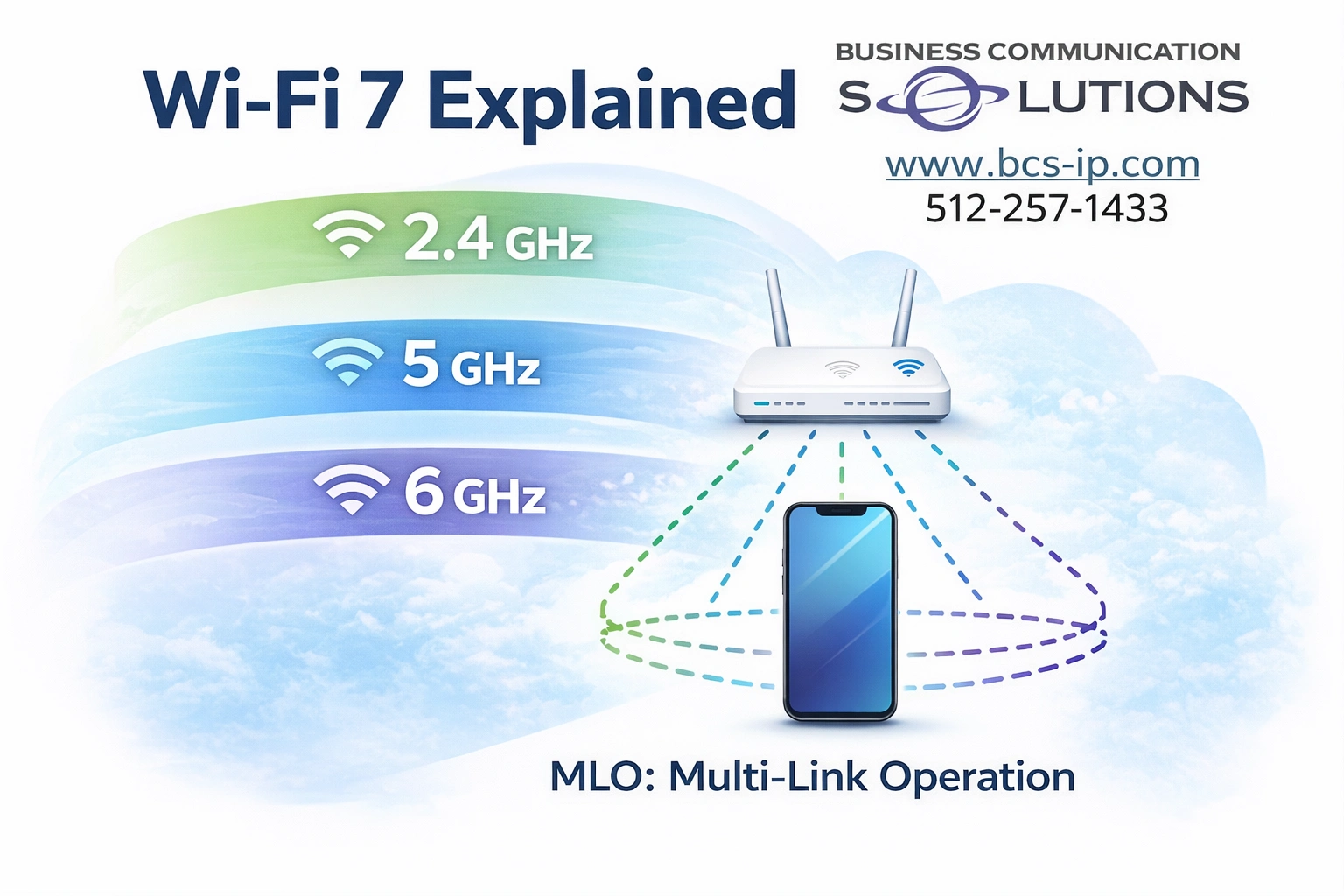
Wi-Fi 7 (802.11be) is the biggest upgrade to wireless networking in over a decade. While most people focus on “faster speeds,” the real advantages are lower latency, better reliability, and smarter use of multiple frequency bands at the same time.
To understand why Wi-Fi 7 matters — and whether it makes sense for your home or business — it’s important to understand how the 2.4 GHz, 5 GHz, and 6 GHz bands work, what Multi-Link Operation (MLO) actually does, and how new devices remain backward compatible with older ones.
Understanding the Wi-Fi Frequency Bands
2.4 GHz: Long Range, Lower Speed
The 2.4 GHz band offers the longest range and best wall penetration, but it’s also the most congested. Many household devices share this spectrum, including smart home gear and Bluetooth devices.
Best for:
Smart home and IoT devices
Older devices
Long-distance connections
5 GHz: Performance and Balance
The 5 GHz band provides higher speeds and better performance than 2.4 GHz, with less interference — but reduced range.
Best for:
Phones, laptops, TVs
Everyday work and streaming
Most current Wi-Fi devices
6 GHz: Clean Spectrum, Ultra-Low Latency
The 6 GHz band is exclusive to Wi-Fi 6E and Wi-Fi 7 devices. Because legacy devices cannot use it, interference is dramatically reduced. Wi-Fi 7 expands this further with wider channels (up to 320 MHz) and improved efficiency.
Best for:
High-performance devices
Video conferencing and VoIP
Gaming, AR/VR, and large file transfers
Busy homes and businesses
What Is MLO (Multi-Link Operation)?
Multi-Link Operation (MLO) is one of the most important features introduced with Wi-Fi 7.
Instead of connecting to only one band at a time, Wi-Fi 7 devices can:
Use multiple frequency bands simultaneously
Dynamically move traffic between bands
Combine links for faster speeds and lower latency
Think of it like using multiple highways at once instead of being stuck in one traffic lane.
Benefits of MLO
Lower latency for real-time applications
More stable connections
Better performance in congested environments
Faster real-world speeds, not just lab benchmarks
One Shared Wi-Fi Name vs Separate SSIDs
One Shared SSID (Recommended)
Modern Wi-Fi 7 networks are designed to work best with one shared network name across all bands.
Advantages:
Devices automatically select the best band
MLO works seamlessly
Better roaming between access points
Less confusion for users
This is the best option for most homes and businesses.
Separate SSIDs (Advanced or Special Cases)
In some situations, separating bands still makes sense:
Forcing IoT devices onto 2.4 GHz
Troubleshooting performance issues
Supporting older or poorly designed devices
Trade-off: More control, but increased complexity and less automation.
Device Compatibility: Who Can Use Wi-Fi 7 and 6 GHz?
Devices That Support 6 GHz (Wi-Fi 6E & 7)
Newer smartphones (select iPhone, Samsung, Pixel models)
New laptops with Intel or Qualcomm Wi-Fi 6E / 7 chipsets
High-end tablets and workstations
Wi-Fi 7 Devices (Still Rolling Out)
Flagship phones and laptops (2024+)
Enterprise and prosumer access points
New networking hardware
Backward Compatibility Still Matters
Wi-Fi 7 access points:
Fully support Wi-Fi 6, 5, and older devices
Do not break existing networks
Allow gradual upgrades instead of full replacements
This makes Wi-Fi 7 a future-proof investment, not an all-or-nothing upgrade.
Do You Need Wi-Fi 7 Right Now?
Wi-Fi 7 makes the biggest impact when:
Many devices are connected at once
You rely on cloud apps, VoIP, or video meetings
Low latency and reliability matter
You’re upgrading or building a long-term network
Even if most of your devices aren’t Wi-Fi 7 yet, installing Wi-Fi 7 infrastructure today means:
Cleaner spectrum with 6 GHz
Better performance immediately
Ready for future devices
Wi-Fi 7 Installation & Network Design in Austin, TX
Wi-Fi 7 isn’t just about buying new access points. Performance depends on proper design, cabling, placement, configuration, and tuning. Features like MLO and 6 GHz only work correctly when the network is designed for your environment.
That’s where Business Communication Solutions comes in.
We help homes and businesses across Austin and Central Texas design and install modern Wi-Fi networks that work reliably in real-world conditions.
Our Wi-Fi Services Include:
Wi-Fi 7 and Wi-Fi 6E access point installation
2.4 GHz, 5 GHz, and 6 GHz band planning
MLO configuration and optimization
Structured cabling (Cat6, Cat6A, and fiber)
Dead-zone elimination and coverage planning
Troubleshooting slow or unstable Wi-Fi
We work with homes, offices, restaurants, warehouses, retail spaces, and multi-building properties.
Local. Experienced. No Guesswork.
Business Communication Solutions is a local Austin-based company — not a national installer or call center. We show up on-site, test your environment, and design your network around how you actually use it.
Whether you’re upgrading an existing system or planning ahead for Wi-Fi 7, we’ll help you decide what makes sense now — and how to do it right.
📞 Call Business Communication Solutions Today
512-257-1433
Serving Austin, Round Rock, Cedar Park, Pflugerville, Leander, Georgetown, Buda, Kyle, Bee Cave, Lakeway, and surrounding areas.