

Best Cloud-Based Security Camera Systems in 2025

When it comes to securing your home or business, having the right security camera system is crucial. With the rise of cloud technology, cloud-based security camera systems are becoming increasingly popular. In 2025, these systems offer not only enhanced security features but also easy-to-use interfaces, flexibility, and scalability. But how do you choose the best one for your needs? Let’s walk through the key features, options, and everything you need to know to make the right choice. Why Cloud-Based Security Cameras? Cloud-based security cameras store your video footage online, meaning you don’t need to worry about physical storage devices like hard drives. These cameras allow you to access your footage from anywhere using your smartphone or computer. Whether you’re checking on your home while on vacation or monitoring your business from your office, cloud-based systems give you peace of mind with real-time remote access. Key Features to Look for in Cloud-Based Security Cameras When you’re shopping for a cloud-based security camera system, there are a few important features to consider to make sure you get the most out of your investment: Video Quality and Resolution: The better the video quality, the easier it will be to identify people, objects, and potential threats. Look for a system that offers HD or 4K resolution. AI and Smart Features: Many cloud-based systems now include artificial intelligence (AI) to help detect motion, recognize faces, or even alert you to unusual activities. This is perfect for both home security systems and commercial security cameras. Remote Access: The ability to access your camera feed from anywhere is a must. Look for systems with mobile apps or easy-to-use web portals to view footage remotely. Storage Plans: Cloud storage options vary, so you’ll want to choose a camera system that offers affordable and flexible plans. Some services offer free storage for a limited time, while others offer paid plans for extended storage. Best Cloud-Based Security Camera Systems in 2025 Now that you know what to look for, let’s dive into some of the top options available for 2025: Reolink Argus 3 Pro: Known for its clear video quality and affordable pricing, the Reolink Argus 3 Pro is perfect for homeowners looking for an outdoor security camera system. It offers a great mix of features without requiring a subscription for basic cloud storage. Nest Cam IQ Outdoor: A solid choice for both home and commercial security cameras, the Nest Cam IQ Outdoor is packed with smart features like facial recognition and alerts. It’s designed for those who want a high-quality, reliable security system with advanced AI capabilities. Ring Security Camera System: Ring continues to be one of the most popular brands in the market. Its systems are easy to install and provide comprehensive cloud storage and remote viewing. This is an excellent choice for both home surveillance systems and commercial setups. Arlo Pro 4: If you want a camera that performs well both indoors and outdoors, the Arlo Pro 4 offers incredible video quality and cloud storage options. It’s also a good choice for those who need wireless flexibility. Wyze Cam Outdoor: If you’re on a budget, the Wyze Cam Outdoor offers impressive performance without the high price tag. It’s a great option for those who need a reliable home security camera system but don’t want to break the bank. How to Choose the Right System for Your Home or Business Selecting the right cloud-based security system depends on your specific needs. Here are a few tips: For Homes: Look for a system with a simple setup, reliable video quality, and features that help you monitor the outside of your home. Motion detection and smart notifications are important for keeping your home safe. For Businesses: Commercial security cameras should offer scalability. This means the system can grow as your business does. Make sure the cameras are durable, have good video quality, and offer cloud storage plans that can handle large amounts of footage. The Future of Cloud-Based Security Cameras As technology evolves, so will the capabilities of cloud-based cameras. In the coming years, we’ll likely see even more advanced AI features, better integration with smart home devices, and improvements in video resolution. The best cloud-based security systems will continue to offer seamless experiences that work perfectly for both home surveillance systems and businesses of all sizes. The Benefits of Professional Installation Setting up a security camera system can be straightforward, but there are times when you might want a professional to handle the surveillance camera installs. Whether you’re installing cameras for your home or business, professional installers can ensure that everything is set up properly for optimal coverage. Business Communication Solutions, understand that both homes and businesses require tailored security solutions. That’s why we offer expert installation and consultation, including Managed IT Services to ensure your systems run smoothly. We also work with Telecommunication Contractors to provide full-service solutions for your communication and security needs. Conclusion Choosing the best cloud-based security camera system for 2025 doesn’t have to be overwhelming. With the right information, you can find a system that fits your home or business perfectly. Whether you need to secure your home with a reliable home surveillance system or protect your business with professional-grade commercial security cameras, there’s a cloud-based system out there that’s right for you. Remember, a good security system is an investment in peace of mind. With the right features, a top-tier cloud storage solution, and professional setup, you’ll always feel secure and in control of your property
How to Select the Best Voice & Data Cable Installer
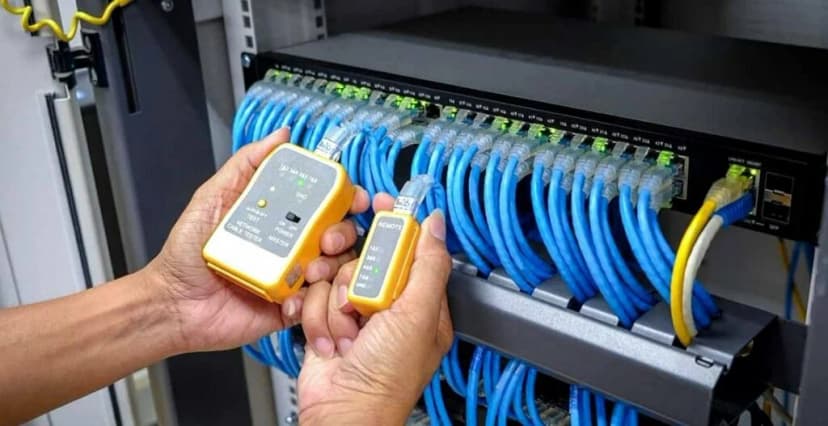
A smooth, speedy network feels like magic, but behind that magic is a maze of cables hidden in ceilings, walls, and server racks. If those cables are sloppy, you’ll notice slow internet, dropped video calls, and panicked “Why is the Wi-Fi down?” messages. The solution starts with hiring the best voice and data cable installer. In the same way you wouldn’t let a hobbyist wire your office’s electrical system, you don’t want an unproven crew handling the nervous system of your business: the data network. A true professional knows how to plan routes, label every port, test every line, and leave your office tidy enough to impress even the pickiest fire marshal. That expertise pays off in faster speeds. Chapter 1: Why Hiring the Right Installer Matters Setting up your business’s internet and network isn’t just about plugging in some wires and hoping for the best. It’s way more important than that! Whether you’re running a small office or a growing company, the quality of your cable installation can make or break your daily operations. That’s why hiring the right installer is one of the smartest choices you can make. Let’s explain why it matters so much and what could go wrong if you don’t. What Can Go Wrong With a Bad Installation? Slow Internet & Dropped Connections Ever had a video call freeze or your Wi-Fi randomly stop working? That could be because of messy or incorrectly installed cables. Weak or broken connections mean your internet won’t run as fast or as smoothly as it should. That’s bad news when your team needs to download files, host meetings, or keep cloud apps running. Security Risks Loose or exposed cables aren’t just ugly, but could be dangerous. They can make it easier for your system to be hacked or damaged. Bad cable work might also leave your equipment open to outside interference. That’s a big risk if you’re dealing with private customer data or important company information. Expensive Repairs Later Cutting corners during installation might save a few bucks today, but it could cost a lot more down the road. Fixing a poorly installed network means pulling up cables, reinstalling them properly, and maybe even shutting down your business while it gets fixed. That’s time and money you shouldn’t have to waste. What a Professional Installer Brings to the Table Hiring a trained and certified voice and data cable installer means you can relax. These folks know exactly what they’re doing and make sure your setup works the way it should. Faster, More Reliable Connections With the right cables installed correctly, your network runs smoothly. That’s super important for tools like: VoIP (Voice over Internet Protocol) – for clear phone calls Cloud-based apps – like Google Drive or Microsoft 365 Video meetings – with zero buffering or dropped calls No lag. No dropped signals. Just solid performance you can count on. Future-Proof Network Setup A good installer doesn’t just think about today. They plan. What if your business grows next year? Or you bring in new tools and tech? A pro will design your network with that in mind. They’ll install scalable, high-speed cables like Cat6, Cat6a, or fiber optics to handle whatever the future brings. Compliance With Industry Standards Have you heard of TIA/EIA, OSHA, or local building codes? Don’t worry. You don’t need to memorize them, but your installer should definitely know them. Following these rules means your network is safe, legal, and ready to support your business long-term. Chapter 2: How to Find the Best Cable Installer So, how do you find the right installer? Here’s a simple guide to help you choose someone who knows their stuff and won’t leave you dealing with connection problems down the line. 1. Look for Specialized Experience Not all electricians or techs are trained in structured cabling, which is the method used to organize and install cables in commercial spaces. Just because someone knows how to set up Wi-Fi at home doesn’t mean they can handle a large office or data center. Here’s what to check for: They Focus on Business Networks Look for installers who regularly work with offices, warehouses, schools, or hospitals. Business setups require more planning, more cables, and stronger equipment than a basic home network. They Understand Fiber Optic Services If your company plans to stream, host video calls, or rely on cloud storage, fiber optics may be essential. Make sure your installer has experience with fiber installation, splicing, and termination, especially if speed is a priority. They Know Cat6 and Cat6a Cabling Installers should be comfortable working with high-speed Ethernet cable types like: Cat6 – Great for most current business needs. Cat6a – Better for high-bandwidth or longer-distance applications. Ask: “Have you installed Cat6a or fiber in business environments before?” Their answer will tell you a lot. 2. Check Certifications & Training You want a team that’s been trained, tested, and knows what it’s doing, not someone who winged it on the job. BICSI Certification This is one of the most respected certifications in the cabling industry. A BICSI certification means that the holder has undergone proper training and passed exams focused on structured cabling standards. Manufacturer Certifications Big cabling brands like Panduit, Leviton, and CommScope offer their own certifications. These show that the installer knows how to use their products correctly, which can even affect warranty coverage. If your installer is manufacturer-certified, it often means longer warranties and better performance guarantees. OSHA Safety Compliance Safety is no joke, especially in bigger buildings. Make sure the team follows OSHA guidelines so they can work safely around ladders, power tools, and ceiling spaces. You want pros who care about doing it right and doing it safely. 3. Read Reviews & Ask for References Online reviews are like a sneak peek into someone else’s experience. Before making your decision, take some time to see what past clients have to say. Check Google and Yelp Reviews Look for patterns. If lots of people mention: Showing up late
Wireless vs. Wired Security Cameras: Which Is Best for Your Austin Property?
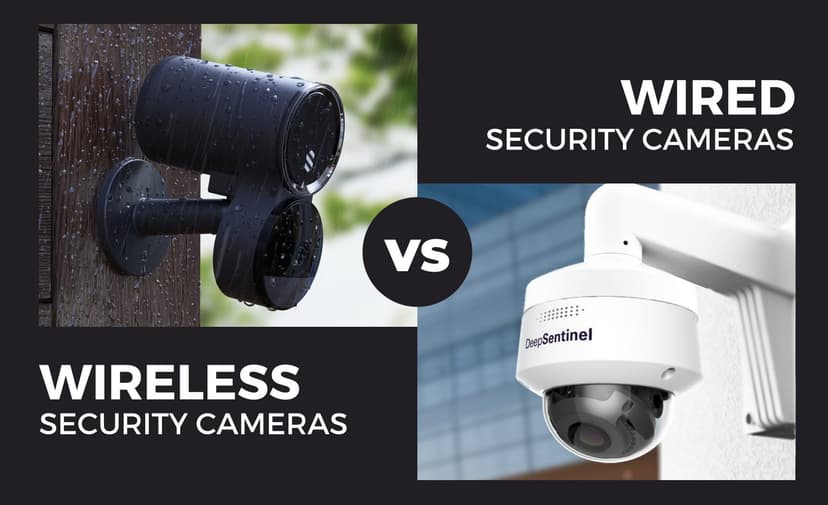
Choosing the right security camera setup for your Austin home or business can feel like picking a flavor at your favorite ice cream shop, with so many options, and each one promises to be the best! We’ve guided countless Texans through this very dilemma, and we know the “Wireless vs. Wired” question can seem especially tricky if you’re not a tech wizard. But don’t worry: we’re here to cut through the confusion, skip the jargon, and give you the straight scoop on which system will keep your property safe, your wallet happy, and your stress level low. Whether you’re a busy landlord in East Austin, a family in the suburbs, or a shop owner on South Congress, your security needs are all different from each other. Do you value flexibility and a quick setup, or is rock-solid reliability your top priority? In the paragraphs that follow, we’ll explain everything you need to know about wireless and wired cameras, from security camera installation and performance to maintenance and cost. By the end, you’ll be ready to make a confident choice that fits your lifestyle (and your budget), without ever having to decipher a wall of technical specs. Ready? Let’s get in! Round 1: The Basics – What’s the Difference? At their core, both wireless and wired security cameras do the same job: they keep an eye on your property and record what happens. But the way they connect, draw power, and interact with your network sets them apart. Here’s a closer look at each style’s strengths and trade-offs. Wireless Security Cameras – The “Easy Breezy” Option When you snap a picture on your phone, you point, you click, and you’re done. That’s the essence of wireless cameras. They pair to your home or business Wi-Fi network (or run on batteries), so there’s no tedious cable-pulling or drilling required. What Makes Them Shine Plug-and-Play Setup: Mount your camera wherever you like, such as porches, walls, or even inside your garden shed, and then connect to Wi-Fi using the camera’s app. Most folks have their cameras live in under 30 minutes. Flexible Placement: Renting an apartment? Remodeling? No problem. Wireless cams can hop from room to room, house to house, or even from your front yard to the back gate, wherever your Wi-Fi reaches. DIY-Friendly: You don’t need special tools or an electrician. If you can follow a simple app walkthrough, you can handle installation yourself. Smart Home Integration: Wireless cameras often play nicely with Alexa, Google Home, or Apple HomeKit. Imagine, “Alexa, show me the driveway,” and boom, your camera feed appears on-screen. What to Watch Out For Wi-Fi Hiccups: Thick walls, long distances, or crowded networks (like apartments with dozens of neighbors) can weaken signal strength, causing choppy live views or dropped recordings. Battery Management: Battery-powered cams give you placement freedom but demand periodic recharges or battery swaps. Plan to check batteries every few months, or choose solar-powered mounts to keep them topped up. Perfect For Renters, apartment dwellers, and anyone who needs a no-drill setup. Small homes or offices with a strong, reliable Wi-Fi network. Homeowners who value convenience and want to self-install. Wired Security Cameras – The “Set It & Forget It” Champ For those who prefer a once-and-done approach, wired cameras are the heavyweight champions. They connect via cables, either Power over Ethernet (PoE) or traditional coaxial, carrying both power and video signals in one neat run. Why They’re Rock Solid Unbreakable Connection: Since they don’t rely on Wi-Fi, wired cams deliver consistent, high-quality footage without dropouts even during storms or heavy network traffic. Constant Power & 24/7 Recording: No batteries means no midnight low-battery alerts. Your cameras just keep rolling around the clock. Higher Resolutions: Wired systems often offer true 4K Ultra HD feeds, capturing every detail, clear as day, from sidewalk license plates to backyard raccoons. Long-Term Durability: With cables secured inside walls or nooks, your system tolerates Austin’s heat, wind, and yard-chewing rodents with minimal fuss. The Trade-Offs Professional Installation Required: You’ll need an experienced installer to run wires through walls, set up PoE switches, and hide cables. This investment ensures a neat, tamper-resistant job, but it does take a bit more time and money up front. Fixed Placement: Once a wired camera is mounted and wired in, moving it means rerouting or extending cables, so plan your camera angles and zones carefully before installation. Best Suited For Homeowners seeking a permanent, high-reliability solution. Businesses that need uninterrupted, crystal-clear surveillance. Large properties or spots with weak Wi-Fi where wireless cameras would struggle. Weighing Your Options: Quick Comparison Feature Wireless Cameras Wired Cameras Setup Time 15–30 minutes DIY Several hours or days with pros Network Dependency Requires solid Wi-Fi No Wi-Fi needed (PoE or coax runs) Power Source Batteries or a local outlet Direct cable power (24/7) Video Quality Up to 1080p or 2K Up to 4K Ultra HD Relocation Easy: just unplug & remount Hard: needs new cable runs Maintenance Battery checks, Wi-Fi health Minimal: cables & hardware upkeep Ideal Use Cases Rentals, small homes, quick installs Permanent homes, businesses, and estates Round 2: The Showdown – Which One Wins for YOU? For Homes When it comes to protecting your home, whether it’s a cozy bungalow in Bouldin Creek or a modern condo in the Domain, the choice between wireless and wired cameras often boils down to your living situation. Wireless cameras are a godsend for apartments, rentals, and small homes. You can slap one up in minutes, link it to your Wi-Fi, and voilà, suddenly, your front door is under watch. No drilling, no cabling, and no fuss is perfect if you’re renting or plan to move in a few years. Plus, if you decide you want to peek at the backyard instead, you simply unplug, re-mount, and reconnect. On the other hand, wired cameras shine for long-term homeowners who imagine never moving again, think classic Hyde Park cottages or luxury estates in Westlake. With professional installation, you get a rock-solid connection that
The Intense Heat of Austin Home Attics in Summer: Why We Install Cables Only in the Early Morning
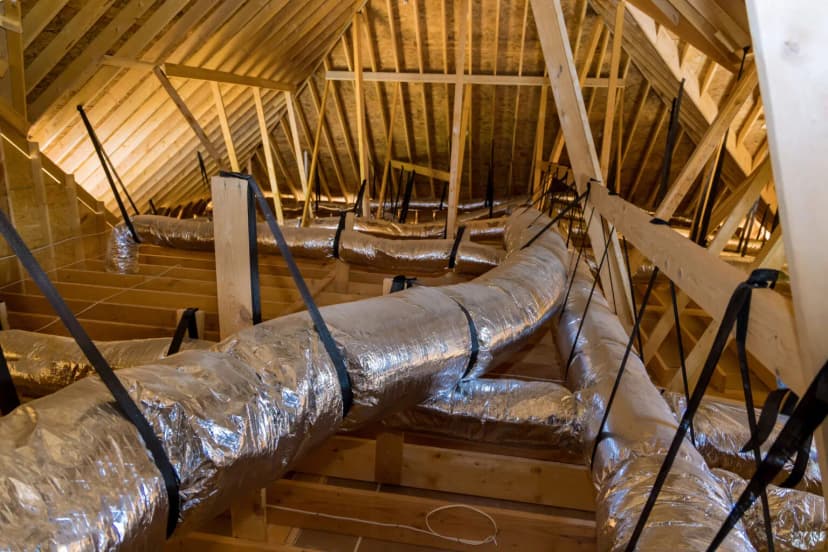
As a low voltage cable installation company, we frequently work in various parts of homes, including the attic. If you’ve ever had to venture into your attic during a Texas summer, you know it can feel unbearably hot. Understanding these extreme conditions can help explain why we choose to install cables only in the early morning during the summer months in Austin. The Harsh Reality of Austin Summers Austin’s summers are known for their intense heat and high humidity, with daytime temperatures often soaring above 100°F (38°C). This extreme weather significantly impacts the temperature inside home attics, which can become extraordinarily hot. Attic Temperatures: The Facts During the summer, attic temperatures in Austin can easily reach between 130°F and 150°F (54°C to 65°C). Several factors contribute to these scorching conditions: 1. Solar Radiation The relentless Texas sun heats up your roof, which in turn transfers heat into the attic space. This effect can cause the attic temperature to rise well above the outside air temperature. 2. Inadequate Ventilation Many attics suffer from poor ventilation, which traps heat and prevents it from escaping. This lack of airflow exacerbates the already high temperatures, making the attic even hotter. 3. Insulation Challenges While insulation is essential for maintaining comfortable indoor temperatures, it can also trap heat in the attic if not properly managed, contributing to the sweltering conditions. Impact on Low Voltage Cable Installation Installing low voltage cables in such extreme conditions presents unique challenges: 1. Safety Risks The primary concern is the safety of our technicians. Prolonged exposure to high temperatures can lead to heat exhaustion or heat stroke, which are serious health risks. Types of Low Voltage Cable We install in Austin 1. Data Cables (Cat 5e, Cat 6, Cat 6A, Cat 6E) 2. Coaxial Cables – TV or Internet Cable, can also be used as Data 3. Security Camera Cables 4. Speaker Cables 5. HDMI Cable – TV, Projector, Video 6. Doorbell cables – Ring, Nest, etc. Our Early Morning Installation Strategy To ensure the safety of our team and the quality of our work, we adopt specific strategies for attic installations during the summer: 1. Early Morning Scheduling By scheduling our work in the early morning, we take advantage of the coolest part of the day. This reduces the risk of heat-related issues and ensures a safer working environment for our technicians. 2. Enhanced Ventilation During installations, we often use portable fans or ventilation equipment to improve airflow and reduce temperatures in the attic. This helps create a more manageable environment for our team. 3. Protective Measures Our technicians wear appropriate protective gear, including lightweight, breathable clothing, and ensure they stay hydrated and take regular breaks. These measures help them stay safe while working in high temperatures. No Extra Charges: Our Commitment to You At Business Communication Solutions, we believe in providing high-quality service without additional costs. Unlike other companies that might charge extra for early morning work, we do not impose any additional fees for this schedule. Our goal is to deliver the best service possible while ensuring the safety of our team and the integrity of your installation. Conclusion The extreme heat of home attics in Austin during the summer is a significant challenge for low voltage cable installation. By understanding these conditions and adopting specialized strategies, we can provide reliable, high-quality service even in the hottest months. Scheduling installations in the early morning allows us to work safely and efficiently without compromising on quality. If you need low voltage cables installed or have any questions, please contact us. We’re committed to keeping you connected, no matter how high the temperatures rise. Stay cool and connected with Business Communication Solutions! 512.257.1433
FIBER OPTIC CABLING TROUBLESHOOTING
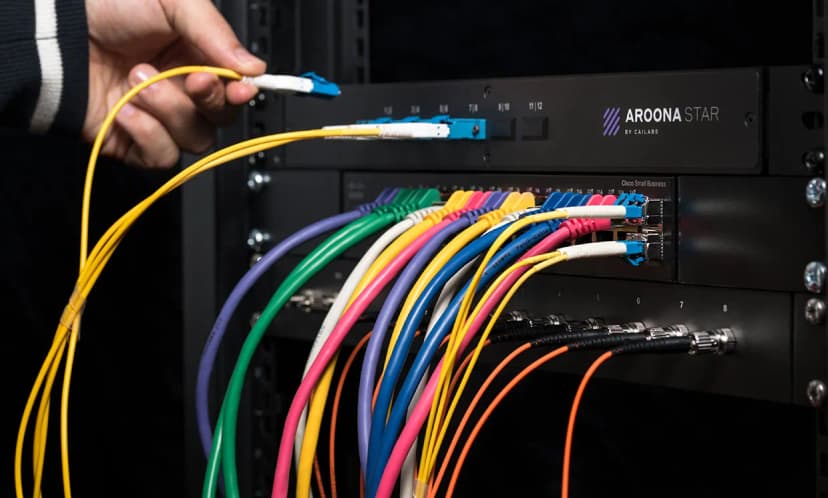
Fiber Optic Cabling Troubleshooting refers to the process of diagnosing and fixing issues related to fiber optic cables and their associated equipment, ensuring proper signal transmission. Fiber optic cables are widely used for their high-speed data transfer capabilities and long-distance transmission, but they can face issues like signal loss, physical damage, or misconfiguration. We have been busy doing some fiber optic cabling in the last few months, some single-mode fiber and some multi-mode fiber. Typically, during a fiber cabling job, we asked that our client have the equipment ready on both ends, this way when we finish the fiber installation, termination, and testing, we can go the extra distant of helping them make sure it’s 100% functioning before we leave. This does not happen all the time, so we sometimes get the call from clients sometimes days, weeks, or even months after the installation have been completed, to help them troubleshoot fiber. Normally after we finished a fiber installation, we terminate, and test the fiber, so we expect this to be simple plug and play, so we can troubleshoot most fiber issues after install with a phone call. It’s just like most networking troubleshooting, we always start at the physical layer. Are the equipment power up? Are the fiber connectors plug in snug? Did we clean the fiber tip with alcohol wipes? Did we roll or flop the fiber? Note: When you roll or flop the fiber, you should only do it on 1 end and not both end. Most fiber connections use 2 strands or 2 connectors on each ends. One is for transmit and the other one is for receive. You want to have transmit side connect to receive side on other end. Hope that make sense! Now, if you done all this and you still can’t get the fiber to work, it most likely will be something more complicated. These can be wrong cut fiber, broken fiber, bad connectors, bad fiber module, bad equipment, incompatible patch cord, etc…….. If you need help with troubleshooting fiber, give us a call.
Seamless Exterior Cable Runs with Outdoor Wire Molding in Austin TX
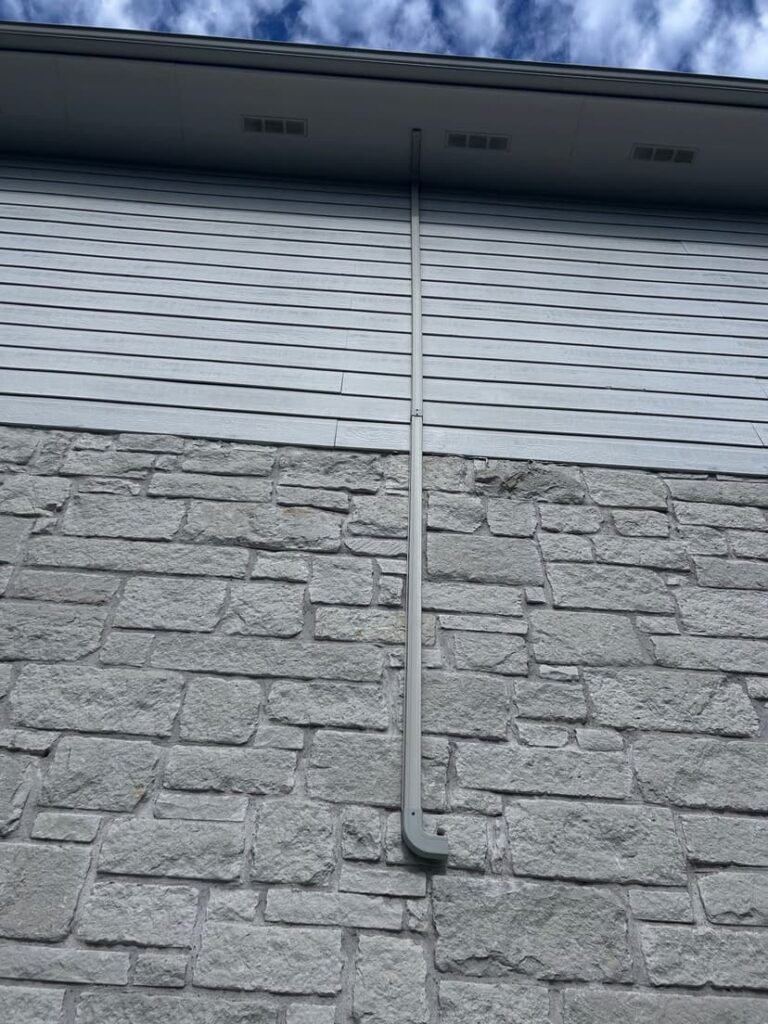
Running cables along exterior walls doesn't have to mean sacrificing aesthetics or weather protection. At Business Communication Solutions, we specialize in clean, durable, and professional cable installations and one of our go-to solutions for outdoor projects is outdoor wire molding. What is Outdoor Wire Molding? Outdoor wire molding is a protective conduit system designed specifically to house and conceal cables along the exterior of buildings. Made from UV-resistant, weatherproof materials, it shields wires from sun, rain, and mechanical wear. Why Use It? Weather Protection: Prevents cable degradation due to exposure. Neat & Professional Appearance: Hides unsightly wires, ideal for commercial and residential properties. Safety First: Reduces trip hazards and protects from electrical damage. Perfect for: Security camera installations Network cabling for outdoor offices or annexes Telecom or internet wiring Our team ensures a custom fit for every job, with precision cuts, sealed terminations, and clean finishes so your infrastructure stays protected and looks great. Ready to upgrade your exterior cable management? Let's talk about how outdoor wire molding can make your next installation secure, efficient, and visually seamless. Call us now. 512.257.1433
What Is a Firewall? A Simple Explanation for Businesses in Austin, TX
magine removing the front door from your office. Anyone walking by could see inside. Now imagine your company’s network the same way — completely exposed to the internet. That’s what happens without a firewall. For businesses in Austin, TX, a firewall isn’t optional. It’s your digital front door. What Is a Firewall? A firewall is a network security system that monitors and controls incoming and outgoing internet traffic. In simple terms: The internet is outside your building. Your phones, computers, servers, and cloud apps are inside. The firewall is the door deciding who gets in. Without a properly configured firewall, your business network in Austin is visible to automated scans, bots, and cybercriminals. With a firewall in place, unauthorized users cannot access or even properly detect your internal systems. Why Austin Businesses Need a Firewall Austin is one of the fastest-growing tech hubs in the country. That growth attracts opportunity — and cyber threats. Local businesses are targeted because: Small and mid-sized companies often lack dedicated security teams Remote and hybrid work increases network exposure VoIP phone systems and cloud communications require secure gateways Hackers use automated tools to scan for open ports 24/7 Whether you run a law firm downtown, a medical practice in North Austin, or a startup in South Congress, your network must be protected. How a Firewall Protects Business Communication Systems At Business Communication Solutions in Austin, TX, we see this every day: Modern communication systems rely on: VoIP phone systems Cloud-based collaboration tools Hosted PBX systems Remote employee connections File sharing platforms Without a firewall: VoIP systems can be hijacked Call data can be intercepted Network traffic can be monitored Ransomware can enter through unsecured ports A business-grade firewall: Blocks unauthorized access Filters suspicious traffic Protects voice and data communications Creates secure remote access through VPN Monitors threats in real time It ensures your communications stay private and operational. Types of Firewalls for Austin Businesses 1. Hardware Firewalls Installed between your internet connection and internal network. Ideal for small to mid-sized Austin companies. 2. Software Firewalls Installed on individual devices. Adds extra protection but does not replace a network firewall. 3. Next-Generation Firewalls (NGFW) Advanced firewalls that include: Intrusion detection Deep packet inspection Application awareness Threat intelligence updates These are recommended for growing businesses in Austin’s competitive market. Signs Your Business May Need a Firewall Upgrade Outdated router equipment No network traffic monitoring Employees working remotely without VPN Increased phishing attempts Slow or unstable VoIP call quality No documented cybersecurity policy If you’re unsure, a local network assessment can identify vulnerabilities before attackers do. Firewall FAQs What does a firewall do for a small business? A firewall blocks unauthorized internet traffic while allowing safe communications, protecting data, phone systems, and cloud applications. Is a firewall necessary for VoIP systems? Yes. VoIP systems require firewall configuration to prevent call hijacking and toll fraud. Can hackers see my network without a firewall? Yes. Automated tools constantly scan business networks for exposed ports and vulnerabilities. Is antivirus enough protection? No. Antivirus protects individual devices. A firewall protects the entire network infrastructure. Protect Your Austin Business Network A firewall is more than a technical device. It’s the barrier between your company and the entire internet. And in a fast-moving city like Austin, TX, where businesses rely on secure, always-on communication systems, that barrier matters. If your business depends on reliable voice, data, and cloud communication, your firewall should be properly configured, monitored, and updated. Because without that digital front door — You’re exposed.
Austin Business Internet vs Home Internet: Why Prices Vary So Much

If you’ve compared home internet pricing in Austin to business internet services, you’ve probably noticed something surprising: Home 1 Gbps internet: ~$70–$100/month Business 1 Gbps Dedicated Internet (DIA): $500–$1,500+/month Why such a massive difference? The answer isn’t just speed — it’s about guarantees, reliability, infrastructure, and service level agreements (SLAs). Let’s break it down clearly. 1. Home Internet in Austin: “Up To” Speeds Most residential internet plans from providers in Austin (Spectrum, AT&T Fiber, Google Fiber, etc.) are: ✔ Asymmetrical Speeds Example: 500 Mbps download 20 Mbps upload This setup works great for: Streaming Gaming Social media General browsing Light remote work ✔ “Up To” Speeds (Not Guaranteed) When a provider says: “Up to 1 Gig” That means: 1 Gbps is the maximum possible speed Speeds may vary depending on congestion and neighborhood usage No minimum speed guarantee Residential internet uses shared bandwidth, meaning you share network capacity with nearby homes. ✔ Best-Effort Service (Limited SLA) If your home internet goes down: No guaranteed repair time No uptime guarantee No financial credit for business losses For households, this is usually acceptable. 2. Business Internet in Austin: Dedicated & Guaranteed Businesses in Austin — especially tech companies, medical offices, law firms, and startups — often require more than “best effort.” That’s where Business Internet and Dedicated Internet Access (DIA) come in. What Is Dedicated Internet Access (DIA)? Dedicated Internet means: Not shared with other customers Guaranteed bandwidth Symmetrical speeds Contractual uptime agreement Example: 100 Mbps download 100 Mbps upload Guaranteed 24/7 This is common for: Downtown Austin offices The Domain business centers Tech companies in North Austin Medical practices needing HIPAA compliance 3. Symmetrical vs Asymmetrical Speeds Home Internet (Asymmetrical) High download Low upload Designed for content consumption Business Internet (Symmetrical) Equal download and upload Designed for: Zoom and Teams meetings VoIP phone systems Cloud backups Hosting services VPN access Large file transfers In today’s cloud-first world, upload speed matters just as much as download speed. 4. Service Level Agreements (SLA): The Real Price Difference The biggest cost driver is the SLA (Service Level Agreement). Residential Internet SLA No guaranteed uptime No guaranteed repair window Standard support queue Business Internet SLA May include: 99.9% – 99.999% uptime guarantee 4-hour response time Packet loss guarantees Latency guarantees Financial credits for downtime 24/7 priority support To deliver this, providers must maintain: Redundant fiber paths Enterprise-grade routing 24/7 monitoring Faster dispatch teams That infrastructure costs more — and that cost is passed to businesses. 5. Shared vs Dedicated Bandwidth (Contention Ratio) Another hidden factor: Residential Internet High contention ratio Many users share the same local node Dedicated Business Internet 1:1 contention Reserved bandwidth just for your company This ensures: Stable speeds Low latency Consistent performance during peak hours Especially important in high-growth Austin business corridors. 6. Why Austin Businesses Choose Dedicated Internet Austin is one of the fastest-growing tech markets in the U.S. Companies here depend on: Cloud applications (Microsoft 365, Google Workspace) SaaS platforms Video conferencing VoIP systems Cybersecurity tools Remote workforce connectivity Even 1–2 hours of downtime can cost: Lost productivity Missed client calls Revenue impact Reputational damage For many businesses, reliability is worth the premium. 7. When Is Home Internet Enough for a Business? In Austin, small businesses sometimes use: Business-class broadband (not full DIA) Dual ISP failover 5G backup internet This hybrid approach works well for: Small offices Retail locations Startups with limited budgets Non-mission-critical environments 8. Austin Internet Options: What Should You Choose? Choose Residential Internet If: You work from home Downtime isn’t critical You don’t host services You don’t rely heavily on cloud tools Choose Business Broadband If: You have a small office You use VoIP You need better support Moderate reliability is required Choose Dedicated Internet (DIA) If: Downtime costs money You host servers You run cloud infrastructure You need guaranteed uptime You operate in healthcare, finance, or legal sectors FAQ: Austin Business Internet Why is business internet more expensive in Austin? Because it includes guaranteed speeds, uptime SLAs, dedicated bandwidth, faster repair times, and enterprise infrastructure. Is 1 Gig home internet the same as 1 Gig business internet? No. Home internet is shared and “up to” speeds. Business dedicated internet is guaranteed and not shared. Do Austin startups need dedicated internet? Not always. Early-stage startups may use business broadband with backup connectivity. As they scale, dedicated internet becomes more important. What is the average uptime for business internet? Most business providers offer 99.9% to 99.999% uptime guarantees under SLA contracts. Final Thoughts: Speed Isn’t the Only Thing You’re Buying When comparing internet pricing in Austin, remember: You’re not just paying for speed. You’re paying for: Reliability Guaranteed uptime Dedicated bandwidth Faster support response Network stability Business continuity For Austin companies relying on cloud technology, that difference can be mission-critical. If you are haivng issue – Call us for a free consultation session – 512-257-1433
The Fundamentals of Great IT: Principles That Never Go Out of Style
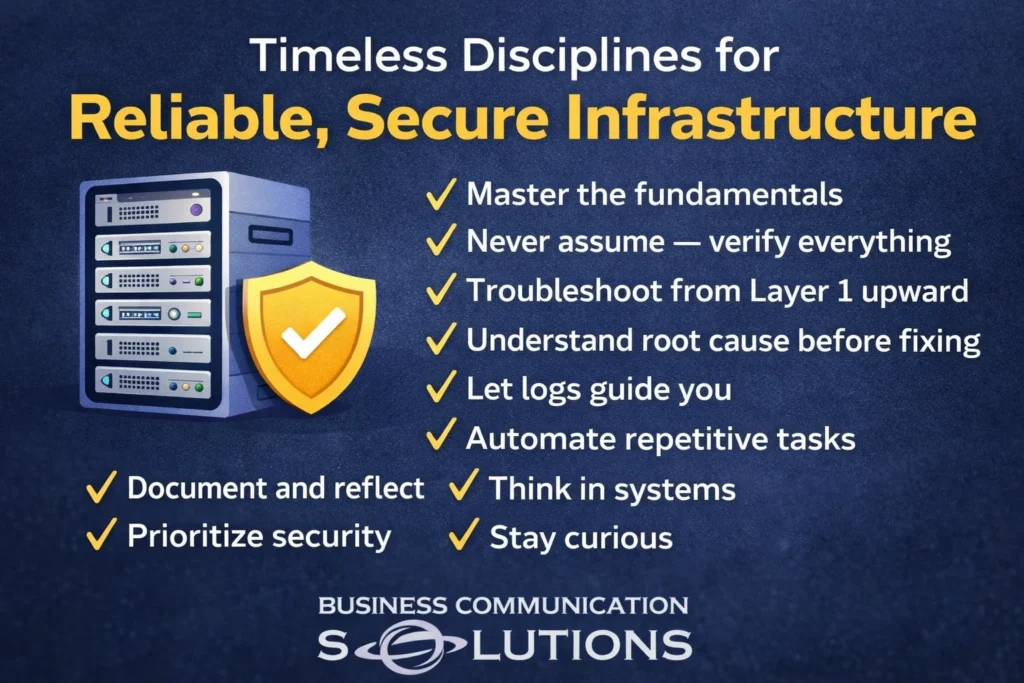
Technology changes fast. Frameworks evolve. Vendors rebrand. Tools get replaced. But the fundamentals of great IT? They don’t change. Whether you’re troubleshooting a small office network, defending against ransomware, or managing enterprise infrastructure — these principles remain constant. 1. Master the Fundamentals Before automation. Before cloud. Before AI. Understand networking basics. DNS. DHCP. Routing. Switching. Authentication. If you don’t understand the foundation, you’ll misdiagnose the problem. Strong fundamentals reduce guesswork. 2. Never Assume — Verify Everything Assumptions are the root of most outages. “That server should be backed up.” “That firewall rule hasn’t changed.” “The ISP must be down.” Should be isn’t verification. Check logs. Test connectivity. Confirm configurations. Trust, but verify. 3. Troubleshoot From Layer 1 Upward Start at the physical layer. Is it plugged in? Is the cable good? Is the port up? Then move upward through the OSI model. Skipping steps leads to wasted hours chasing ghosts. Disciplined troubleshooting saves time. 4. Understand the Root Cause Before Fixing Temporary fixes create recurring problems. Rebooting a server might restore service — But why did it crash? Closing a ticket isn’t the same as solving the problem. Root cause analysis builds long-term stability. 5. Let Logs Guide You Logs tell the story. Most engineers don’t use them enough. Instead, they rely on intuition. Logs remove emotion. Logs remove bias. Logs show patterns. If you’re guessing, you’re not investigating. 6. Automate Repetitive Tasks If you’re doing something more than twice manually, it’s a candidate for automation. Automation: Reduces human error Saves time Creates consistency Strong IT teams automate so they can focus on higher-value work. 7. Document and Reflect Documentation is not busy work. It: Protects the organization Enables knowledge transfer Creates accountability Prevents single points of failure If it only exists in your head, it doesn’t exist. 8. Think in Systems Everything connects. A firewall rule affects authentication. Authentication affects application access. Application access affects revenue. IT problems rarely live in isolation. The best engineers think in systems — not silos. 9. Prioritize Security Security isn’t optional. It’s not something you “add later.” Every decision — from architecture to access controls — should be filtered through one question: “What risk does this introduce?” Convenience without security is deferred disaster. 10. Stay Curious Technology evolves. Complacency kills skill. Curiosity drives growth. Ask: Why does this work? What’s happening behind the scenes? How could this fail? Curiosity separates technicians from engineers. 11. Learn to Communicate with Confidence You can solve the most complex problem in the building. But if you can’t explain it clearly, leadership won’t act on it. Complex or intermittent issues often get ignored because they’re poorly communicated. Confidence doesn’t mean arrogance. It means clarity. Explain: The risk The impact The urgency Good communication prevents avoidable disasters. Final Thought Great IT isn’t about flashy tools or buzzwords. It’s about discipline. It’s about thinking clearly under pressure. It’s about eliminating assumptions. It’s about protecting the business — even when it’s inconvenient. The fundamentals will outlast every trend. Master them.
Why Old Phone Lines Can Shock You (And What’s Actually Happening)

If you’ve ever worked on a 66 block or handled old analog phone wiring, you probably learned this the hard way: Old phone lines can shock you. Not enough to seriously hurt you — but definitely enough to wake you up. So why does that happen? Let’s break it down. 📞 Tip and Ring: The Basics Traditional analog phone systems (POTS – Plain Old Telephone Service) use two wires: Tip Ring These two conductors form a pair that connects your phone to the central office. Unlike Ethernet cables or low-voltage data wiring, these lines actually carry power. And that’s where things get interesting. ⚡ There’s Always Voltage on the Line When a phone is just sitting there (on-hook), the line typically carries: About -48 volts DC This power comes directly from the phone company’s central office. It’s designed to power the phone’s internal circuitry — even during a power outage. Why -48V? Telecom systems historically use negative voltage to reduce corrosion on copper lines. You usually won’t feel much from the idle voltage unless you make solid contact across both tip and ring. 🔔 The Real Surprise: Ringing Voltage Here’s where people get zapped. When someone calls that phone number, the central office sends: Around 70–90 volts AC At approximately 20 Hz This alternating current is what physically drives the mechanical bell in older telephones. So if you happen to be: Touching both conductors Bridging tip and ring Working on a live 66 block And the line starts ringing… You complete the circuit. And yes — you’ll feel it. 🧱 Why It Happens on a 66 Block On a 66 block, each row represents a pair of wires (tip and ring). If you: Touch across the metal contacts Use bare fingers Or accidentally bridge the pair while it rings You effectively become part of the electrical path. It’s not typically dangerous for healthy individuals — but it can be startling. And that’s often when mistakes happen. 🚨 Is It Dangerous? In most cases: It’s low current It’s brief It’s more of a jolt than a serious shock However: Wet hands increase conductivity Cuts or abrasions increase sensation Certain medical conditions (like heart issues) increase risk Telecom techs are trained to treat every pair as live for this reason. 🛠 Why Telecom Engineers Always Assume It’s Live Old-school telecom professionals follow one simple rule: Treat every pair like it’s energized. Because: You don’t always know which lines are active. You don’t know when a call might come in. Ring voltage can hit unexpectedly. That mindset prevents accidents. 📚 A Fun Reminder of How Analog Telecom Was Built Modern networking rarely carries this kind of line power directly on copper. But legacy telecom infrastructure was designed differently: Central offices provided line power Systems were engineered to survive outages Phones worked even when the building had no electricity It’s a testament to how robust analog systems were. And a reminder that “low voltage” doesn’t mean “no voltage.” Final Takeaway Old phone lines shock you because: They always carry around -48V DC They send 70–90V AC when ringing And if you bridge tip and ring, you complete the circuit It’s usually not dangerous — but it will definitely get your attention. That’s why experienced techs always assume every pair is live. Because in telecom… It probably is.