

EXPANDING BUSINESS OUT OF STATE

We are proud to assist one of the in demand company in Austin. Along with phone system and networking, we also provide monthly maintenance services for their business for so many years now. When they expanded and opened another facility out of state, with their confidence in Business Communication solution. They hired us to go to a different state to install every network communication their office needed. We installed their phone system, computers, credit card machines, printers and intercoms. Being able to work with a very well known and admired businesses for so many years keep us motivated and inspired. We believe in keeping our services very professional and affordable our clients can rely on. To get more information on what else we provide click on our website at https://bcs-ip.com and we will be happy to assist you.
Discarding Old Equipment

Here at BCS, we’ll wipe out all data off each device before removing them from the devices to discard. Once those process is complete, we’ll then donate or recycle the device. By wiping the hardware used to storage data and removing it from the devices, we’ll ensure that no data will end up in the wrong hands.
SD-WAN: Transforming Network Management for Modern Businesses

What is SD-WAN? SD-WAN stands for Software-Defined Wide Area Network. It’s an innovative approach to managing and optimizing a wide area network by decoupling the network hardware from its control mechanism. This separation allows for more agile and cost-effective network management, providing businesses with the ability to centrally control and monitor their entire network through software. Key Benefits of SD-WAN Enhanced Performance SD-WAN intelligently routes traffic across the most efficient path, whether it’s MPLS, broadband internet, or LTE. This ensures that critical applications get the bandwidth they need, leading to improved performance and user experience. Cost Savings Traditional WANs often rely on expensive MPLS circuits. SD-WAN reduces the dependency on these costly circuits by enabling the use of more affordable broadband connections without sacrificing performance or reliability. Simplified Management With a centralized control panel, IT teams can easily configure, manage, and troubleshoot network issues. This reduces the complexity associated with traditional WANs and allows for more streamlined operations. Increased Security SD-WAN includes robust security features such as encryption, firewalls, and VPNs. It can also integrate with existing security protocols, providing a comprehensive security posture across the network. Scalability As businesses grow and expand, their networking needs evolve. SD-WAN provides the flexibility to scale up or down quickly, accommodating new locations, users, and applications without the need for significant infrastructure changes. How SD-WAN Supports Modern IT Initiatives Cloud Integration With the rise of cloud-based applications and services, SD-WAN offers seamless integration with cloud providers. It ensures secure, high-performance connections to cloud environments, facilitating smooth and efficient access to essential business applications. Remote Work Enablement In today’s hybrid work environment, SD-WAN provides secure and reliable connectivity for remote workers. It ensures that employees can access corporate resources from anywhere, maintaining productivity and collaboration. IoT Connectivity The Internet of Things (IoT) is transforming industries, and SD-WAN supports the connectivity needs of IoT devices. It ensures secure and efficient data transfer, enabling businesses to leverage IoT for better operational insights and efficiencies. Real-World Applications At Business Communication Solutions, we’ve seen firsthand how SD-WAN transforms businesses across various industries: Retail Retail chains use SD-WAN to connect their stores, ensuring consistent performance for point-of-sale systems and customer Wi-Fi. Healthcare Healthcare providers leverage SD-WAN for secure, high-speed access to patient records and telemedicine services, improving patient care and operational efficiency. Manufacturing Manufacturing companies implement SD-WAN to connect their production facilities, enhancing communication and real-time data analysis for better decision-making. Why Choose Business Communication Solutions for SD-WAN? As a leading managed IT service provider, Business Communication Solutions offers comprehensive SD-WAN solutions tailored to your business needs. Our expertise in network management and our commitment to customer satisfaction ensure that your transition to SD-WAN is smooth and successful. Customized Solutions We work closely with you to understand your specific requirements and design an SD-WAN solution that aligns with your business goals. Expert Support Our team of experienced IT professionals provides ongoing support and monitoring, ensuring your network operates at peak performance. Future-Proof Technology We stay ahead of industry trends to offer you the latest SD-WAN technology, keeping your business competitive and ready for future challenges. Conclusion SD-WAN is more than just a networking solution; it’s a strategic asset that can drive your business forward. At Business Communication Solutions, we’re dedicated to helping you harness the power of SD-WAN to achieve your business objectives. Contact us today to learn more about how SD-WAN can transform your network and support your growth. Stay tuned to our blog for more insights and updates on the latest in managed IT services and network solutions! Call us now for a free consultation session. 512.257.1433
Be available for the customers

We had a call from a new potential customer last week. He runs a countertop business in Austin. He just wanted a simple small phone system that can work with what he has, 3 analog lines. He currently have a 3 handset analog based that share 1 line. Their calls volume had exceeded that 1 line. It was a small office, under 10 employees. I asked him if he wanted VOIP, the latest and greatest, or does he wanted traditional. I think, I’m one of the few that still wants to offer the traditional digital phone system. Why would an IT company offer customer a system that is outdated? Because it made sense. It made sense for this customer. I’ve been in the IT industry for over 25 years now. I’ve moved to Austin in 1998. Well, that makes it 24 years as of this writing. I see far too many consultant always offering the latest and supposedly the greatest? The greatest to whom? After we talked, I was conveniently in front of my desk, with our system open. This time, I decided to give him a blind estimate on the spot based on what he told me about his phone system and cabling system. This was on a Friday. We agree to start on it Monday. When we showed up, he asked us if we could run 6 data cables for him. So our tech gave him a quote on the spot, and they both agreed to move forward with the install. Later in the afternoon, I arrived on site. My guys were done running the cable, installing the phones, and all that was left was programming the system, training the customer, and helping them setting up the auto attendant and voicemail system. Well at least that was what I thought. In the process of programming this NEC SL2100, I realized, it’s been a minute since I’ve program one from ground zero. It was fine, I call tech support and he walk me thru a few program that I’ve missed. While I was struggling with the program and waited for tech support to call me back, the customer had found more things for us to do. He asked us if we can install the existing paging system that has been abandoned for some time now. He also wanted us to run some speakers cable for him. So, while one of our other tech was running the speaker, I decided to test this paging system. So I’ve looked in the phone closet, I’ve saw the old 24V power supply for the paging system still plugged in. I was skeptical, but I went thru the process anyway of testing it. I’ve took the toner and plug it to the TIP and Ring (aka input of the paging horn), and it started YELLING (very loud toner signal). That made my day. That made the customer day. The paging horn still work. This is like watching antique archeology finding rusted gold under some rubble that still works. I think is this the longest blog I’ve ever written. It’s so weird how I’ve grown to enjoy writing. Maybe my passion for this business has came back to life! In the end, the customer cut us a check. He was so appreciative of what we’ve done. He keeps on talking about how we SHOWED UP, and did what we said we would do. These are the days that makes me feel good, especially after all the hard work. Time are so different, talk to so many business owners, they just wanted people to show up.
Navigating Government Mandates: Achieving NIST Certification by 2026

Understanding the NIST Mandate The National Institute of Standards and Technology (NIST) provides a comprehensive framework for improving cybersecurity across organizations. The NIST Cybersecurity Framework (CSF) and NIST Special Publication 800-171 are critical components that outline standards, guidelines, and best practices for safeguarding information systems and data. The government mandate requiring existing contract holders to be NIST certified by 2026 aims to: Enhance Data Protection Ensure that organizations handling government data implement stringent security measures to protect against cyber threats. Standardize Cybersecurity Practices Promote a uniform approach to cybersecurity across all government contractors, reducing vulnerabilities and improving overall security posture. Boost Confidence Provide assurance to stakeholders, including government agencies and the public, that contractors are capable of protecting sensitive information. Steps to Achieve NIST Certification Achieving NIST certification involves a series of steps designed to align your organization’s security practices with NIST standards. Here’s how you can get started: Understand the Requirements Familiarize yourself with the NIST Cybersecurity Framework and NIST SP 800-171 requirements. This includes understanding the control families and specific security measures you need to implement. Conduct a Gap Analysis Perform a thorough assessment of your current cybersecurity posture. Identify gaps between your existing practices and NIST requirements, and develop a plan to address these gaps. Develop and Implement Policies Create comprehensive cybersecurity policies and procedures that align with NIST standards. This includes access control, incident response, risk assessment, and continuous monitoring. Train Your Team Educate your employees about the importance of cybersecurity and the specific practices required for NIST compliance. Regular training sessions and awareness programs are essential. Deploy Security Controls Implement the necessary technical, administrative, and physical controls to meet NIST requirements. This may involve upgrading your IT infrastructure, deploying new security technologies, and enhancing your data protection measures. Monitor and Assess Continuously monitor your security posture and conduct regular assessments to ensure ongoing compliance. Use automated tools and processes to streamline this effort. Prepare for Certification Work with a certified third-party assessor to conduct a formal audit of your security practices. Address any identified issues and ensure all requirements are met before seeking certification. The Role of Managed IT Services in Achieving NIST Certification Partnering with a managed IT service provider like Business Communication Solutions can significantly ease the process of achieving NIST certification. Here’s how we can help: Expert Guidance Our team of cybersecurity experts has extensive experience in NIST compliance. We provide tailored advice and support to help you navigate the complexities of the certification process. Comprehensive Assessments We conduct thorough gap analyses and risk assessments to identify areas of improvement and develop a clear roadmap to compliance. Implementation Support From policy development to deploying advanced security controls, we assist you at every step, ensuring that your organization meets all NIST requirements. Ongoing Monitoring and Support Our continuous monitoring services ensure that your security measures remain effective and compliant. We provide regular updates and assessments to keep your cybersecurity posture strong. Conclusion The government mandate for NIST certification by 2026 underscores the critical importance of robust cybersecurity practices. At Business Communication Solutions, we’re committed to helping you achieve and maintain NIST certification, ensuring that your organization remains secure and compliant. Contact us today to learn more about our NIST compliance services and how we can support your journey to certification. Need a bit of help navigating NIST certification by 2026? Call us 512.257.1433 – we offer free estimate and a free consultation to help you get going.
NETWORK SECURITY

Understanding the vulnerability of being attack online by cyber threats is very important nowadays. As the world runs through networking, sadly say, there are trained IT people that work to disrupt, damage, and destroy data just to gain information and money they can use for themselves. As simple as clicking an email can allow them to get into your system and get all the data they need, this is called “Phishing.” They can use all these important materials to get all the money that you have or simply alter your identity. Two major problems I rather not experience. As there are many more advanced techniques and trained cyber-terrorist out there to disrupt your everyday living, simply learning how to protect yourself is the main key in network security. Taking a course at FORTINET NSE Training Institute, I learned seven important ways to help protect my personally identifiable information and my device. 1. Don’t give out any important information or financial transaction from an unsure email, text, or voicemail. 2. Have a security mindset and ensure that all hyperlinks are coming from legitimate sources before clicking. 3. Make sure to use multi-step to confirm unique security code for validation to a system. 4. Make certain that you have the most updated protection on your computer, mobile device, and browser. 5. Always use different passwords in all your accounts and devices. 6. Always lock your screen device when it’s not being used. 7. It’s important to obey and follow the company policy. Be informed and always ask if you don’t know. As our world is rapidly changing in technology, we each have a role in protecting our own information. In the business industry, data is the new gold and our network security is something we prioritize.
7 Signs You Need Professional Security Camera

Installation Is your property truly protected, or are you just crossing your fingers and hoping nothing goes wrong? As security camera installation experts, we believe that the best defense is a strong offense. That means identifying and addressing vulnerabilities before they become real problems. A professionally designed and installed security camera system offers far more than a simple deterrent; it provides peace of mind, clear evidence when you need it, and a foundation for a broader security strategy. Below are the first two critical warning signs that it’s time to call in the experts, along with practical steps you can take to shore up your defenses. 1. You’ve Experienced Suspicious Activity Few things rattle the nerves more than realizing someone has been casing your property. Even if those break‐in attempts didn’t succeed, the very fact that they occurred means your site has caught someone’s eye, a red flag you can’t afford to ignore. Common Warning Signals Unsuccessful Break‐In Attempts: A forced lock, a bent door frame, or a pried window latch are all signs someone tried to get in. These “failed” incidents actually offer valuable intelligence entry points that the intruder judged weak enough to test. Unfamiliar Vehicles Circling: Whether it’s a beat‐up sedan slowly cruising your neighborhood or a white van parked out of place, unknown or repeatedly seen vehicles near your property often indicate surveillance by would‐be thieves. Evidence of Trespassing: Disturbed flower beds, footprints in mulch or gravel, broken branches. These subtle clues reveal unauthorized access and foot traffic you wouldn’t otherwise notice. Why a Professional System Helps Visible, well‐placed cameras can deter up to 60 percent of potential intruders, according to research. When a would‐be burglar sees a high‐quality dome or bullet camera, they know their image will be captured in detail. That visibility makes your property far less attractive than an unmonitored neighbor’s. But deterrence is only part of the story: if an incident does occur, professional cameras deliver crisp footage that helps law enforcement identify suspects and provides you with evidence for insurance claims. Next Steps Conduct a Vulnerability Walkthrough: Walk your site at different times of day, logging any suspicious activity or areas that feel exposed. Engage a Security Consultant: A trained technician can pinpoint blind spots you might miss, such as dark corners, side doors, or garage entrances, and recommend camera types suited to each location. Install Visible Cameras at Entry Points: Start by covering front doors, loading docks, and parking areas. A strategic placement of two or three cameras in these critical zones can dramatically improve your overall security posture. 2. Your Current System Is Outdated Technology evolves quickly, and what seemed cutting‐edge five years ago may now leave you dangerously under‐protected. If your existing setup is stuck in the analog era, you’re missing out on essential features that modern security systems offer. Signs Your Equipment Is Past Its Prime Blurry, Grainy Footage: Analog cameras often produce low‐resolution video that fails to capture license plates, faces, or small but important details. In an incident, unclear footage is little better than none at all. Limited Storage Capacity: A DVR that can only hold 24 hours of footage forces you to overwrite important recordings, leaving gaps in your historical record. No Night Vision or Poor Low‐Light Performance: If your cameras go blind in dimly lit areas, intruders can slip in under the cover of darkness. Lack of Smart Features: Without motion‐activated alerts, you’re left to sift through hours of uneventful footage. No remote access means you can’t check live feeds or review video when you’re offsite. Modern Upgrade Checklist A professional installation will typically include cameras and recorders that meet or exceed the following standards: 4K Resolution: Four times the detail of 1080p, 4K cameras capture every nuance of facial expressions, license plates, and product labels, making your evidence rock‐solid. Thirty‐Day Cloud Storage: Automatic off‐site backup ensures you never lose critical video, even if an intruder attempts to disable or steal your on‐site recorder. Smart Motion Detection: Advanced analytics can distinguish between a stray leaf fluttering and a person loitering, cutting false alarms and ensuring your alerts mean business. Night Vision with Color Mode: Infrared LEDs deliver clear black‐and‐white images in total darkness, while color‐mode cameras with supplemental lighting give true‐to‐life views after sunset. 3. You’re Expanding Your Property When you add a new wing, renovate a back lot, or build an addition, you’re not just gaining space—you’re also creating blind spots. Every fresh doorway, side entrance, or newly enclosed storage room becomes a potential access point for intruders if it isn’t monitored from day one. Think about those unmonitored entry points: a contractor’s side door that sees traffic during the build, a sliding glass patio door that wasn’t part of your original security plan, or a new service entrance tucked away behind landscaping. Valuable items—tools, equipment, or inventory—often end up stored in these new areas before you realize they need protection. And with added square footage comes more foot traffic: employees, delivery drivers, customers, and visitors all need clear paths in and out, making it harder to track comings and goings if you don’t have cameras in place. The best time to install cameras is while the walls are open and the electricians and network cabling are already on site. By integrating surveillance wiring into your construction or renovation plans, you save on labor costs, avoid patching and repainting headaches later, and ensure that each camera has a clean, concealed run back to your recorder. As soon as the drywall goes up, you’ll already have a hidden, tamper-resistant conduit waiting. This forward-thinking approach not only protects your new space from day one but also keeps your installation looking neat and professional. 4. Valuable Assets Are Unprotected Every business has its assets, whether that’s high-end production equipment, racks of inventory, cash registers, or even a curated collection of artwork or jewelry. When these assets aren’t under surveillance, you’re gambling with the entire foundation of your company. According to the FBI, the average
Outdated phone system with no features and 2 office that needed to be connected

Problems : A company has locations in both Austin and New Orleans and wants to tie the 2 together. Their current phone system is 10 – 12 years old and severely outdated. The existing system does not have features the company needs, such as: caller ID, voicemail and cell forwarding, voicemail to email, and auto attendant. They also need conference call capabilities to accommodate anywhere from 10 to 20 users. Due to having an old, outdated system they are also experiencing poor call quality and cannot transfer calls between locations. Often times they find that calls are not being routed correctly and voicemails end up in the wrong mailboxes. The main goal is to integrate and connect the 2 offices, while added features are also must-haves. The company needs a solution that will enable them to accomplish all of their goals while giving them the “bells and whistles” they are looking for in a phone system. Scenario Solutions : The most logical solution for these issues is to replace the entire old system at both locations with a new VoIP set up. This will allow them to connect both locations, as well as give them the features they want and need. They will receive IP phones with the capabilities they want and the auto attendant and voicemail features they need. A conference bridge will allow them the ability to have up to 30 users per conference with room to expand. The new phone system will also greatly improve sound quality and reliability. Pros : This solution allows the company to connect both offices, as well as give them everything they’re looking for feature wise. They can now transfer all calls between the 2 offices and properly route both calls and voicemails to the correct place. They will have a system in place that allows them to grow while addressing the lack of functionality of their outdated phones. Cons : The users are now dependent on their Internet connection and having a primary and secondary location. If the primary office goes down or experiences problems, it could affect the second location. The users must be properly trained in order to have a seamless transition from the old set up to the new one.
SIP TRUNKS AND FLEXIBILITY:

For companies wanting to make full use of their IP-PBXs and not only communicate over IP within the company, but also outside the company a SIP trunk provided by a Service Provider to connect to the traditional PSTN (public switched telephone network) & network is the solution. Unlike in traditional telephony, where bundles of physical wires were once delivered from the service provider to a business, a SIP trunk allows a company to replace these traditional fixed lines with connectivity via a SIP trunk service provider on the Internet. SIP trunks can offer significant cost-savings for your business, by eliminating the need for local gateways, costly ISDN BRIs (Basic Rate Interfaces) or PRIs. There are three components necessary to successfully implement SIP trunks: a PBX with a SIP-enabled trunk side, an enterprise router understanding SIP and an Internet telephony or SIP trunk service provider. IP PBX is an IP-based PBX, communicating with all endpoints over IP, but it may as well be a traditional digital or analog PBX. The sole requirement is that an interface for SIP trunk connectivity is available. The Router – The PBX on the LAN connects to the service provider via the router. The router can either be a firewall with complete support for SIP or router connected to the firewall, handling the traversal of the SIP traffic. The ITSP – On the Internet, the service provider provides connectivity to the PSTN (Public Switched Telephone Network) for communication with mobile and fixed phones.
Why Professional Security Camera Installation is Essential for Your Business
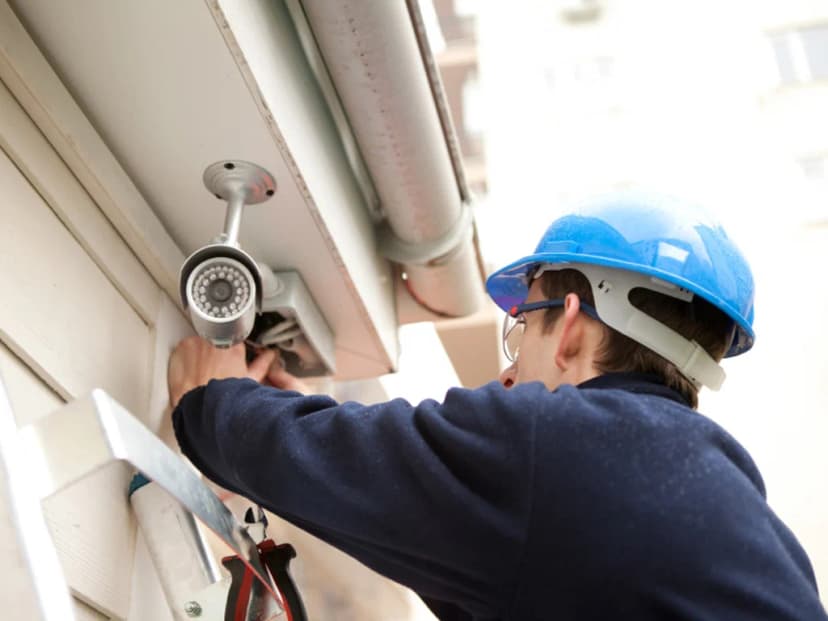
In today’s world, where security is no longer a luxury but a basic need, the importance of having a professional surveillance system cannot be overstated. Whether you're running a small business, a retail shop, or managing a larger commercial property, the risks of theft, unauthorized access, and safety concerns are real and growing. But here’s the catch: it’s not just about having cameras; it’s about how they’re installed, where they’re placed, and how reliably they function every day. Many businesses, especially smaller ones, consider doing it themselves to save costs. You might buy a camera kit online, watch a few tutorial videos, and start mounting cameras. But without proper planning, expertise, and equipment, you risk ending up with blind spots, security gaps, poor video quality, or even legal trouble. That’s why professional security camera installation is so essential. It’s not just about mounting a device on the wall; it’s about building a secure system that truly protects your people, property, and peace of mind. By the end of our article, you’ll see why trying to save expenses on your surveillance system might cost more than it saves and how a professional installer can turn your cameras into a powerful, secure, and long-lasting security solution. The Risks of DIY Security Camera Installation Many businesses choose the DIY route to save money or speed up the setup. But without the right experience, tools, and technical know-how, DIY installations often create more problems than they solve. What looks like a simple weekend project can become a constant source of frustration and, worse, security gaps that expose your business. 1. Blind Spots & Poor Coverage One of the most common issues in amateur setups is bad camera placement. People often install cameras where it's easiest to mount them, not where they're most needed. Blind spots around corners, under awnings, or in dimly lit areas go unnoticed until after a break-in or incident. The wrong lens angle, too wide or too narrow, can distort the view or fail to capture the full area. Without training, it’s easy to miss key coverage zones like doorways, cash registers, back exits, or loading docks. These are the exact places where surveillance is most critical. 2. Vulnerable Network Security DIY setups often skip the security basics: IP cameras are installed using default usernames and passwords, making them easy targets for hackers. Cameras are connected to unsecured Wi-Fi, leaving the feed open to interception. Footage may be stored in unprotected cloud accounts, which can be accessed by anyone who guesses the login. These mistakes open the door to cyber intrusions, exposing sensitive footage or allowing outsiders to take control of the system. 3. Technical Failures & Maintenance Issues Improper installation also causes reliability issues. Examples include: Using the wrong power supply or overloading circuits Not waterproofing outdoor cameras, which leads to failure during rain or snow Loose cable connections that cause cameras to go offline without warning Systems may fail at the worst possible time without surge protectors, battery backups, or proper cable protection. 4. Legal & Compliance Problems Security laws vary by state and industry, and a DIY installer might not even be aware of them. Common legal mistakes include: Pointing cameras at public sidewalks or employee break rooms, both of which may violate privacy laws Recording without signage, which is illegal in many jurisdictions Invalidating warranties by improperly wiring or mounting equipment All of this can lead to fines, litigation, or loss of insurance coverage. Benefits of Professional Surveillance Installation So, what difference does it make to hire a pro? In short, everything. A professional installer doesn’t just set up cameras. They build a reliable security network customized to your space, your goals, and your future needs. Let’s take a look at the key advantages. 1. Optimal Camera Placement for Full Coverage A trained installer knows exactly how to position cameras to eliminate blind spots and ensure complete visibility of vulnerable areas. They’ll: Perform a site survey to assess lighting, angles, and obstructions Choose the right camera type for each zone: PTZ cameras for adjustable views Dome cameras for discreet indoor coverage Bullet cameras for long-range outdoor surveillance You get full protection without gaps and a clear, detailed feed at all times. 2. Secure & Reliable System Setup With a professional install, you don’t have to worry about poor performance. Pros make sure everything works smoothly by: Using encrypted connections to prevent unauthorized access Choosing PoE (Power over Ethernet) systems for reliable power and data Installing backup batteries or a UPS to keep cameras running during power outages This kind of setup prevents footage loss, system crashes, and hacking attempts. 3. Compliance with Legal Standards Security laws can be complex, but professional installers understand the rules: They avoid placing cameras in privacy-sensitive areas They recommend and install proper notification signage They ensure footage is stored in GDPR- or HIPAA-compliant ways, if applicable You stay on the right side of the law and avoid fines or lawsuits. 4. Long-Term Cost Savings While professional services may cost more upfront, they pay off in the long run: Fewer hardware failures mean fewer replacement costs Efficient cable routing reduces clutter and improves longevity Many companies offer remote monitoring and maintenance packages, so your system is always updated and running well Professional-grade installs are built to last, saving time, money, and stress over the years. What to Expect from Security Camera Installation Services If you’ve never worked with a professional installer before, you might wonder what the process looks like. Here’s a step-by-step breakdown of what you can expect. 1. Conduct a Security Assessment The process starts with a site visit and evaluation. The installer will: Walk through your building to identify entry/exit points, blind zones, and high-risk areas Recommend camera types and placements based on lighting, distance, and visibility Help you decide between local storage (NVR), cloud-based systems, or a hybrid model This makes sure that your system is personalized to your business, not just a random solution. 2. Install &