

THE INTERNET, TECHNOLOGY, AND BUSINESS CHANGES

The Internet, Technology, and Business Changes are interrelated forces that continuously shape the modern world. The internet has revolutionized how businesses operate, communicate, and reach customers, creating new opportunities and challenges. The Internet has been very interesting. From the DOT COM to the DOT COM bust, technology have been changing superfast. Then come the search engine and ecommerce. Then VOIP, SD WAN, now cloud-based servers, software, services, and software as a service. We use to judge a company credibility by the nice fancy office that they have, how we stive to be more flexible and productive, while working from home. We never thought that we would be running into a shortage of IP Address that soon. I guess similar to phone numbers, it’s hard to predict. Phone numbers have had its’ share of area codes conflict as the metro city grow, they force the smaller cities to give up their area code phone numbers to the larger cities. We used to be able to buy a block of 100 DID’s for $5.00. Now, some carrier charge $1 per did per months, sometimes even more. We used to be able to request 13 ip address from ISP. Now, we have to pay for it. On top of that we have to fill out an extra sheet of paper stating why we need it. Ip version 4 days are numbered. Internet Service Provider and network hardware equipment provider have been making a push towards going to IPv6. As with everything else, people do not like to change. The results are some pushed back. I’ve seen IT professional push back, as it can be costly in time and equipment costs. So why is it so hard to migrate from Ipv4 to Ipv6? Human by nature don’t like to change? We don’t like to be out of our comfort zone? We don’t like to learn new things? Well, that doesn’t matter, it will be just a matter of time that we will be force to move forward with IpV6 whether we like it or not. As with anything else in the IT world. IPv4 has its’ days. Now, let’s talk about Ipv4. Ipv4 is a 32-bit (four-byte) addresses. Ip v4 can be class A, class B, or Class C address. It can be private or public address. 10.0.0.0-10.255.255.255 is consider private Class A address. 172.16.0.0-172.31.255.255 is private Class B address. 192.168.0.0-192.168.255.255 is consider a private Class C address. Due to so many numbers of public ip addresses, I will not go into too much details about IPv4 public ip address. So, what does Ipv6 do for us? In a nutshell, we get a lot of more numbers. IPv6 uses a 128-bit addresses vs the 32-bit addresses. Any person that understands binary will tell you, that’s a huge difference and a headache trying to calculate the differences, so I won’t go into details. IpV4 has about 4.3 billion ip address. IpV6 number about 3.4 x10 to the 38th power. Honestly, I have no idea what that means. Let’s just say the average calculator cannot do the trick and neither can an average human brain. IpV6 are written in 8 groups of 4 hexadecimals each. That’s right it’s hexadecimals. 0-9 plus additional of the alphabet a-f for a grand total of 16 characters vs the 10-decimal character. Here is an example of ip version 4 ip address 192.168.1.1. Here is an example of ip version 6 ip address 2200:0388:3838:efac:cede:3982:0183:3842. I’m not really sure if that’s a valid ip address. It does look much more complicated though. Thanks to domain naming systems we have no reason to remember those numbers.
Wi-Fi Controller vs. Standalone Access Points: Choosing the Right Wireless Strategy for Your Business

In today’s always-connected world, Wi-Fi is more than infrastructure—it’s a critical business enabler. From cloud applications and video meetings to customer engagement and IoT devices, wireless performance directly shapes productivity, user experience, and brand perception. One common question businesses face is whether to deploy standalone access points or invest in a Wi-Fi controller–based solution. While both options deliver wireless connectivity, they serve very different business needs. Let’s explore the differences—and help you choose the right approach for your organization. Standalone Access Points: Simple and Cost-Effective Standalone access points operate independently. Each device is configured on its own and functions as a self-contained Wi-Fi solution. Why Businesses Choose Standalone APs Lower upfront cost Ideal for budget-conscious environments that need basic connectivity. Quick deployment Simple setup makes them attractive for small offices, cafés, or temporary locations. Minimal infrastructure No controller or subscription required. Standalone APs work well for small, static environments with limited users and minimal mobility requirements. Where Standalone APs Fall Short As businesses grow, so do expectations. Managing each access point individually can become time-consuming and error-prone. Users may experience dropped connections while moving, and IT teams lack visibility into performance and security issues. For organizations that value consistency, scalability, and insight, standalone APs often struggle to keep up. Wi-Fi Controllers: Built for Growth and Performance A Wi-Fi controller centralizes the management of all access points, creating a unified, intelligent wireless network. Whether deployed on-premises or in the cloud, controllers are designed to support modern, dynamic business environments. The Business Value of Wi-Fi Controllers Centralized control, simplified operations Configure, monitor, and update your entire wireless network from a single dashboard. Consistent and secure user experience Policies, authentication, and security settings are applied uniformly—no guesswork, no gaps. Seamless mobility Employees and guests move freely without dropped calls or interrupted video sessions. Optimized performance Intelligent load balancing and automatic tuning ensure reliable connectivity—even in high-density areas. Scalability without complexity Add new access points or sites quickly as your business grows. Actionable insights Gain visibility into usage, performance, and potential issues before they impact users. For organizations with multiple users, applications, or locations, a controller-based approach delivers a professional-grade wireless experience. A Quick Comparison Business Need Standalone APs Wi-Fi Controllers Initial Investment Low Moderate Ease of Management Manual Centralized Scalability Limited High User Mobility Basic Seamless Security Consistency Manual Policy-driven Visibility & Analytics Minimal Advanced Which Solution Fits Your Business? Standalone access points are a good fit if: You operate a very small network Wi-Fi demands are basic Growth is unlikely in the near term Wi-Fi controllers are the better choice if: Your business is growing or multi-site You rely on cloud, voice, or video applications User experience and uptime matter You want insight, control, and long-term value The Bottom Line Wi-Fi is no longer just about coverage—it’s about experience, reliability, and scalability. Standalone access points offer a fast, low-cost entry point. But for most modern businesses, Wi-Fi controllers provide the performance, visibility, and control needed to support digital growth. Choosing the right wireless strategy today ensures your network won’t just meet current needs—but will be ready for what’s next.
The Complete Guide to Business Security Camera
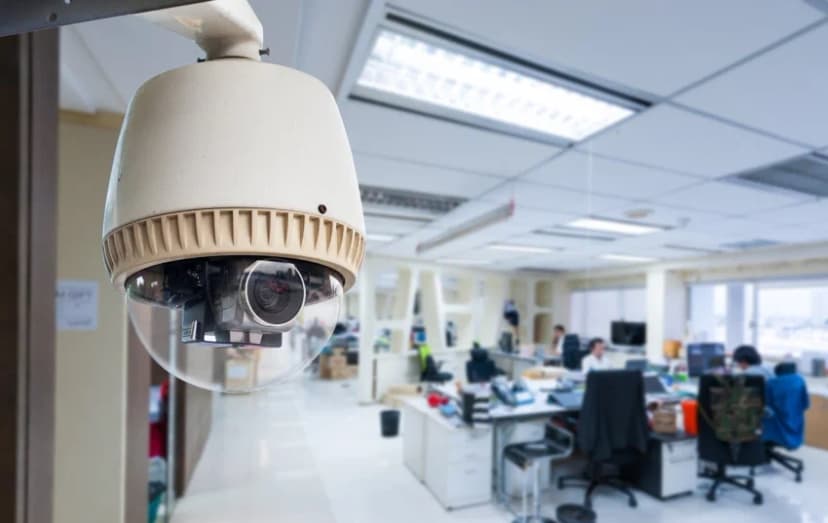
Installation Attention Business Owners! If you’re still relying on a handful of consumer-grade cameras cobbled together in a drawer or simply crossing your fingers and hoping nothing goes wrong, it’s time for an upgrade. We understand that protecting your business goes far beyond setting up a camera and walking away. A truly effective security system requires careful planning, professional installation, and ongoing support. This guide will walk you through everything you need to know to build a surveillance network that deters crime, safeguards your assets, and delivers a solid return on your investment. In the pages ahead, we’ll cover: Optimal camera placement strategies, so you never miss a critical angle Key legal considerations to keep you compliant and confident Advanced features worth investing in, from smart analytics to remote access Tips on maximizing your security ROI, ensuring every dollar you spend pays dividends Whether you manage a fast-paced restaurant, a bustling retail store, or a large warehouse, the right security camera system can be a game-changer. Let’s explore why professional installation matters and how to design a system that works as hard as you do. 1. Why Professional Installation Matters for Businesses The Security Reality Check It’s easy to underestimate how appealing your business might look to the wrong people. Did you know that commercial properties are three times more likely to be targeted than residences? Whether it’s inventory shrinkage, employee theft, or break-ins after hours, businesses face a unique set of vulnerabilities. Simply hanging a couple of cameras on the walls is not enough to keep those risks at bay. Research shows that having visible security systems in place can reduce theft by up to 60 percent. When potential wrongdoers see well-positioned cameras, alarms, and warning signage, they’re far more likely to think twice before making your business their next target. On top of that, high-quality footage can accelerate internal investigations: studies indicate that businesses resolve these incidents more quickly when clear video evidence is available. However, these benefits only materialize when your system is designed and installed correctly. An improperly aimed camera, a loose cable, or a weak network connection can turn your high-tech investment into a glaring liability. That’s where professional installation comes in. Why DIY Falls Short You might be considering a do-it-yourself approach to save a few dollars. And while DIY kits have their place, especially for residential setups, they tend to leave businesses exposed in several key ways: Coverage Gaps: Without a professional assessment, it’s easy to overlook blind spots. A thief or discontented employee could simply slip through the cracks. Technical Missteps: Power-over-Ethernet cables run the risk of improper connections; cameras may be set on the wrong network bands or left in low-quality modes to conserve bandwidth. Compliance Risks: Laws surrounding video surveillance, especially when it comes to recording employees, can be complex. A pro installer will ensure you meet all local and federal regulations. Lack of Scalability: As your business grows, you may need to add new cameras or integrate with other systems. A cobbled DIY setup can become a nightmare of mismatched hardware and incompatible software. Beyond Basic Surveillance Today’s professional security camera systems offer far more than grainy night-vision footage. A modern installation provides a suite of tools designed to streamline your operations, enhance safety, and even lower your insurance premiums. Consider the following features when planning your system: Remote Monitoring: Imagine being able to check live feeds from your smartphone at home, the office down the street, or on vacation. Remote monitoring puts you in control, so you’re never truly “out of touch” with what’s happening on your premises. Smart Motion Detection: Gone are the days of sifting through hours of uneventful footage. Advanced motion-detection algorithms can distinguish between harmless movement like a waving tree branch and real threats, sending you instant alerts only when it matters. Integration with Other Security Systems: A professional installation can link your cameras to alarms, access control, and even fire-safety systems. This unified approach means that, for example, a door forced open after hours can trigger both an alarm and an alert to your security cameras. Insurance Premium Reductions: Many insurance carriers recognize the value of a professionally installed system and may offer premium discounts of 10–20 percent. Over time, those savings can offset the cost of your installation and even generate net gains. The Professional Installation Process A true business-grade installation is not just “plug and play.” Here’s what you should expect: Site Survey and Risk Assessment: An expert will walk your property, identifying high-risk areas such as entrances, loading docks, and storage rooms, and recommending camera types and mounting positions to achieve full coverage. Custom System Design: Using information from the survey, we’ll architect a network that balances outstanding image quality (up to 4K resolution) with network performance and storage capacity. Cable Routing and Hardware Placement: Whether you choose Power over Ethernet (PoE) or traditional analog, we’ll run all wiring through walls and ceilings, hide cables from view, and secure each camera with tamper-resistant brackets. Network Configuration: Our technicians configure your network switches, VLANs, and Wi-Fi access points to ensure uninterrupted camera streams. We’ll also set up remote-access protocols so you can view video feeds securely from any device. System Testing and Training: Before we leave, we’ll test each camera’s field of view, night-vision performance, and motion-detection settings. Then we’ll train your staff on how to access footage, set alerts, and troubleshoot basic issues. Ongoing Support and Maintenance: As part of our commitment, we offer 24/7 technical support, scheduled firmware updates, and optional maintenance plans to replace worn-out parts or expand your system when you grow. 2. Strategic Camera Placement for Maximum Coverage Getting high-quality cameras is only half the battle. To truly deter mischief and capture every important moment, you need to place each camera thoughtfully. Below, we break down the critical zones you’ll want to monitor, the best camera styles for each area, and the little details that make a big difference. Main Entrances: Weatherproof Dome Cameras Your
Visual Fault Locator (VFL)

A VFL is extremely useful when troubleshooting fiber. They are the first tool to start any installation and most troubleshooting. They’re compact tools and very affordable so that every employee should be equipped with one. Before starting any installation, begin with confirming that your fiber is good. By using a VFL prior to installation, you’ll be able to verify if the fiber that you were provided or purchased has continuity from one end to the other end. If you are not receiving continuity from one and to the other, it will save you time from installing something bad to begin with and realizing after the installation is completed or even being accused of damaging the fiber during installation. It’s good practice to use a VFL as soon as you received fiber from your vendor to save you the time and trouble of having to return or deal with the headache on whose fault it was on damaging the fiber. VFL are helpful during troubleshooting. It can help locate cable, identified polarity, and some cases locate fault (tight bend, breaks, and bad connectors).
Authorized Reseller & Installer

We are Authorized Reseller & installer for all the top of the line business phone systems, to include Adtran, Allworx, NEC, Engenius, Xorcom.
Multiple Data Cable Support Options
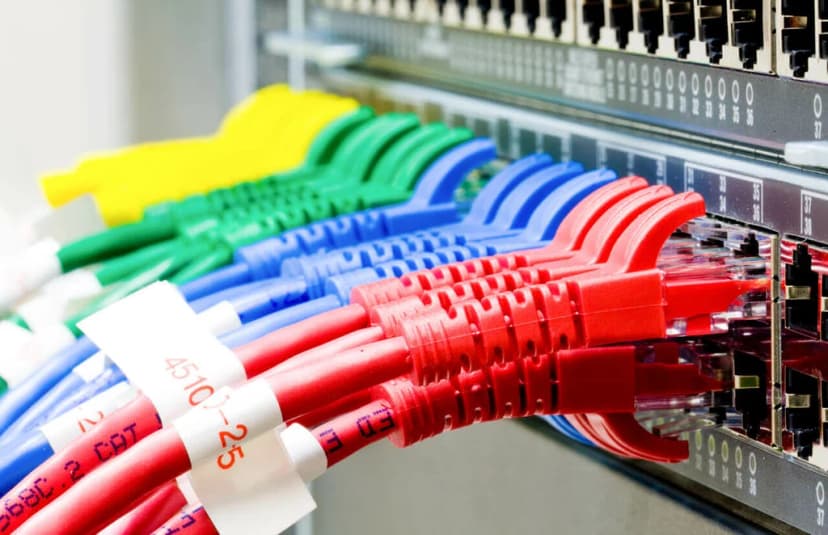
There are so many options to choose from when it comes to cable management. Each option has its pros and cons. We’ll always provide our customer with every option and let them decide with what works best in their budget and appearance. Here’s a few listings of a few options. Wire Mesh Cable Tray: This is probably the most expensive options. This option is more for those who’s running 50 plus cable through an area where everything would be visible to give it more of an industrial look to the building. Once the Cable tray are installed, the time to run cable will be cut dramatically. This will make it easier for the next person to come in to trace, add, or remove cable. O-rings / J-hooks: This option is the cheapest options. This option can be used for those who’s looking to run either small or large number of cables through a visible or non-visible area. J-hook can be mounted on either walls or ceiling. The difference between the two is j-hook has multiple attachment that can help with various ways to mount the hook while O-ring can only me mounted on flat surfaces. Zipties: Don’t cost anything but it’s the lease appealing option. Mainly used for cables less than 10.
Network Terminology
After 19 years of being in the industry, I decided to take some refresher course, I’m hoping to learning something new. Today I decided to learn or revisit network terminology. Network Terminology Host: A host is any device that is connected to a network. Typically a host will use 1 ip address. Here are some examples of host on most network: computers, servers, printers, canner, ip phone, ip camera. Hmmmm.. this lead me to a question… is a router consider a host? Honestly, I’m not even sure. Technically, it does take up 1 ip address, so I guess in a way, I would consider it a host. I’m not 100% sure though, but in the interest of time, I’m moving on. There are other devices on the network that is important, yet it does not take up an ip address, so it is not consider a host. Example of non host devices on network can be modems, hubs, and some network switches. Typically unmanaged switches does not take up an ip, so it’s not consider a host. Managed switches on the other hand, does take up ip address, so it would be consider a host, at least in my book. IP Address: An ip address is a number that identifies a host. In a network, each host have it’s own ip address. If you have 2 host of the same ip address, it would be consider a conflict and those two host will most likely not work properly. Ip address can be version 4 or version 6. In version 4 ip address, it can be internal or public. Internal ip is assign a number that only accessible via it’s direct neighbor or host on the same lan. External ip address is typically a number that is assign to you by the isp (internet service provider). A router, typically can use a public ip and an internal ip. This is how you can multiple host on a network can share 1 internet connection. Ip address is on the layer 3 of our network model. A good example of an internal (local) ip address would be 192.168.1.1. A good example of an external ip address would be 8.8.8.8 (google public dns). You can’t access 192.168.1.1 from anywhere in the world, but you should be able to access 8.8.8.8 from anywhere as so long as you are not being blocked by some kind of security configuration. LAN: A LAN (Local Area Network) consists of multiple host on the same network. A good example would be you have your server, 3 computers, and 2 printers in your office in Austin, then that would be consider a LAN. You can have multiple LAN on one network. A good example would be you have your normal day to day data on LAN 1 (typically call VLAN), then you can have all your VOIP phones on LAN 2 (VLAN2). You can tag all your traffic on VLAN2 to have priority over your normal data traffic. If you have a remote office with the exact same setup in Dallas, then that would be consider another LAN. You can actually tie two LANs together via VPN, Private Point to Point Ethernet Network, MPLS, and SD WAN.
Cisco Router and Switch Command Line Network Troubleshooting and Support Services
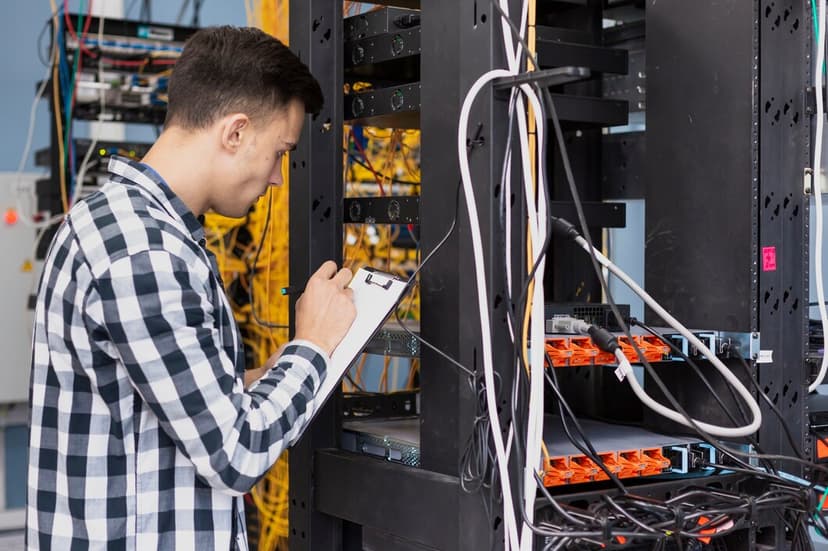
At Business Communication Solutions (BCS), we understand the critical role that Cisco routers and switches play in your network infrastructure. Our specialized command line network troubleshooting and support services ensure that your Cisco equipment operates at peak performance, providing you with a reliable and secure network environment. Our Services Cisco Command Line Troubleshooting Austin Our expert team uses command line interface (CLI) to diagnose and resolve network issues efficiently. This approach allows us to quickly pinpoint problems and implement solutions, minimizing downtime and ensuring seamless network operations. Cisco Configuration services Austin We leverage CLI to configure your Cisco routers and switches for optimal performance. By fine-tuning settings and parameters, we enhance your network’s efficiency, reliability, and security. Proactive Monitoring Through continuous monitoring of your network via CLI, we identify potential issues before they impact your operations. Our proactive approach helps maintain network stability and prevents disruptions. Security Enhancements Using CLI, we implement robust security measures to protect your network from threats. Our services include setting up access control lists (ACLs), firewall configurations, and other security protocols to safeguard your data. 24/7 Support Networking issues can arise at any time, which is why we offer round-the-clock support. Our team is always available to assist you with any troubleshooting or support needs, ensuring your network remains operational at all times. Why Choose BCS? Affordable services: We simply offer affordable services. Tailored Solutions: We offer customized support services to meet the unique needs of your business, ensuring your network infrastructure aligns with your operational requirements. 24/7 Availability: With our 24/7 support, you can count on us to be there whenever you need assistance, ensuring your network is always in good hands. Get in Touch For expert command line network troubleshooting and support services for your Cisco routers and switches, contact Business Communication Solutions today. Let us help you maintain a robust and secure network infrastructure. 512.257.1433
Changing Floorplan
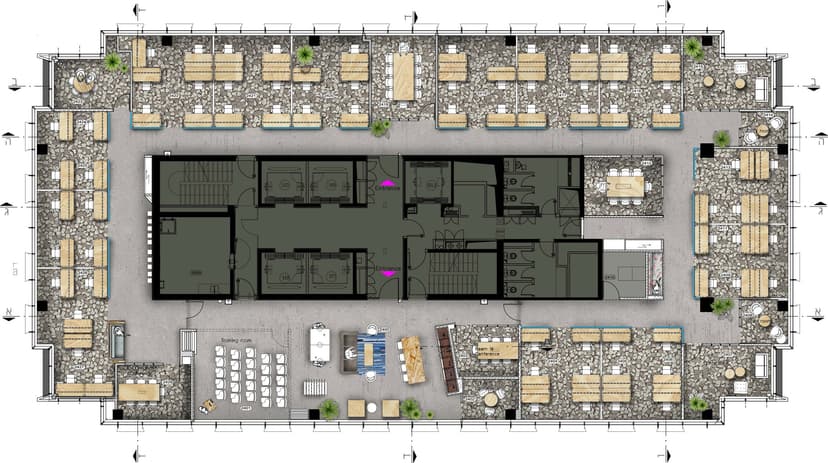
Changing Floorplan refers to the process of altering or redesigning the layout of a physical space, typically for improving functionality, aesthetics, or accommodating new needs. It may involve reconfiguring walls, furniture placement, or overall room usage. In business and commercial environments, this could be done to optimize workflow, enhance customer experience, or support technological changes. In residential settings, it’s usually aimed at better utilization of space or improving comfort. Whether it’s a minor adjustment or a complete overhaul, changing a floorplan requires careful consideration of the space's purpose, structure, and desired outcome. A customer of ours had ask us to come in and pre-run cables for them. They handed us a floorplan to follow and to have everything ready so once the cubicle is installed, we’ll just come in and drop them to each cubicle. The problem came when we arrived the day to drop the cables and the customer had changed the floor plan. This had cause 50% of the cables that was original ran to now being too short and unusable. We had to spend another couple day of work to sort what is useable and running new cables for the remaining amount.
The Power of 1 and 0: Understanding Binary and Its Importance in Networking

In the realm of computing and networking, the fundamental building blocks are the binary digits 1 and 0. These two digits form the foundation of all digital communication and data processing. Managed IT services play a crucial role in leveraging this binary system to ensure efficient and reliable network operations. In this blog, we’ll explore the significance of 1 and 0 in networking, how they work, and why they are essential for the digital age. What is Binary? Binary is a base-2 numerical system that uses only two symbols: 1 and 0. In contrast to the decimal system, which is base-10 and uses ten digits (0-9), binary is the language of computers and digital systems. Each binary digit is known as a bit, and a group of eight bits forms a byte. How Binary Works in Networking Data Representation: Bits and Bytes: All data transmitted over networks is represented in binary. Text, images, videos, and any other type of data are converted into sequences of bits. Encoding: Data is encoded into binary before it is sent over the network. For example, the letter ‘A’ is represented by the binary code 01000001. Data Transmission: Electrical Signals: In wired networks, binary data is transmitted as electrical signals, where a high voltage might represent a 1 and a low voltage a 0. Radio Waves: In wireless networks, binary data is transmitted using radio waves, with different frequencies or phases representing 1s and 0s. Light Pulses: In fiber-optic networks, binary data is transmitted as pulses of light, with the presence or absence of a pulse representing 1 and 0. Network Protocols: Communication Protocols: Protocols like TCP/IP, HTTP, and FTP use binary data to establish and manage communication between devices. Packetization: Data is divided into packets, each containing a header and payload, both of which are represented in binary. The header includes information like source and destination addresses, also in binary form. Why Binary is Important in Networking Efficiency: Simple and Reliable: Binary is straightforward and easy to implement in hardware. Digital devices can reliably detect the presence or absence of an electrical signal, light pulse, or radio wave. Speed: Binary systems allow for high-speed data processing and transmission. Digital circuits operate quickly because they only need to distinguish between two states. Standardization: Universal Language: Binary provides a standardized way to represent and communicate data across different devices and networks. This universal language ensures compatibility and interoperability. Protocol Support: All networking protocols are designed to work with binary data, ensuring that devices from different manufacturers can communicate effectively. Error Detection and Correction: Parity Bits: Binary allows for simple error detection methods, such as parity bits, which help identify errors in transmitted data. Checksums: More complex error-checking techniques like checksums and cyclic redundancy checks (CRC) also rely on binary arithmetic to ensure data integrity. Security: Encryption: Binary is essential for data encryption. Encryption algorithms convert plaintext data into encrypted binary code, protecting it from unauthorized access. Authentication: Binary codes are used in authentication protocols to verify the identity of users and devices, ensuring secure network access. How Managed IT Services Leverage Binary in Networking Network Design and Implementation: Managed IT services design and implement networks that efficiently handle binary data transmission, ensuring high performance and reliability. Monitoring and Maintenance: Continuous monitoring of network performance includes checking the integrity and efficiency of binary data transmission. Managed IT services quickly identify and resolve issues related to data errors and transmission failures. Security Management: Implementing and managing encryption protocols to secure binary data during transmission and storage is a critical service provided by managed IT providers. Optimization: Managed IT services optimize network protocols and configurations to ensure efficient binary data handling, enhancing overall network performance and user experience. Conclusion The binary system, based on the simple digits 1 and 0, is the backbone of all digital communication and networking. Its efficiency, reliability, and universal standardization make it indispensable in the modern digital world. Managed IT services play a vital role in leveraging this fundamental technology to ensure robust and secure network operations. By understanding and utilizing binary, managed IT providers help businesses achieve optimal network performance and security. Ready to Optimize Your Network with Expert Managed IT Services? Contact BCS IT Services today to learn how we can help you harness the power of binary for a more efficient and secure network. Call us now 512.257.1433 to schedule your free consultation session.