

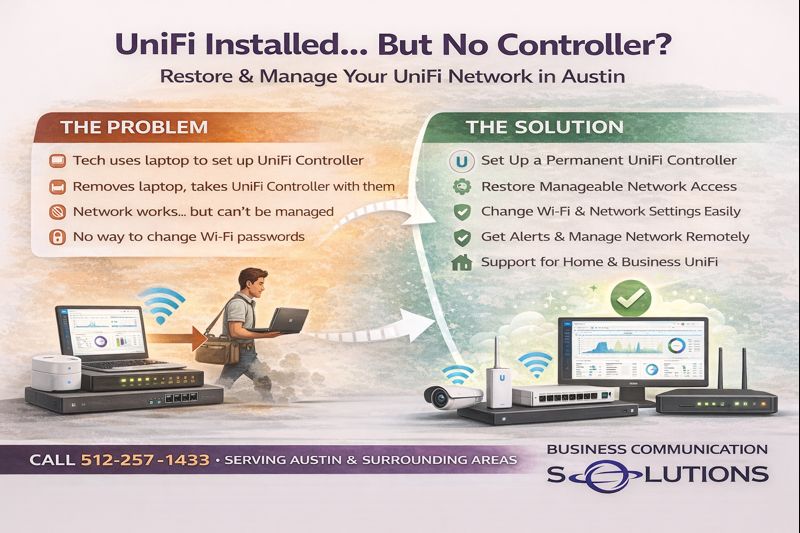
At Business Communication Solutions, we visit many homes and businesses in Austin, Texas that have UniFi (Ubiquiti) networking equipment installed—but no active controller in place.
The access points are mounted.
The network “works.”
But when the customer needs to change a Wi-Fi password or troubleshoot an issue, things get complicated fast.
Why UniFi Controllers Often Go Missing
In many installations, the original installer:
Used a laptop-based UniFi Controller
Adopted all the devices
Completed the install
Then took the laptop with them
Once that happens:
The controller no longer exists on-site
The customer does not have admin access
Network settings become difficult or impossible to change
This is one of the most common UniFi support calls we receive in Austin.
What Happens Without a UniFi Controller
UniFi access points and switches will continue to pass traffic without a controller, but management is lost.
Without an active controller:
Wi-Fi passwords can’t be easily changed
Firmware updates are difficult
Network troubleshooting is limited
New devices can’t be adopted
Logs and alerts are unavailable
For businesses, this becomes a real operational issue.
For homes, it turns simple changes into major headaches.
What Is a UniFi Network Controller?
A UniFi Controller is the management platform that:
Controls Wi-Fi networks
Manages switches and gateways
Handles user access and security
Provides monitoring and alerts
It can run on:
A Cloud Key
A UniFi Gateway
A local server
A properly maintained computer
The key is that it must stay available.
Pros of Using a Proper UniFi Controller
When set up correctly, UniFi offers major advantages:
Centralized network management
Easy Wi-Fi password changes
Remote troubleshooting
Scalable for homes and businesses
Enterprise-grade features at a reasonable cost
Excellent visibility into network health
This is why UniFi is so popular—but only when installed correctly.
Cons (When Installed Incorrectly)
Most UniFi complaints we hear are not about the hardware—they’re about how it was deployed.
Common problems include:
Controller installed on a technician’s laptop
No admin credentials left behind
No backups of the configuration
No documentation
In these cases, customers often believe their system is “locked” or broken—when it’s actually recoverable.
How Business Communication Solutions Helps UniFi Users in Austin
We specialize in:
Recovering UniFi networks with missing controllers
Migrating laptop-based controllers to permanent solutions
Setting up Cloud Keys or gateway controllers
Restoring admin access
Securing and documenting networks
Supporting both residential and business UniFi systems
We work with existing installations—not just new builds.
Home & Business UniFi Support in Austin
Whether you have:
UniFi access points at home
A UniFi network in your office
An installer who disappeared
No way to manage your Wi-Fi
📞 Call Business Communication Solutions at 512-257-1433
We provide local UniFi and Ubiquiti support in Austin and surrounding areas for homes and businesses.
UniFi Installed? But No Way to Manage It?
You don’t need to replace your network.
In most cases, we can:
Restore control
Improve performance
Make your UniFi system easy to manage again
Local help. Real solutions. No vendor lock-in.