

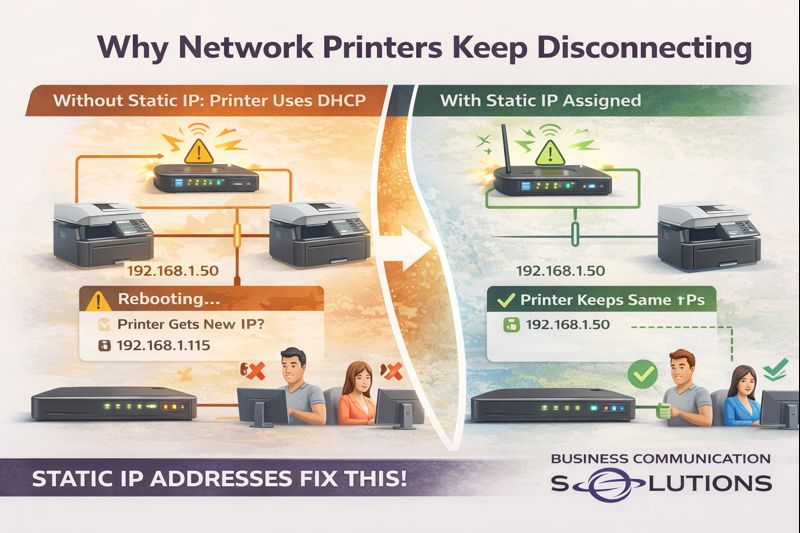
At Business Communication Solutions, we helped a customer in Austin, Texas today who was frustrated because their network printer kept disappearing. One day it worked perfectly, the next day no one could print—again.
The cause wasn’t the printer hardware.
It was the printer being set up with DHCP instead of a static IP address.
This is one of the most common (and overlooked) issues with network printers.
What Happens When Printers Use DHCP
By default, most printers are configured to:
Automatically receive an IP address from the router (DHCP)
Accept any available address on the network
That works fine—until the network:
Reboots
Loses power
Receives an ISP modem/router update
When that happens:
The printer gets a new IP address
Computers still try to print to the old IP
Print jobs fail
The printer shows “offline” even though it’s powered on
From the user’s perspective, the printer just “randomly stopped working.”
Why This Is Worse on Business & Shared Networks
On regular business or home networks:
Phones, laptops, tablets, TVs, and IoT devices are constantly joining and leaving
IP addresses are reassigned dynamically
Routers don’t care which device gets which IP
Printers, however, need consistency.
If a printer’s IP changes:
Mapped printers break
Accounting and POS systems lose access
Scan-to-email and scan-to-folder stop working
Users waste time reinstalling printers (over and over)
Why Static IP Addresses Matter for Printers
Assigning a static IP to a printer ensures:
The printer always keeps the same network address
Computers always know where to send print jobs
Printing works after power outages
No more “printer offline” errors after reboots
In short:
Static IPs eliminate printer instability.
This is especially important for:
Offices with multiple users
Medical and legal offices
Restaurants and retail POS printers
Home offices with shared printers
The Plug-and-Play Trap
Plug-and-play printer installs are fine:
On day one
Before the first power outage
Before the router reboots
But once the network changes, DHCP-based printers often fail silently. That’s when customers call us—usually after reinstalling the printer three times.
What We Fixed for Our Austin Customer
For this customer, we:
Identified the printer was using DHCP
Assigned a proper static IP outside the DHCP range
Updated all computers to point to the correct IP
Verified printing after network reboot
Prevented future disconnects
Once configured correctly, the printer stayed online—even after testing power cycles.
Why Local IT Support Makes the Difference
Big vendors and printer manufacturers focus on installation—not reliability.
At Business Communication Solutions, we:
Troubleshoot printers others won’t touch
Fix recurring “offline” printer issues
Work with existing routers and networks
Handle the small network problems that cause big productivity losses
Because we’re local, we actually come on-site and fix the root cause.
Printer Keeps Going Offline in Austin? We Can Help.
If your printer:
Randomly shows offline
Stops working after power outages
Needs to be reinstalled constantly
📞 Call Business Communication Solutions at 512-257-1433
We serve Austin and surrounding areas and specialize in stable, properly configured business and home networks.